

With the GDM extension, clicking a download link in your browser hands the download to GDM. GDM gets the address together with the page it came from (the referrer), your cookies for the site and the browser's User-Agent, so downloads that need you to be signed in still work.
この拡張機能は、Google Chrome、Microsoft Edge、Brave、Opera、Vivaldi、Firefox 140 以降、および Mac の Safari 17 以降で動作します (Safari を参照)。
Browsers built on them work too: Chromium and Helium take the extension as Chrome does, Brave Origin as Brave does, Zen and LibreWolf as Firefox does. On Windows, Zen has a bug of its own (see The browser and GDM aren't connected).
設定
ブラウザー統合は、ブラウザーと通信する小さなヘルパープログラムと、拡張機能本体の 2 つで構成されています。
- Install GDM with the setup and keep Set up browser integration (Chrome, Edge, Brave, Firefox) ticked. This registers the helper. (The portable copy can't do this; see Portable mode.) On Linux and macOS GDM registers it itself, each time it starts, for the browsers installed then.
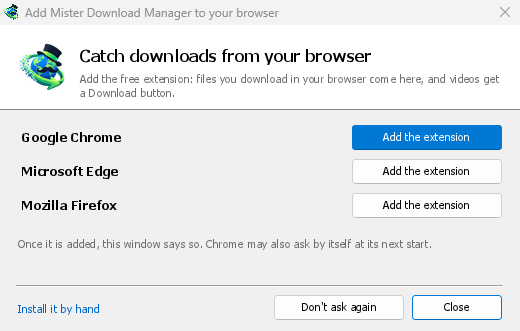
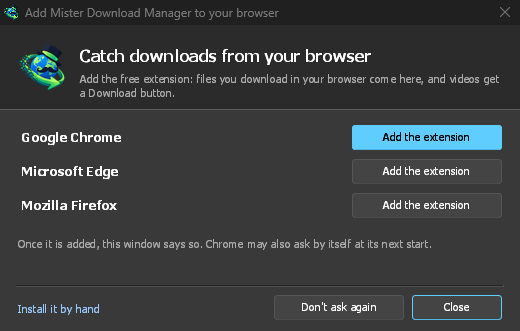
- Add the extension to each browser you use, as below: Firefox from its add-ons store, the others from the Chrome Web Store. Until a browser's extension has reached GDM, GDM's Add GolinksPRO Download Manager to your browser window opens at each start: it lists the browsers it found, and Add the extension opens the store's page in that browser. Install it by hand opens the steps for loading it without the store; Don't ask again stops the window.
Firefox
Firefox 140 or later is needed. Install the add-on from its page on addons.mozilla.org, GolinksPRO Download Manager: click Add to Firefox. Firefox keeps it updated. Zen and LibreWolf install it from the same page. (GDM's Add GolinksPRO Download Manager to your browser window opens that page for you.)
Chrome、Edge、Brave、Opera、Vivaldi
Install the extension from its page in the Chrome Web Store, GolinksPRO Download Manager: click Add to Chrome. In Edge the button is Get: Edge first asks to Allow extensions from other stores (click Allow), then Add extension. The browser keeps it updated. GDM's Add GolinksPRO Download Manager to your browser window opens that page in each browser for you, and Chrome may offer it by itself at its next start once GDM is installed.
To load it by hand instead (a browser that can't use the store, or a build of your own): its files are in the extension folder where GDM is installed: %LOCALAPPDATA%\Programs\GolinksPRO Download Manager\extension if you installed it for yourself, or Program Files\GolinksPRO Download Manager\extension if you installed it for everyone. Every release also has them as their own download, ...-extension-chromium.zip (unzip it first).
- 拡張機能のページを開きます:
chrome://extensions、edge://extensions、またはbrave://extensions。 - 開発者モードをオンにします。
- パッケージ化されていない拡張機能を読み込むをクリックし、
extension\chromiumフォルダーを選択します。
GolinksPRO Download Manager appears in the list. Leave it turned on. Pin its button to the toolbar to see at a glance whether the browser reaches GDM.
Safari (macOS)
Mac アプリには Safari 拡張機能が含まれており、ダウンロードは不要です。Safari 17 以降と macOS 14 以降が必要です。
- Drag GDM to Applications and start it once. GDM's Add GolinksPRO Download Manager to your browser window lists Safari: How to Add shows the steps below.
- In Safari open Settings → Extensions and tick GolinksPRO Download Manager. Click Always Allow on Every Website: the extension needs to read the site to pass your sign-in on.
- アプリが Apple によって公証されていないため (実験的なビルドは公証されていません)、Safari は未署名の拡張機能が許可されている場合にのみ拡張機能を一覧表示します。設定 → 詳細 → Web 開発者用の機能を表示、次に設定 → 開発 → 未署名の拡張機能を許可。Safari は終了するたびにこの設定を忘れます。
Safari では拡張機能がブラウザーのダウンロードを表示したり停止したりできないため、他のブラウザーとは動作が異なります。
- Works as in the other browsers: the right-click items, the button over videos, Media on this page, the toolbar button, Alt-click, GDM starting by itself, and every rule in Options.
- A click on a link to a file type GDM takes goes to GDM. A download the page starts by itself (a script, or a link with no file name in its address that the server answers with a file) stays with Safari: use right-click → Download with GolinksPRO Download Manager for those.
- 利用できないもの: ブラウザーのプロキシまたは VPN の共有、およびフォームからのダウンロード。
zip ファイルから
The -x64.zip copy has no installer, but you can register the helper yourself. Open a command prompt in GDM's folder and run:
misterdownloadmanager-nmhost.exe --register
これは使用中の Windows アカウントにのみ適用されます。--unregisterを実行すると元に戻せます。その後、上記の手順で zip 内の extension フォルダーから拡張機能を読み込みます。
必要な条件
When you click a download, the extension checks GDM's Options:
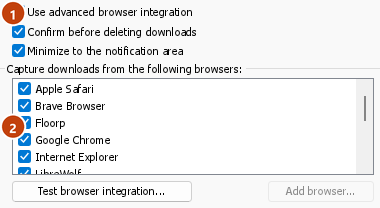
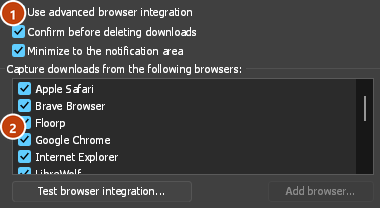
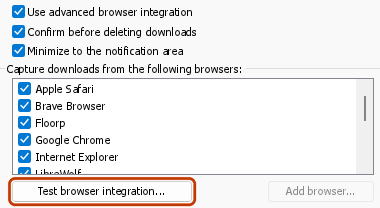
- Options → General → Use advanced browser integration must be on. Turn it off to send nothing to GDM.
- オプション → 一般 → 次のブラウザーからダウンロードをキャプチャするで、使用するブラウザーにチェックを入れる必要があります。
- オプション → ファイルの種類 → 次のファイルの種類を自動的にダウンロードするに、ファイルのタイプがリストされている必要があります。リストは一般的なものから始まります: ZIP、RAR、7Z、EXE、MSI、ISO、DMG、DEB、RPM、APPIMAGE、MP3、MP4、MKV、WEBM、PDF、GGUF や SAFETENSORS などの AI モデル、GLB や STL などの 3D ファイル、その他多数。その他はリストに追加できます。
- オプション → ファイルの種類 → 次のサイトからのダウンロードを自動的に開始しないに、そのサイトが登録されていない必要があります。名前はスペースで区切ります。
*は*.update.microsoft.comのように、文字列のどの部分にも一致します。その下のリストを編集...には、除外する完全なアドレスを 1 行に 1 つずつ登録します (https://example.com/private/*)。 - オプション → ファイルの種類 → 次のサイズより小さいファイルは取得しないを設定すると、小さなファイル (レシートやアイコンなど) はブラウザーでダウンロードされます。0 にすると、すべてのサイズが対象になります。
- 拡張機能にサイトの読み取りを許可する必要があります。読み取りを一部のサイトに限定している場合 (またはクリック時に設定している場合)、サインイン情報を引き継げないため、そのサイトからのダウンロードはブラウザーで行われます。
When the browser keeps a download, the extension's button says which of these left it there, with the file's name, and GDM's log has a line for each one (logs\mdm.log in GDM's data folder).
クリックしたアドレスと、リダイレクト先のアドレスの両方を確認します。そのため、除外したサイトが別のサーバーにリダイレクトしても、引き続き除外されます。それ以外のダウンロードはブラウザーで行われます。オプションの変更は 1 分以内にブラウザーに反映されるため、ブラウザーを再起動する必要はありません。
When GDM takes a download, it gets the browser's file name, size and type with it, so Download File Info shows them at once without asking the server again. A download from a form (a button that posts and gets a file back) is posted again by GDM with the form's data; a form that sends a file stays with the browser.
When GDM takes a download, the browser's own copy is cancelled and removed from the browser's download list. In Firefox and the browsers built on it (Waterfox, Zen, LibreWolf), GDM takes it as soon as the server answers, before the browser asks What should … do with this file?: for a file GDM takes, that question never shows (Waterfox asks it for every new type of file). Files GDM doesn't take get the question as before. Download File Info opens in GDM (unless you turned it off in Options → Downloads). Cancelling there doesn't hand the download back to the browser.
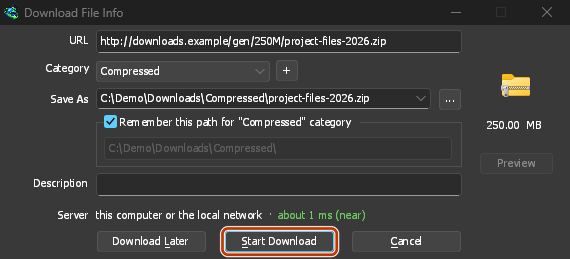
Click a download link in the browser: Download File Info opens in GDM. 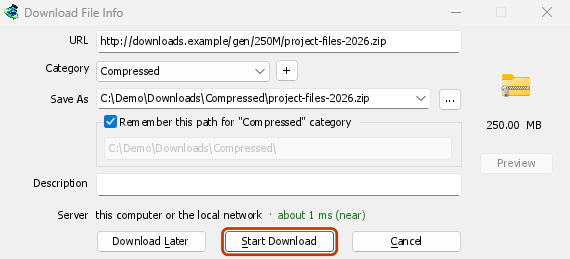
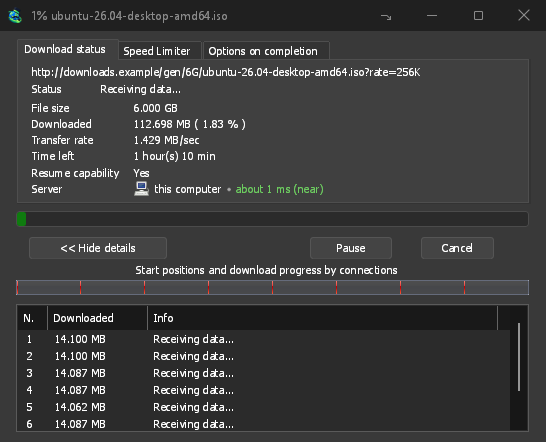
「ダウンロード開始」をクリックすると、進行状況ウィンドウにダウンロードの進み具合が表示されます。 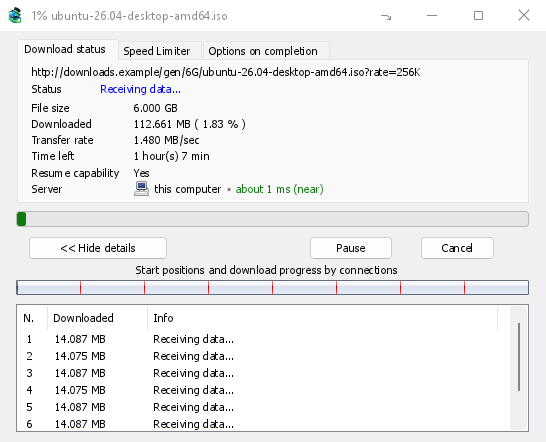
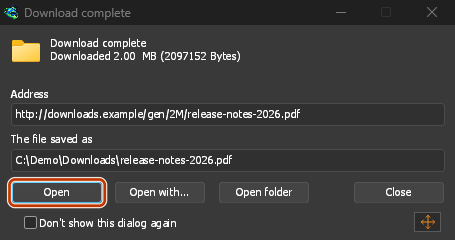
ダウンロード完了: ファイルを開くか、「フォルダーを開く」をクリックします。 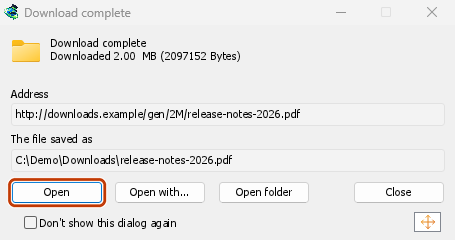
Downloads from a private window use that window's cookies, never the normal ones, and aren't kept in GDM's list after it closes.
Files GDM downloads from the browser are marked as coming from the internet, as the browser marks its own: Windows checks a program with SmartScreen before it runs and Office opens a document in Protected View.
ブラウザーが開くファイル
A PDF, a song or a video that the browser would show or play itself goes to GDM too, when its type is in Options → File types (not on the excluded sites). To turn this off, untick Also take files the browser would open in Options → General → Keys.... This needs a Chromium browser (Chrome, Edge, Brave, Opera, Vivaldi) version 128 or later, or Firefox.
ツールバーボタン
The extension's button shows whether the browser reaches GDM. A red ! means it doesn't; click the button to see why, and How to fix it opens the matching section of The browser and GDM aren't connected. The button also:
- このブラウザーからのダウンロードを取得する: チェックを外すと一時停止し、再度チェックを入れるまで、すべてのダウンロードはブラウザーで処理されます。
- Never take downloads from the current site: adds it to GDM's excluded sites.
- Open GolinksPRO Download Manager and Options....
- Media on this page: what the page has loaded that GDM can download (see below).
VPNまたはプロキシ拡張機能
A VPN or proxy extension is a proxy for the browser only. Switch on Send downloads through this browser's proxy or VPN extension in the extension's toolbar popup (it's off as installed), and GDM downloads what it takes from the browser through the same proxy (with Options → Proxy / Socks → Use proxy/socks from a browser's request, on by default; see Options). Switched off, the extension reads nothing of the browser's proxy.
- Firefox asks you once, at the switch, to allow the extension to read the browser's proxy; switching it off takes that permission back. GDM gets the proxy the browser's own request for the file took, including the ones a VPN extension picks for each request.
- Chrome, Edge, Brave, Opera and Vivaldi can't ask for that permission at the switch, so the
extension has it from the install (Chrome counts it under the access to every site the extension
already asks for, so it adds no line to the install prompt and the update asks for nothing new).
The switch asks nothing. GDM gets the browser's effective proxy, whoever set it (a VPN or proxy
extension, a policy, the command line): a fixed server for the download's scheme (
http,https,socks4,socks5), unless the address is on its bypass list, or its proxy auto-config script (by its address or inline). With no proxy, or the system's, nothing is sent and GDM goes by its own Options. A QUIC proxy can't be shared.
どちらの場合も、プロキシのログインは読み取られません。VPN 拡張機能自身のログインを要求するプロキシは共有できず、ダウンロードはそれなしで続行するのではなく、その旨を伝えます。
このページのメディア
リンクがなくても動画を再生できるページや、プレーヤーがダウンロード ボタンから動画を隠すページがあります。ツールバー ボタンにはページが読み込んだ項目が一覧表示されるため、そこから保存できます。
- ストリーム: 多くのサイトが長い動画の再生に使うHLS (
.m3u8) とDASH (.mpd)。プレーヤーが品質を何度切り替えても、各ストリームは1回だけ一覧に表示されます。拡張機能が読み取れる場合は、品質 (1080p · 720p) と長さも表示されます。アドレスが.m3u8または.mpdで終わらないプレーンテキスト形式のストリームも検出されます。一覧を開くか、プレーヤー上のダウンロード ボタンを押すと、プレーヤーがストリームを再生している場合に、拡張機能がプレーヤーの取得したデータの最初の数KBを読み取り、ストリームを判別します。操作するまでデータは読み取られません。 - ページで再生された動画ファイルと音声ファイル(MP4、WebM、MP3など)。ファイルサイズと、動画の場合は画面サイズも表示されます。
Start the video first: the list fills as the page loads things, and it's emptied when the tab goes
to another page. With Prefix media file names with the page title on, a file from the list is
named after the page, then its own name (The page - clip.mp4). Click Download beside one: a stream opens GDM's Download video from a page
window, which reads its qualities (yt-dlp does the work); a file goes to GDM's list like any other
download. Your cookies for its server, the page as the referrer and your browser's User-Agent go
with it, as they do for a link you click.
Pieces of a stream (its segments) are never listed. A copy-protected stream (DRM: Widevine, PlayReady, FairPlay, as most paid streaming services use) is listed as Protected, with no Download button: no tool may break that protection, and GDM doesn't try.
追加の設定は必要ありません。拡張機能はダウンロードを引き継ぐため、ブラウザーがダウンロードする項目をすでに確認しています。記録した内容はブラウザーのメモリに保存され、ブラウザーを閉じると消去されます。
Right-click: Download with GolinksPRO Download Manager
Right-click a link, a video, a sound or a picture and choose Download with GolinksPRO Download Manager. GDM downloads it whatever its type: you asked for it, so the file types list and the excluded sites don't apply here (they only decide which downloads GDM takes over by itself). A video that plays as a stream goes to the Download video window with the stream its player loaded (HLS or DASH), as the button over videos sends it, with your cookies for the stream's server and the page as the referrer.
Select part of a page and right-click it for Download selected links with GolinksPRO Download Manager, or right-click the page for Download all links with GolinksPRO Download Manager: the links open in Link grabber, sorted into packages, where you tick the ones you want.
If GDM can't be reached when you choose one of these, the help page opens at the section that explains why.
動画上のダウンロード ボタン
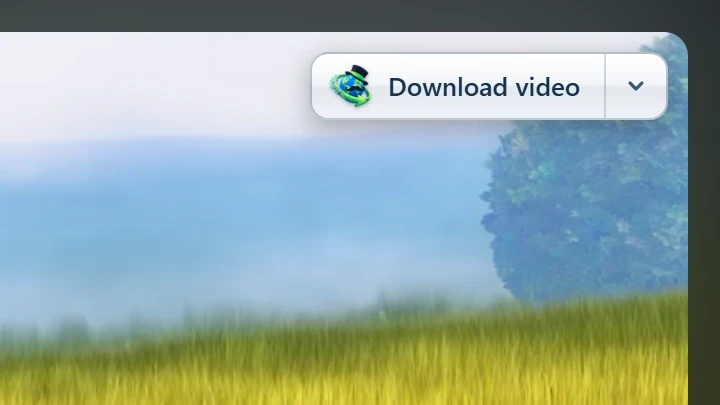
Point at a video on a web page and a small Download video button appears at its edge. Click it and GDM's Download video from a page window opens and looks up the qualities it can download. It takes the video you clicked: its own file when it plays one, or the stream the player loaded (HLS or DASH), else the page. When the button can't tell which one you mean, the toolbar button's Media on this page lists them all. Embedded players work too, and your sign-in for the site, the page that embeds the player and your browser's User-Agent go with it, so videos for members, or that play only on the site that embeds them, can be downloaded. Sound players get the button too.
邪魔にならないよう、動画にポインターを合わせたときだけ表示されます(プレーヤーにキーボードのフォーカスがある場合も表示され、Tabキーでボタンに移動できます)。ポインターを動かさずにいるとフェードアウトし、小さな動画や短い無音のループ(アニメーション画像や背景)には表示されません。全画面表示では、プレーヤーが対応していれば動画に追従します。コピー保護された動画(DRM)では、保存できないことが表示されます。
- 移動: 動画の端に沿ってドラッグして移動できます。最も近い端に吸着し、そのサイトではその位置に表示されます。
- Its menu (the arrow next to it): Hide on this video, Never on the site (GDM remembers the site), and Button settings..., which opens GDM's Options.
- Turn it off, or see the sites it stays off: Options → General → Customize GDM Download panels in browsers → Edit....
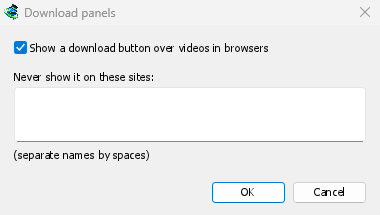
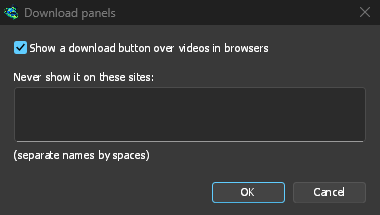
このボタンは他のブラウザー統合と同じ設定に従います。高度なブラウザー統合を使用するがオフの場合、またはブラウザーのチェックが外れている場合は表示されません。
ダウンロードを取得するかどうかを切り替えるキー
Hold Alt while clicking a link to let the browser download it instead of GDM. In Firefox, Alt+click saves a link only when its browser.altClickSave setting is on (in about:config); otherwise right-click the link and choose Save Link As..., which the browser keeps. Options → General → Keys... says so, and holds Also take files the browser would open.
サイトからのダウンロードを常にブラウザーで行うには、ツールバーのこのサイトからダウンロードを取得しないを使うか、サイトを以下のサイトからのダウンロードを自動的に開始しないに追加します。特定のファイルの種類をブラウザーでダウンロードするには、ファイルの種類の一覧からその種類を削除します。
When GDM isn't running
You don't need to start GDM first. When the browser hands over a download and GDM isn't running, the helper starts it and passes the download on.
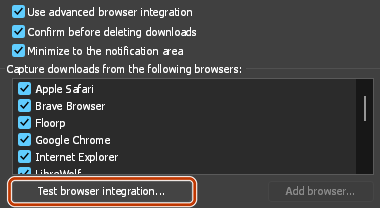
If GDM can't be reached at all (it was uninstalled, or the helper isn't registered), the download stays with the browser, so nothing is lost, and the toolbar button shows a red !. See The browser and GDM aren't connected, or run Options → General → Test browser integration....
次のステップ
無料、オープンソース、広告なし、試用期間なし。
Download GolinksPRO Download Manager