

With the GDM extension, clicking a download link in your browser hands the download to GDM. GDM gets the address together with the page it came from (the referrer), your cookies for the site and the browser's User-Agent, so downloads that need you to be signed in still work.
Die Erweiterung funktioniert in Google Chrome, Microsoft Edge, Brave, Opera und Vivaldi, in Firefox ab Version 140 und in Safari ab Version 17 auf einem Mac (siehe Safari).
Browsers built on them work too: Chromium and Helium take the extension as Chrome does, Brave Origin as Brave does, Zen and LibreWolf as Firefox does. On Windows, Zen has a bug of its own (see The browser and GDM aren't connected).
Einrichten
Die Browserintegration besteht aus zwei Teilen: einem kleinen Hilfsprogramm, mit dem der Browser kommuniziert, und der Erweiterung selbst.
- Install GDM with the setup and keep Set up browser integration (Chrome, Edge, Brave, Firefox) ticked. This registers the helper. (The portable copy can't do this; see Portable mode.) On Linux and macOS GDM registers it itself, each time it starts, for the browsers installed then.
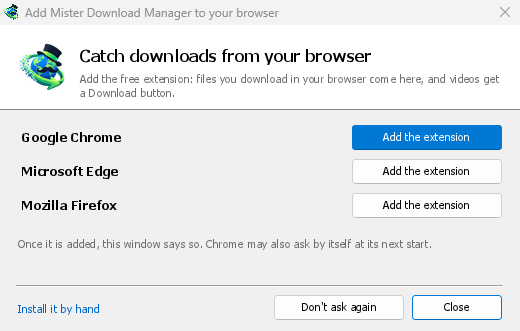
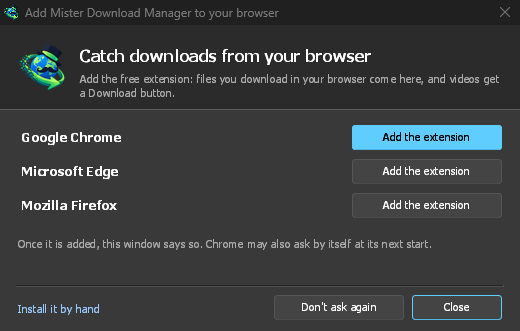
- Add the extension to each browser you use, as below: Firefox from its add-ons store, the others from the Chrome Web Store. Until a browser's extension has reached GDM, GDM's Add GolinksPRO Download Manager to your browser window opens at each start: it lists the browsers it found, and Add the extension opens the store's page in that browser. Install it by hand opens the steps for loading it without the store; Don't ask again stops the window.
Firefox
Firefox 140 or later is needed. Install the add-on from its page on addons.mozilla.org, GolinksPRO Download Manager: click Add to Firefox. Firefox keeps it updated. Zen and LibreWolf install it from the same page. (GDM's Add GolinksPRO Download Manager to your browser window opens that page for you.)
Chrome, Edge, Brave, Opera und Vivaldi
Install the extension from its page in the Chrome Web Store, GolinksPRO Download Manager: click Add to Chrome. In Edge the button is Get: Edge first asks to Allow extensions from other stores (click Allow), then Add extension. The browser keeps it updated. GDM's Add GolinksPRO Download Manager to your browser window opens that page in each browser for you, and Chrome may offer it by itself at its next start once GDM is installed.
To load it by hand instead (a browser that can't use the store, or a build of your own): its files are in the extension folder where GDM is installed: %LOCALAPPDATA%\Programs\GolinksPRO Download Manager\extension if you installed it for yourself, or Program Files\GolinksPRO Download Manager\extension if you installed it for everyone. Every release also has them as their own download, ...-extension-chromium.zip (unzip it first).
- Öffnen Sie die Erweiterungsseite:
chrome://extensions,edge://extensionsoderbrave://extensions. - Aktivieren Sie den Entwicklermodus.
- Klicken Sie auf Entpackte Erweiterung laden und wählen Sie den Ordner
extension\chromium.
GolinksPRO Download Manager appears in the list. Leave it turned on. Pin its button to the toolbar to see at a glance whether the browser reaches GDM.
Safari (macOS)
Die Mac-App enthält die Safari-Erweiterung: Es muss nichts heruntergeladen werden. Safari 17 oder neuer und macOS 14 oder neuer sind erforderlich.
- Drag GDM to Applications and start it once. GDM's Add GolinksPRO Download Manager to your browser window lists Safari: How to Add shows the steps below.
- In Safari open Settings → Extensions and tick GolinksPRO Download Manager. Click Always Allow on Every Website: the extension needs to read the site to pass your sign-in on.
- Da die App nicht von Apple notariell beglaubigt ist (die experimentellen Builds sind es nicht), listet Safari die Erweiterung nur, wenn nicht signierte Erweiterungen zugelassen sind: Einstellungen → Erweitert → Funktionen für Webentwickler anzeigen, dann Einstellungen → Entwickler → Nicht signierte Erweiterungen erlauben. Safari vergisst diese Einstellung jedes Mal, wenn es beendet wird.
Safari erlaubt einer Erweiterung weder, die Downloads des Browsers zu sehen noch zu stoppen, daher unterscheidet sich die Funktionsweise von den anderen Browsern:
- Works as in the other browsers: the right-click items, the button over videos, Media on this page, the toolbar button, Alt-click, GDM starting by itself, and every rule in Options.
- A click on a link to a file type GDM takes goes to GDM. A download the page starts by itself (a script, or a link with no file name in its address that the server answers with a file) stays with Safari: use right-click → Download with GolinksPRO Download Manager for those.
- Nicht verfügbar: die gemeinsame Nutzung des Browser-Proxys oder VPNs und ein Download von einem Formular.
Aus dem einfachen Zip
The -x64.zip copy has no installer, but you can register the helper yourself. Open a command prompt in GDM's folder and run:
misterdownloadmanager-nmhost.exe --register
Dies gilt nur für Ihr Windows-Konto. --unregister macht es rückgängig. Laden Sie dann die Erweiterung wie oben beschrieben aus dem extension-Ordner des Zips.
Was es braucht
When you click a download, the extension checks GDM's Options:
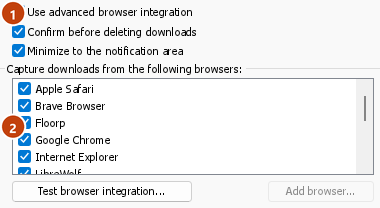
- Options → General → Use advanced browser integration must be on. Turn it off to send nothing to GDM.
- Optionen → Allgemein → Downloads von folgenden Browsern abfangen muss Ihren Browser aktiviert haben.
- Unter Optionen → Dateitypen → Folgende Dateitypen automatisch herunterladen muss der Dateityp aufgeführt sein. Die Liste beginnt mit den üblichen: ZIP, RAR, 7Z, EXE, MSI, ISO, DMG, DEB, RPM, APPIMAGE, MP3, MP4, MKV, WEBM, PDF, KI-Modelle wie GGUF und SAFETENSORS, 3D-Dateien wie GLB und STL und viele mehr. Alles andere kann der Liste hinzugefügt werden.
- Optionen → Dateitypen → Downloads von folgenden Seiten nicht automatisch starten darf die Seite nicht auflisten. Namen werden durch Leerzeichen getrennt, und
*passt zu jedem Teil, wie in*.update.microsoft.com. Liste bearbeiten ... darunter listet ganze Adressen auf, die in Ruhe gelassen werden sollen, eine pro Zeile (https://example.com/private/*). - Optionen → Dateitypen → Dateien, die kleiner sind als überlässt kleine Dateien (eine Quittung, ein Symbol) dem Browser. 0 nimmt jede Größe.
- Die Erweiterung muss die Berechtigung haben, die Seite zu lesen. Wenn Sie sie auf bestimmte Seiten beschränken (oder Beim Klicken), kann sie Ihre Anmeldung nicht weitergeben, sodass sie die Downloads dieser Seiten dem Browser überlässt.
When the browser keeps a download, the extension's button says which of these left it there, with the file's name, and GDM's log has a line for each one (logs\mdm.log in GDM's data folder).
Sowohl die angeklickte Adresse als auch die, zu der ihre Weiterleitungen führten, werden geprüft, sodass eine ausgeschlossene Seite ausgeschlossen bleibt, selbst wenn sie Sie an einen anderen Server sendet. Alles andere bleibt beim Browser. Änderungen in den Optionen erreichen den Browser innerhalb einer Minute; Sie müssen ihn nicht neu starten.
When GDM takes a download, it gets the browser's file name, size and type with it, so Download File Info shows them at once without asking the server again. A download from a form (a button that posts and gets a file back) is posted again by GDM with the form's data; a form that sends a file stays with the browser.
When GDM takes a download, the browser's own copy is cancelled and removed from the browser's download list. In Firefox and the browsers built on it (Waterfox, Zen, LibreWolf), GDM takes it as soon as the server answers, before the browser asks What should … do with this file?: for a file GDM takes, that question never shows (Waterfox asks it for every new type of file). Files GDM doesn't take get the question as before. Download File Info opens in GDM (unless you turned it off in Options → Downloads). Cancelling there doesn't hand the download back to the browser.
Click a download link in the browser: Download File Info opens in GDM. 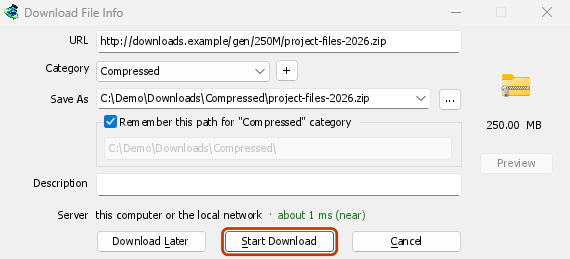
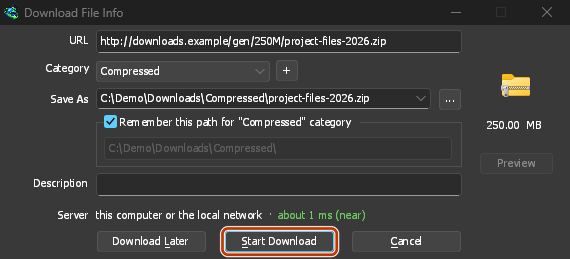
Download starten: Das Fortschrittsfenster zeigt den laufenden Download an. 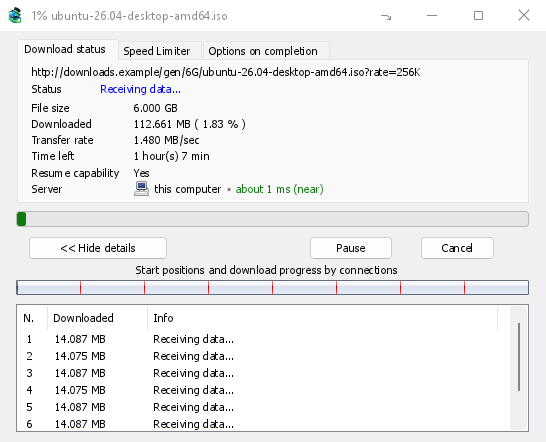
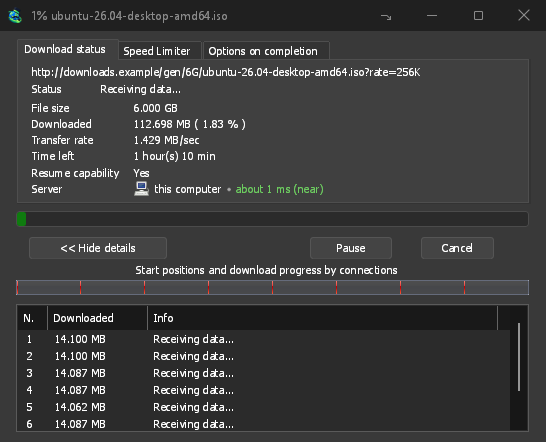
Download abgeschlossen: Datei öffnen oder Ordner öffnen. 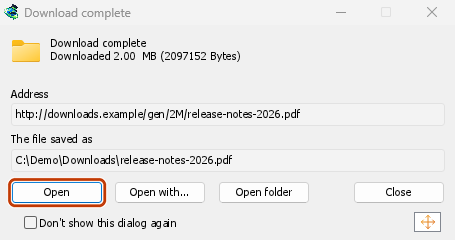
Downloads from a private window use that window's cookies, never the normal ones, and aren't kept in GDM's list after it closes.
Files GDM downloads from the browser are marked as coming from the internet, as the browser marks its own: Windows checks a program with SmartScreen before it runs and Office opens a document in Protected View.
Dateien, die der Browser öffnen würde
A PDF, a song or a video that the browser would show or play itself goes to GDM too, when its type is in Options → File types (not on the excluded sites). To turn this off, untick Also take files the browser would open in Options → General → Keys.... This needs a Chromium browser (Chrome, Edge, Brave, Opera, Vivaldi) version 128 or later, or Firefox.
Die Schaltfläche in der Symbolleiste
The extension's button shows whether the browser reaches GDM. A red ! means it doesn't; click the button to see why, and How to fix it opens the matching section of The browser and GDM aren't connected. The button also:
- Downloads von diesem Browser übernehmen: Deaktivieren Sie diese Option, um die Übernahme zu pausieren. Bis Sie die Option wieder aktivieren, bleiben alle Downloads im Browser.
- Never take downloads from the current site: adds it to GDM's excluded sites.
- Open GolinksPRO Download Manager and Options....
- Media on this page: what the page has loaded that GDM can download (see below).
Eine VPN- oder Proxy-Erweiterung
A VPN or proxy extension is a proxy for the browser only. Switch on Send downloads through this browser's proxy or VPN extension in the extension's toolbar popup (it's off as installed), and GDM downloads what it takes from the browser through the same proxy (with Options → Proxy / Socks → Use proxy/socks from a browser's request, on by default; see Options). Switched off, the extension reads nothing of the browser's proxy.
- Firefox asks you once, at the switch, to allow the extension to read the browser's proxy; switching it off takes that permission back. GDM gets the proxy the browser's own request for the file took, including the ones a VPN extension picks for each request.
- Chrome, Edge, Brave, Opera and Vivaldi can't ask for that permission at the switch, so the
extension has it from the install (Chrome counts it under the access to every site the extension
already asks for, so it adds no line to the install prompt and the update asks for nothing new).
The switch asks nothing. GDM gets the browser's effective proxy, whoever set it (a VPN or proxy
extension, a policy, the command line): a fixed server for the download's scheme (
http,https,socks4,socks5), unless the address is on its bypass list, or its proxy auto-config script (by its address or inline). With no proxy, or the system's, nothing is sent and GDM goes by its own Options. A QUIC proxy can't be shared.
In beiden Fällen wird die Anmeldung des Proxys nie gelesen: Ein Proxy, der die eigene Anmeldung der VPN-Erweiterung anfordert, kann nicht geteilt werden, und der Download weist darauf hin, anstatt ohne sie fortzufahren.
Medien auf dieser Seite
Manche Seiten spielen Videos ohne direkten Link ab, und manche Player verbergen sie auch vor der Download-Schaltfläche. Die Schaltfläche in der Symbolleiste zeigt an, was die Seite geladen hat, damit Sie es trotzdem speichern können:
- Streams: HLS (
.m3u8) und DASH (.mpd), mit denen die meisten Websites längere Videos abspielen. Jeder Stream wird nur einmal aufgeführt, unabhängig davon, wie oft der Player zwischen verschiedenen Qualitäten gewechselt hat. Die verfügbaren Qualitäten (1080p · 720p) und die Länge werden ebenfalls angezeigt, sofern die Erweiterung sie auslesen kann. Auch Streams, deren Adresse nicht auf.m3u8oder.mpdendet und die als Klartext bereitgestellt werden, werden erkannt: Wenn Sie die Liste öffnen (oder beim Player auf die Download-Schaltfläche klicken) und der Player einen Stream abspielt, liest die Erweiterung die ersten Kilobyte der vom Player abgerufenen Daten, um den Stream zu erkennen. Es wird nichts ausgelesen, bevor Sie die Liste öffnen. - Video- und Audiodateien, die auf der Seite abgespielt wurden (MP4, WebM, MP3 und Ähnliches), mit ihrer Größe und bei Videos auch der Bildgröße.
Start the video first: the list fills as the page loads things, and it's emptied when the tab goes
to another page. With Prefix media file names with the page title on, a file from the list is
named after the page, then its own name (The page - clip.mp4). Click Download beside one: a stream opens GDM's Download video from a page
window, which reads its qualities (yt-dlp does the work); a file goes to GDM's list like any other
download. Your cookies for its server, the page as the referrer and your browser's User-Agent go
with it, as they do for a link you click.
Pieces of a stream (its segments) are never listed. A copy-protected stream (DRM: Widevine, PlayReady, FairPlay, as most paid streaming services use) is listed as Protected, with no Download button: no tool may break that protection, and GDM doesn't try.
Sie müssen nichts weiter tun: Die Erweiterung sieht bereits, was der Browser herunterlädt, um Downloads zu übernehmen. Die gespeicherten Informationen bleiben im Arbeitsspeicher des Browsers und werden beim Schließen des Browsers gelöscht.
Right-click: Download with GolinksPRO Download Manager
Right-click a link, a video, a sound or a picture and choose Download with GolinksPRO Download Manager. GDM downloads it whatever its type: you asked for it, so the file types list and the excluded sites don't apply here (they only decide which downloads GDM takes over by itself). A video that plays as a stream goes to the Download video window with the stream its player loaded (HLS or DASH), as the button over videos sends it, with your cookies for the stream's server and the page as the referrer.
Select part of a page and right-click it for Download selected links with GolinksPRO Download Manager, or right-click the page for Download all links with GolinksPRO Download Manager: the links open in Link grabber, sorted into packages, where you tick the ones you want.
If GDM can't be reached when you choose one of these, the help page opens at the section that explains why.
Die Download-Schaltfläche über Videos
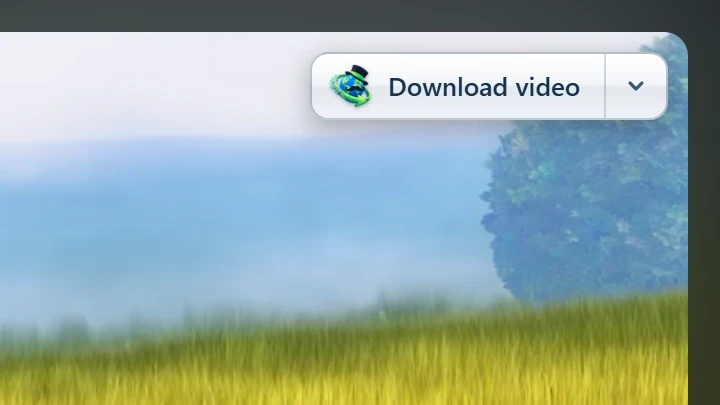
Point at a video on a web page and a small Download video button appears at its edge. Click it and GDM's Download video from a page window opens and looks up the qualities it can download. It takes the video you clicked: its own file when it plays one, or the stream the player loaded (HLS or DASH), else the page. When the button can't tell which one you mean, the toolbar button's Media on this page lists them all. Embedded players work too, and your sign-in for the site, the page that embeds the player and your browser's User-Agent go with it, so videos for members, or that play only on the site that embeds them, can be downloaded. Sound players get the button too.
Die Schaltfläche bleibt unauffällig: Sie wird nur angezeigt, wenn Sie auf ein Video zeigen oder der Player den Tastaturfokus hat. Mit Tab wechseln Sie dann zur Schaltfläche. Wenn der Zeiger stillsteht, wird sie ausgeblendet. Kleine Videos und kurze stumme Schleifen (animierte Bilder, Hintergründe) werden ignoriert. Im Vollbildmodus folgt die Schaltfläche dem Video, sofern der Player dies zulässt. Bei einem kopiergeschützten Video (DRM) wird angezeigt, dass es nicht gespeichert werden kann.
- Verschieben: Ziehen Sie die Schaltfläche an eine beliebige Stelle am Rand des Videos. Sie rastet am nächstgelegenen Rand ein und bleibt dort auf dieser Website.
- Its menu (the arrow next to it): Hide on this video, Never on the site (GDM remembers the site), and Button settings..., which opens GDM's Options.
- Turn it off, or see the sites it stays off: Options → General → Customize GDM Download panels in browsers → Edit....
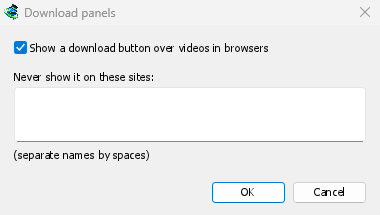
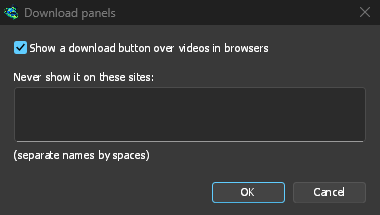
Die Schaltfläche verhält sich wie die übrige Browserintegration: Sie wird nicht angezeigt, wenn Erweiterte Browserintegration verwenden deaktiviert oder der Browser nicht ausgewählt ist.
Tasten zum Erzwingen oder Verhindern der Erfassung
Hold Alt while clicking a link to let the browser download it instead of GDM. In Firefox, Alt+click saves a link only when its browser.altClickSave setting is on (in about:config); otherwise right-click the link and choose Save Link As..., which the browser keeps. Options → General → Keys... says so, and holds Also take files the browser would open.
Damit Downloads von einer Website dauerhaft im Browser bleiben, wählen Sie in der Symbolleisten-Schaltfläche Nie Downloads von aus oder fügen Sie die Website zu Downloads von folgenden Seiten nicht automatisch starten hinzu. Damit ein Dateityp im Browser bleibt, entfernen Sie ihn aus der Liste der Dateitypen.
When GDM isn't running
You don't need to start GDM first. When the browser hands over a download and GDM isn't running, the helper starts it and passes the download on.
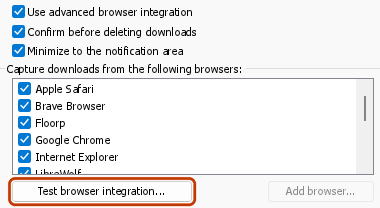
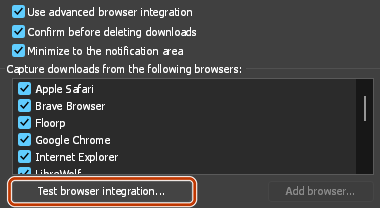
If GDM can't be reached at all (it was uninstalled, or the helper isn't registered), the download stays with the browser, so nothing is lost, and the toolbar button shows a red !. See The browser and GDM aren't connected, or run Options → General → Test browser integration....
Nächste Schritte
- Tutorial: Downloads aus Ihrem Browser abfangen →
- Change which file types GDM takes →
- Wenn der Browser keine Downloads übergibt →
Kostenlos, Open Source, keine Werbung, keine Testversion.
Download GolinksPRO Download Manager