

With the GDM extension, clicking a download link in your browser hands the download to GDM. GDM gets the address together with the page it came from (the referrer), your cookies for the site and the browser's User-Agent, so downloads that need you to be signed in still work.
Rozszerzenie działa w przeglądarkach Google Chrome, Microsoft Edge, Brave, Opera i Vivaldi, w Firefox 140 lub nowszym oraz w Safari 17 lub nowszym na Macu (zobacz Safari).
Browsers built on them work too: Chromium and Helium take the extension as Chrome does, Brave Origin as Brave does, Zen and LibreWolf as Firefox does. On Windows, Zen has a bug of its own (see The browser and GDM aren't connected).
Skonfiguruj
Integracja z przeglądarką składa się z dwóch części: małego programu pomocniczego, z którym komunikuje się przeglądarka, oraz samego rozszerzenia.
- Install GDM with the setup and keep Set up browser integration (Chrome, Edge, Brave, Firefox) ticked. This registers the helper. (The portable copy can't do this; see Portable mode.) On Linux and macOS GDM registers it itself, each time it starts, for the browsers installed then.
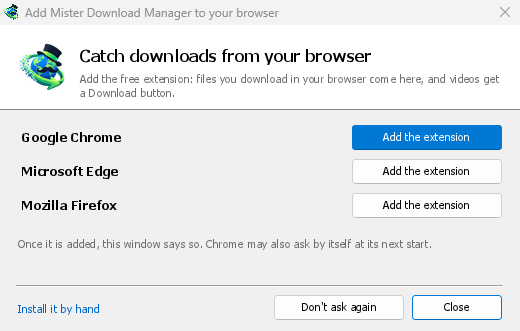
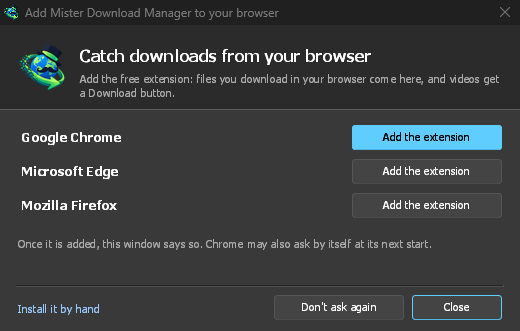
- Add the extension to each browser you use, as below: Firefox from its add-ons store, the others from the Chrome Web Store. Until a browser's extension has reached GDM, GDM's Add GolinksPRO Download Manager to your browser window opens at each start: it lists the browsers it found, and Add the extension opens the store's page in that browser. Install it by hand opens the steps for loading it without the store; Don't ask again stops the window.
Firefox
Firefox 140 or later is needed. Install the add-on from its page on addons.mozilla.org, GolinksPRO Download Manager: click Add to Firefox. Firefox keeps it updated. Zen and LibreWolf install it from the same page. (GDM's Add GolinksPRO Download Manager to your browser window opens that page for you.)
Chrome, Edge, Brave, Opera i Vivaldi
Install the extension from its page in the Chrome Web Store, GolinksPRO Download Manager: click Add to Chrome. In Edge the button is Get: Edge first asks to Allow extensions from other stores (click Allow), then Add extension. The browser keeps it updated. GDM's Add GolinksPRO Download Manager to your browser window opens that page in each browser for you, and Chrome may offer it by itself at its next start once GDM is installed.
To load it by hand instead (a browser that can't use the store, or a build of your own): its files are in the extension folder where GDM is installed: %LOCALAPPDATA%\Programs\GolinksPRO Download Manager\extension if you installed it for yourself, or Program Files\GolinksPRO Download Manager\extension if you installed it for everyone. Every release also has them as their own download, ...-extension-chromium.zip (unzip it first).
- Otwórz stronę rozszerzeń:
chrome://extensions,edge://extensionslubbrave://extensions. - Włącz Tryb programisty.
- Kliknij Załaduj rozpakowane i wybierz folder
extension\chromium.
GolinksPRO Download Manager appears in the list. Leave it turned on. Pin its button to the toolbar to see at a glance whether the browser reaches GDM.
Safari (macOS)
Aplikacja na Maca zawiera rozszerzenie Safari: nie ma nic do pobrania. Wymagane jest Safari 17 lub nowsze oraz macOS 14 lub nowsze.
- Drag GDM to Applications and start it once. GDM's Add GolinksPRO Download Manager to your browser window lists Safari: How to Add shows the steps below.
- In Safari open Settings → Extensions and tick GolinksPRO Download Manager. Click Always Allow on Every Website: the extension needs to read the site to pass your sign-in on.
- Ponieważ aplikacja nie jest notaryzowana przez Apple (wersje eksperymentalne nie są), Safari wyświetla rozszerzenie tylko wtedy, gdy dozwolone są niepodpisane rozszerzenia: Ustawienia → Zaawansowane → Pokaż funkcje dla programistów stron internetowych, a następnie Ustawienia → Deweloper → Zezwalaj na niepodpisane rozszerzenia. Safari zapomina to ustawienie za każdym razem, gdy zostanie zamknięte.
Safari nie pozwala rozszerzeniu ani widzieć, ani zatrzymywać pobierania przez przeglądarkę, więc działanie różni się od innych przeglądarek:
- Works as in the other browsers: the right-click items, the button over videos, Media on this page, the toolbar button, Alt-click, GDM starting by itself, and every rule in Options.
- A click on a link to a file type GDM takes goes to GDM. A download the page starts by itself (a script, or a link with no file name in its address that the server answers with a file) stays with Safari: use right-click → Download with GolinksPRO Download Manager for those.
- Niedostępne: udostępnianie proxy lub VPN przeglądarki oraz pobieranie z formularza.
Z archiwum zip
The -x64.zip copy has no installer, but you can register the helper yourself. Open a command prompt in GDM's folder and run:
misterdownloadmanager-nmhost.exe --register
Dotyczy to tylko Twojego konta Windows. --unregister cofa tę operację. Następnie załaduj rozszerzenie jak powyżej, z folderu extension w archiwum zip.
Co jest potrzebne
When you click a download, the extension checks GDM's Options:
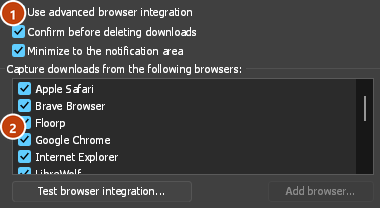
- Options → General → Use advanced browser integration must be on. Turn it off to send nothing to GDM.
- Opcje → Ogólne → Przechwytuj pobieranie z następujących przeglądarek musi mieć zaznaczoną używaną przeglądarkę.
- Opcje → Typy plików → Automatycznie rozpoczynaj pobieranie następujących typów plików musi zawierać typ pliku. Lista zaczyna się od typowych: ZIP, RAR, 7Z, EXE, MSI, ISO, DMG, DEB, RPM, APPIMAGE, MP3, MP4, MKV, WEBM, PDF, modele AI takie jak GGUF i SAFETENSORS, pliki 3D takie jak GLB i STL i wiele innych. Wszystko inne można dodać do listy.
- Opcje → Typy plików → Nie rozpoczynaj automatycznego pobierania z następujących witryn nie może zawierać tej witryny. Nazwy są oddzielone spacjami, a
*pasuje do dowolnej części nazwy, jak w*.update.microsoft.com. Poniżej, w sekcji Edytuj listę..., możesz podać pełne adresy, których pobieranie ma być pomijane, po jednym w wierszu (https://example.com/private/*). - Opcje → Typy plików → Nie pobieraj plików mniejszych niż pozostawia małe pliki (paragon, ikonę) przeglądarce. 0 oznacza dowolny rozmiar.
- Rozszerzenie musi mieć dostęp do odczytu witryny. Jeśli ograniczysz jego działanie do wybranych witryn (lub ustawisz opcję Po kliknięciu), rozszerzenie nie będzie mogło przekazać danych logowania, więc pobieranie z tych witryn pozostanie w przeglądarce.
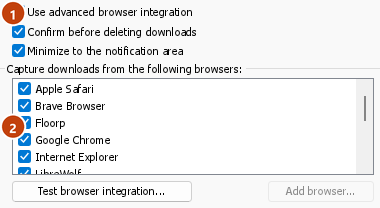
When the browser keeps a download, the extension's button says which of these left it there, with the file's name, and GDM's log has a line for each one (logs\mdm.log in GDM's data folder).
Sprawdzany jest zarówno kliknięty adres, jak i adres docelowy po przekierowaniach. Dzięki temu wykluczona witryna pozostaje wykluczona, nawet jeśli przekieruje Cię na inny serwer. Pozostałe pobierania obsługuje przeglądarka. Zmiany w opcjach są widoczne w przeglądarce w ciągu minuty; nie trzeba jej ponownie uruchamiać.
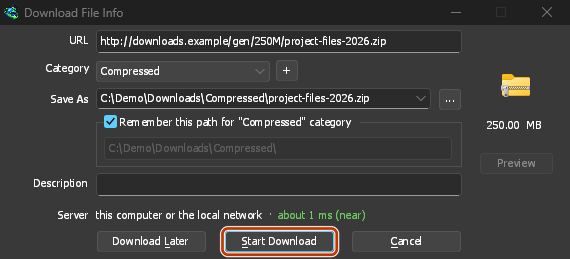
When GDM takes a download, it gets the browser's file name, size and type with it, so Download File Info shows them at once without asking the server again. A download from a form (a button that posts and gets a file back) is posted again by GDM with the form's data; a form that sends a file stays with the browser.
When GDM takes a download, the browser's own copy is cancelled and removed from the browser's download list. In Firefox and the browsers built on it (Waterfox, Zen, LibreWolf), GDM takes it as soon as the server answers, before the browser asks What should … do with this file?: for a file GDM takes, that question never shows (Waterfox asks it for every new type of file). Files GDM doesn't take get the question as before. Download File Info opens in GDM (unless you turned it off in Options → Downloads). Cancelling there doesn't hand the download back to the browser.
Click a download link in the browser: Download File Info opens in GDM. 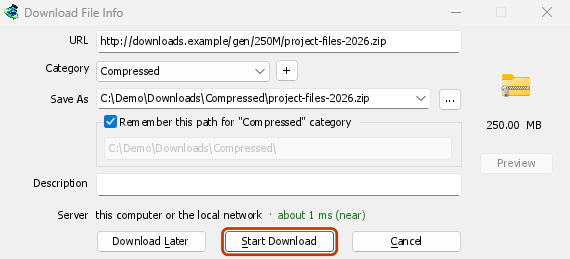
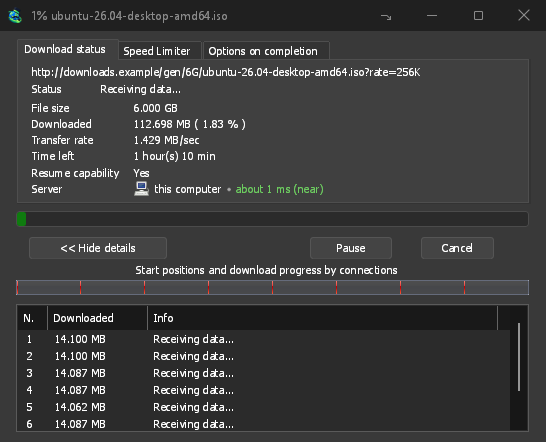
Rozpocznij pobieranie: okno postępu pokazuje, jak plik jest pobierany. 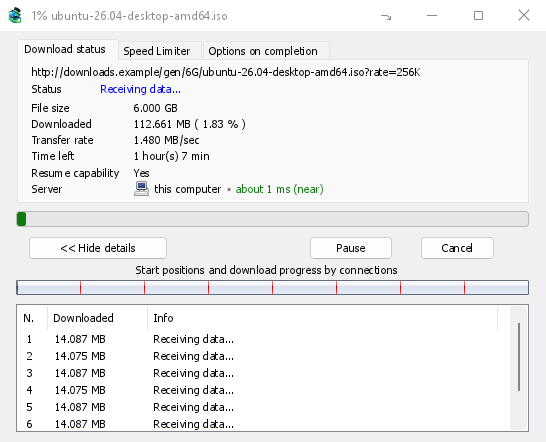
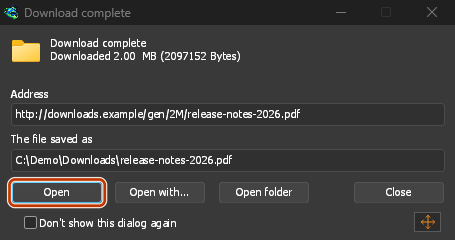
Pobieranie zakończone: Otwórz plik lub Otwórz folder. 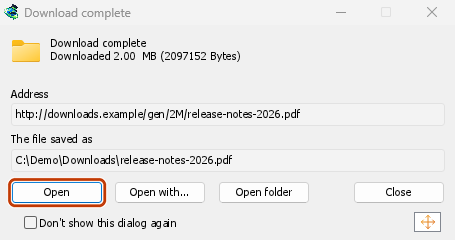
Downloads from a private window use that window's cookies, never the normal ones, and aren't kept in GDM's list after it closes.
Files GDM downloads from the browser are marked as coming from the internet, as the browser marks its own: Windows checks a program with SmartScreen before it runs and Office opens a document in Protected View.
Pliki, które przeglądarka otworzyłaby
A PDF, a song or a video that the browser would show or play itself goes to GDM too, when its type is in Options → File types (not on the excluded sites). To turn this off, untick Also take files the browser would open in Options → General → Keys.... This needs a Chromium browser (Chrome, Edge, Brave, Opera, Vivaldi) version 128 or later, or Firefox.
Przycisk na pasku narzędzi
The extension's button shows whether the browser reaches GDM. A red ! means it doesn't; click the button to see why, and How to fix it opens the matching section of The browser and GDM aren't connected. The button also:
- Pobieraj pliki z tej przeglądarki: odznacz, aby wstrzymać, a każde pobieranie pozostanie w przeglądarce, dopóki nie zaznaczysz ponownie.
- Never take downloads from the current site: adds it to GDM's excluded sites.
- Open GolinksPRO Download Manager and Options....
- Media on this page: what the page has loaded that GDM can download (see below).
Rozszerzenie VPN lub serwera proxy
A VPN or proxy extension is a proxy for the browser only. Switch on Send downloads through this browser's proxy or VPN extension in the extension's toolbar popup (it's off as installed), and GDM downloads what it takes from the browser through the same proxy (with Options → Proxy / Socks → Use proxy/socks from a browser's request, on by default; see Options). Switched off, the extension reads nothing of the browser's proxy.
- Firefox asks you once, at the switch, to allow the extension to read the browser's proxy; switching it off takes that permission back. GDM gets the proxy the browser's own request for the file took, including the ones a VPN extension picks for each request.
- Chrome, Edge, Brave, Opera and Vivaldi can't ask for that permission at the switch, so the
extension has it from the install (Chrome counts it under the access to every site the extension
already asks for, so it adds no line to the install prompt and the update asks for nothing new).
The switch asks nothing. GDM gets the browser's effective proxy, whoever set it (a VPN or proxy
extension, a policy, the command line): a fixed server for the download's scheme (
http,https,socks4,socks5), unless the address is on its bypass list, or its proxy auto-config script (by its address or inline). With no proxy, or the system's, nothing is sent and GDM goes by its own Options. A QUIC proxy can't be shared.
W obu przypadkach dane logowania do serwera proxy nigdy nie są odczytywane: serwer proxy, który wymaga własnych danych logowania rozszerzenia VPN, nie może być współdzielony, a pobieranie informuje o tym, zamiast odbywać się bez nich.
Multimedia na tej stronie
Niektóre strony odtwarzają wideo bez linku do niego, a niektóre odtwarzacze ukrywają je również przed przyciskiem pobierania. Przycisk na pasku narzędzi wyświetla listę tego, co strona załadowała, dzięki czemu nadal możesz to zapisać:
- Strumienie: HLS (
.m3u8) i DASH (.mpd), czyli sposób, w jaki większość witryn odtwarza długie filmy. Każdy strumień jest wymieniony tylko raz, niezależnie od tego, ile razy jego odtwarzacz przełączał jakość, wraz z jego jakościami (1080p · 720p) i długością, jeśli rozszerzenie może je odczytać. Strumień, którego adres nie kończy się na.m3u8lub.mpd, serwowany jako zwykły tekst, również jest wykrywany: gdy otworzysz listę (lub naciśniesz przycisk pobierania nad jego odtwarzaczem), a odtwarzacz odtwarza strumień, rozszerzenie odczytuje pierwsze kilka kilobajtów tego, co pobrał odtwarzacz, aby go rozpoznać. Nic nie jest odczytywane, dopóki nie poprosisz. - Pliki wideo i dźwiękowe odtwarzane przez stronę (MP4, WebM, MP3 i tym podobne), z ich rozmiarem i, dla wideo, rozmiarem obrazu.
Start the video first: the list fills as the page loads things, and it's emptied when the tab goes
to another page. With Prefix media file names with the page title on, a file from the list is
named after the page, then its own name (The page - clip.mp4). Click Download beside one: a stream opens GDM's Download video from a page
window, which reads its qualities (yt-dlp does the work); a file goes to GDM's list like any other
download. Your cookies for its server, the page as the referrer and your browser's User-Agent go
with it, as they do for a link you click.
Pieces of a stream (its segments) are never listed. A copy-protected stream (DRM: Widevine, PlayReady, FairPlay, as most paid streaming services use) is listed as Protected, with no Download button: no tool may break that protection, and GDM doesn't try.
To nie wymaga od Ciebie niczego więcej: rozszerzenie już widzi, co przeglądarka pobiera, aby przekazać pobieranie. To, co notuje, pozostaje w pamięci przeglądarki i jest zapominane po zamknięciu przeglądarki.
Right-click: Download with GolinksPRO Download Manager
Right-click a link, a video, a sound or a picture and choose Download with GolinksPRO Download Manager. GDM downloads it whatever its type: you asked for it, so the file types list and the excluded sites don't apply here (they only decide which downloads GDM takes over by itself). A video that plays as a stream goes to the Download video window with the stream its player loaded (HLS or DASH), as the button over videos sends it, with your cookies for the stream's server and the page as the referrer.
Select part of a page and right-click it for Download selected links with GolinksPRO Download Manager, or right-click the page for Download all links with GolinksPRO Download Manager: the links open in Link grabber, sorted into packages, where you tick the ones you want.
If GDM can't be reached when you choose one of these, the help page opens at the section that explains why.
Przycisk pobierania nad filmami
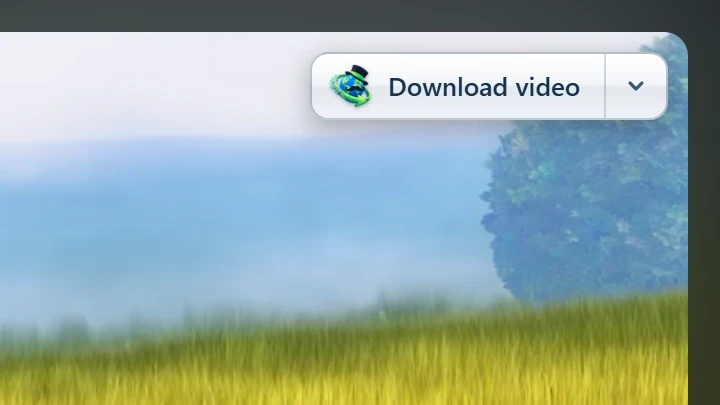
Point at a video on a web page and a small Download video button appears at its edge. Click it and GDM's Download video from a page window opens and looks up the qualities it can download. It takes the video you clicked: its own file when it plays one, or the stream the player loaded (HLS or DASH), else the page. When the button can't tell which one you mean, the toolbar button's Media on this page lists them all. Embedded players work too, and your sign-in for the site, the page that embeds the player and your browser's User-Agent go with it, so videos for members, or that play only on the site that embeds them, can be downloaded. Sound players get the button too.
Pozostaje on niewidoczny: pokazuje się tylko, gdy wskazujesz wideo (lub odtwarzacz ma fokus klawiatury; Tab przenosi wtedy do przycisku), zanika, gdy wskaźnik spoczywa, i pomija małe filmy i krótkie wyciszone pętle (animowane obrazy, tła). W trybie pełnoekranowym podąża za wideo, jeśli odtwarzacz na to pozwala. Na wideo chronionym przed kopiowaniem (DRM) informuje, że wideo nie może zostać zapisane.
- Przenieś go: przeciągnij go w dowolne miejsce wzdłuż krawędzi filmu; przylgnie do najbliższej krawędzi i pozostanie tam na tej stronie.
- Its menu (the arrow next to it): Hide on this video, Never on the site (GDM remembers the site), and Button settings..., which opens GDM's Options.
- Turn it off, or see the sites it stays off: Options → General → Customize GDM Download panels in browsers → Edit....
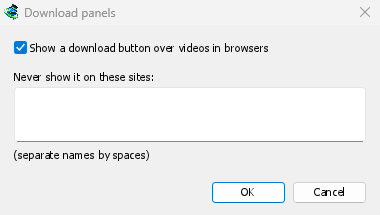
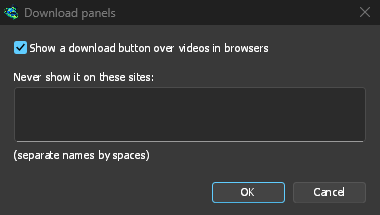
Przycisk podąża za resztą integracji: nie pokazuje się, gdy Użyj zaawansowanej integracji z przeglądarką jest wyłączone lub przeglądarka jest odznaczona.
Klawisze do wymuszania lub zapobiegania przechwytywaniu
Hold Alt while clicking a link to let the browser download it instead of GDM. In Firefox, Alt+click saves a link only when its browser.altClickSave setting is on (in about:config); otherwise right-click the link and choose Save Link As..., which the browser keeps. Options → General → Keys... says so, and holds Also take files the browser would open.
Aby na stałe zachować pobierane pliki z witryny w przeglądarce, użyj przycisku paska narzędzi Nigdy nie pobieraj plików z lub dodaj witrynę do Nie rozpoczynaj automatycznego pobierania z następujących witryn. Aby zachować typ pliku w przeglądarce, usuń go z listy typów plików.
When GDM isn't running
You don't need to start GDM first. When the browser hands over a download and GDM isn't running, the helper starts it and passes the download on.
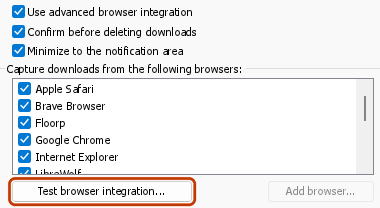
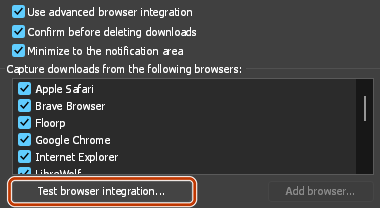
If GDM can't be reached at all (it was uninstalled, or the helper isn't registered), the download stays with the browser, so nothing is lost, and the toolbar button shows a red !. See The browser and GDM aren't connected, or run Options → General → Test browser integration....
Następne kroki
- Samouczek: przechwytywanie pobieranych plików z przeglądarki →
- Change which file types GDM takes →
- Jeśli przeglądarka nie przekazuje pobieranych plików →
Darmowy, open source, bez reklam, bez wersji próbnej.
Download GolinksPRO Download Manager