

With the GDM extension, clicking a download link in your browser hands the download to GDM. GDM gets the address together with the page it came from (the referrer), your cookies for the site and the browser's User-Agent, so downloads that need you to be signed in still work.
A extensão funciona no Google Chrome, Microsoft Edge, Brave, Opera e Vivaldi, no Firefox 140 ou posterior, e no Safari 17 ou posterior num Mac (consulte Safari).
Browsers built on them work too: Chromium and Helium take the extension as Chrome does, Brave Origin as Brave does, Zen and LibreWolf as Firefox does. On Windows, Zen has a bug of its own (see The browser and GDM aren't connected).
Configurar
A integração com o navegador tem duas partes: um pequeno programa auxiliar com o qual o navegador comunica, e a própria extensão.
- Install GDM with the setup and keep Set up browser integration (Chrome, Edge, Brave, Firefox) ticked. This registers the helper. (The portable copy can't do this; see Portable mode.) On Linux and macOS GDM registers it itself, each time it starts, for the browsers installed then.
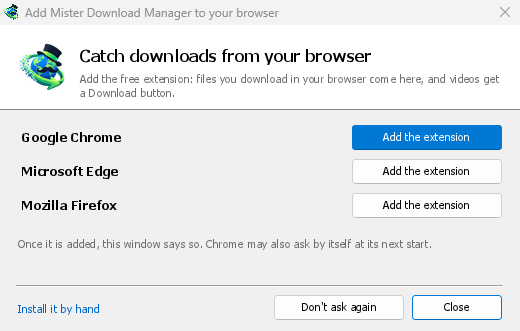
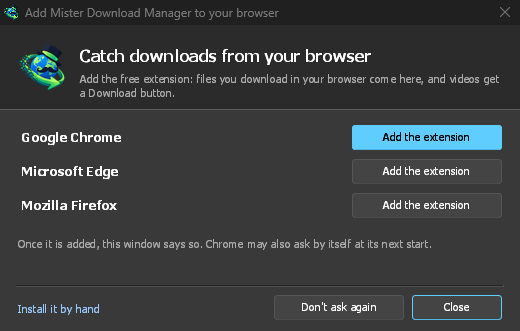
- Add the extension to each browser you use, as below: Firefox from its add-ons store, the others from the Chrome Web Store. Until a browser's extension has reached GDM, GDM's Add GolinksPRO Download Manager to your browser window opens at each start: it lists the browsers it found, and Add the extension opens the store's page in that browser. Install it by hand opens the steps for loading it without the store; Don't ask again stops the window.
Firefox
Firefox 140 or later is needed. Install the add-on from its page on addons.mozilla.org, GolinksPRO Download Manager: click Add to Firefox. Firefox keeps it updated. Zen and LibreWolf install it from the same page. (GDM's Add GolinksPRO Download Manager to your browser window opens that page for you.)
Chrome, Edge, Brave, Opera e Vivaldi
Install the extension from its page in the Chrome Web Store, GolinksPRO Download Manager: click Add to Chrome. In Edge the button is Get: Edge first asks to Allow extensions from other stores (click Allow), then Add extension. The browser keeps it updated. GDM's Add GolinksPRO Download Manager to your browser window opens that page in each browser for you, and Chrome may offer it by itself at its next start once GDM is installed.
To load it by hand instead (a browser that can't use the store, or a build of your own): its files are in the extension folder where GDM is installed: %LOCALAPPDATA%\Programs\GolinksPRO Download Manager\extension if you installed it for yourself, or Program Files\GolinksPRO Download Manager\extension if you installed it for everyone. Every release also has them as their own download, ...-extension-chromium.zip (unzip it first).
- Abra a página de extensões:
chrome://extensions,edge://extensionsoubrave://extensions. - Ative o Modo de programador.
- Clique em Carregar descompactada e escolha a pasta
extension\chromium.
GolinksPRO Download Manager appears in the list. Leave it turned on. Pin its button to the toolbar to see at a glance whether the browser reaches GDM.
Safari (macOS)
A aplicação para Mac inclui a extensão do Safari: não há nada para transferir. São necessários o Safari 17 ou posterior e o macOS 14 ou posterior.
- Drag GDM to Applications and start it once. GDM's Add GolinksPRO Download Manager to your browser window lists Safari: How to Add shows the steps below.
- In Safari open Settings → Extensions and tick GolinksPRO Download Manager. Click Always Allow on Every Website: the extension needs to read the site to pass your sign-in on.
- Enquanto a aplicação não for autenticada pela Apple (as versões experimentais não são), o Safari lista a extensão apenas com extensões não assinadas permitidas: Definições → Avançadas → Mostrar funcionalidades para programadores web, depois Definições → Programador → Permitir extensões não assinadas. O Safari esquece essa definição cada vez que fecha.
O Safari não permite que uma extensão veja nem pare as transferências do navegador, por isso o que funciona difere dos outros navegadores:
- Works as in the other browsers: the right-click items, the button over videos, Media on this page, the toolbar button, Alt-click, GDM starting by itself, and every rule in Options.
- A click on a link to a file type GDM takes goes to GDM. A download the page starts by itself (a script, or a link with no file name in its address that the server answers with a file) stays with Safari: use right-click → Download with GolinksPRO Download Manager for those.
- Não disponível: partilhar o proxy ou VPN do navegador, e uma transferência de um formulário.
Do zip simples
The -x64.zip copy has no installer, but you can register the helper yourself. Open a command prompt in GDM's folder and run:
misterdownloadmanager-nmhost.exe --register
Isto é apenas para a sua conta Windows. --unregister desfaz a operação. Em seguida, carregue a extensão como acima, a partir da pasta extension do zip.
O que é preciso
When you click a download, the extension checks GDM's Options:
- Options → General → Use advanced browser integration must be on. Turn it off to send nothing to GDM.
- Opções → Geral → Capturar transferências dos seguintes navegadores deve ter o seu navegador selecionado.
- Opções → Tipos de ficheiro → Iniciar automaticamente a transferência dos seguintes tipos de ficheiro deve listar o tipo de ficheiro. A lista começa com os habituais: ZIP, RAR, 7Z, EXE, MSI, ISO, DMG, DEB, RPM, APPIMAGE, MP3, MP4, MKV, WEBM, PDF, modelos de IA como GGUF e SAFETENSORS, ficheiros 3D como GLB e STL, e muitos mais. Qualquer outra coisa pode ser adicionada à lista.
- Opções → Tipos de ficheiro → Não iniciar a transferência automaticamente dos seguintes sites não deve listar o site. Os nomes são separados por espaços, e
*corresponde a qualquer parte, como em*.update.microsoft.com. Editar lista... abaixo lista endereços completos a ignorar, um por linha (https://example.com/private/*). - Opções → Tipos de ficheiro → Não aceitar ficheiros com menos de deixa ficheiros pequenos (um recibo, um ícone) para o navegador. 0 aceita qualquer tamanho.
- A extensão deve ter permissão para ler o site. Quando a limita a alguns sites (ou Ao clicar), não consegue passar a sua autenticação, por isso deixa as transferências desses sites para o navegador.
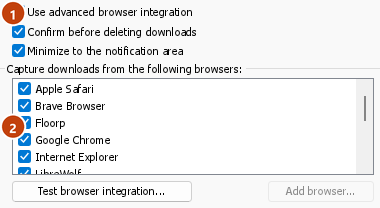
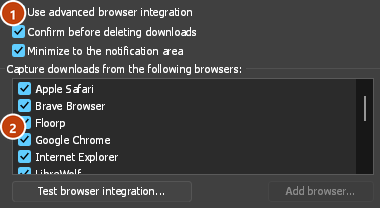
When the browser keeps a download, the extension's button says which of these left it there, with the file's name, and GDM's log has a line for each one (logs\mdm.log in GDM's data folder).
Tanto o endereço em que clicou como os redirecionamentos para os quais levou são verificados, para que um site que excluiu permaneça excluído mesmo quando o envia para outro servidor. Tudo o resto permanece com o navegador. As alterações nas Opções chegam ao navegador dentro de um minuto; não precisa de o reiniciar.
When GDM takes a download, it gets the browser's file name, size and type with it, so Download File Info shows them at once without asking the server again. A download from a form (a button that posts and gets a file back) is posted again by GDM with the form's data; a form that sends a file stays with the browser.
When GDM takes a download, the browser's own copy is cancelled and removed from the browser's download list. In Firefox and the browsers built on it (Waterfox, Zen, LibreWolf), GDM takes it as soon as the server answers, before the browser asks What should … do with this file?: for a file GDM takes, that question never shows (Waterfox asks it for every new type of file). Files GDM doesn't take get the question as before. Download File Info opens in GDM (unless you turned it off in Options → Downloads). Cancelling there doesn't hand the download back to the browser.
Click a download link in the browser: Download File Info opens in GDM. 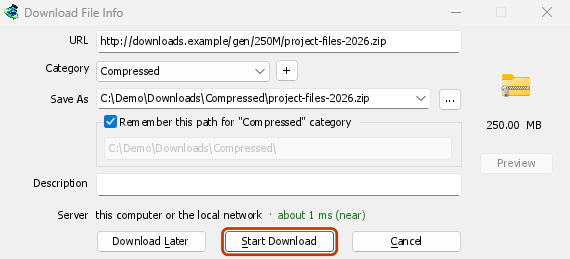
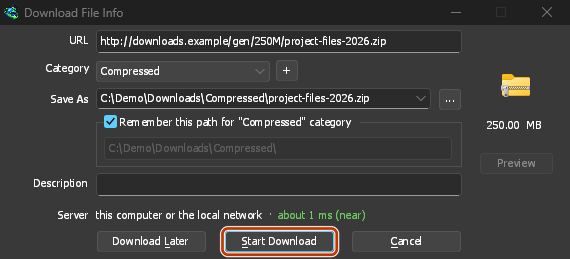
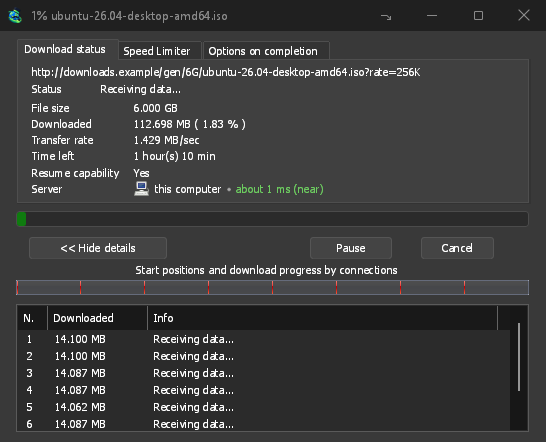
Iniciar Transferência: a janela de progresso mostra-o a chegar. 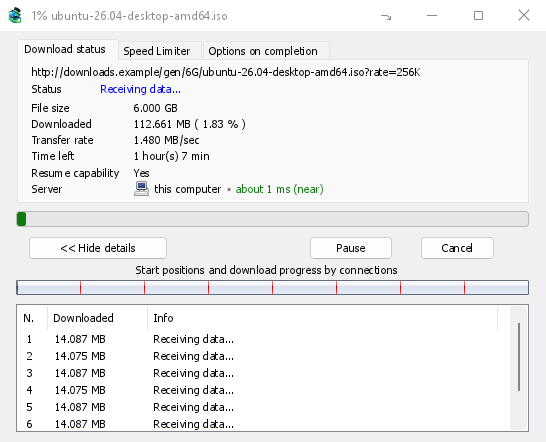
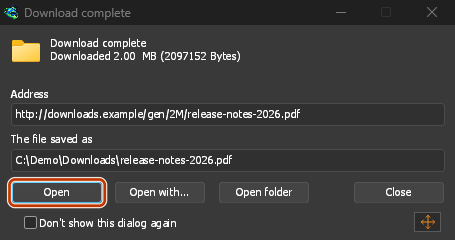
Transferência concluída: Abrir o ficheiro, ou Abrir pasta. 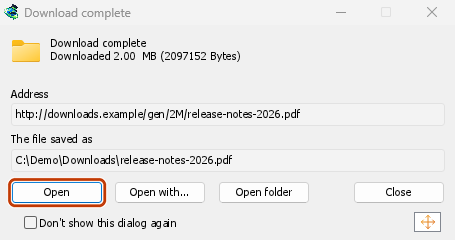
Downloads from a private window use that window's cookies, never the normal ones, and aren't kept in GDM's list after it closes.
Files GDM downloads from the browser are marked as coming from the internet, as the browser marks its own: Windows checks a program with SmartScreen before it runs and Office opens a document in Protected View.
Ficheiros que o navegador abriria
A PDF, a song or a video that the browser would show or play itself goes to GDM too, when its type is in Options → File types (not on the excluded sites). To turn this off, untick Also take files the browser would open in Options → General → Keys.... This needs a Chromium browser (Chrome, Edge, Brave, Opera, Vivaldi) version 128 or later, or Firefox.
O botão da barra de ferramentas
The extension's button shows whether the browser reaches GDM. A red ! means it doesn't; click the button to see why, and How to fix it opens the matching section of The browser and GDM aren't connected. The button also:
- Obter downloads deste navegador: desmarque para pausar, e cada download permanece com o navegador até que o marque novamente.
- Never take downloads from the current site: adds it to GDM's excluded sites.
- Open GolinksPRO Download Manager and Options....
- Media on this page: what the page has loaded that GDM can download (see below).
Uma extensão de VPN ou proxy
A VPN or proxy extension is a proxy for the browser only. Switch on Send downloads through this browser's proxy or VPN extension in the extension's toolbar popup (it's off as installed), and GDM downloads what it takes from the browser through the same proxy (with Options → Proxy / Socks → Use proxy/socks from a browser's request, on by default; see Options). Switched off, the extension reads nothing of the browser's proxy.
- Firefox asks you once, at the switch, to allow the extension to read the browser's proxy; switching it off takes that permission back. GDM gets the proxy the browser's own request for the file took, including the ones a VPN extension picks for each request.
- Chrome, Edge, Brave, Opera and Vivaldi can't ask for that permission at the switch, so the
extension has it from the install (Chrome counts it under the access to every site the extension
already asks for, so it adds no line to the install prompt and the update asks for nothing new).
The switch asks nothing. GDM gets the browser's effective proxy, whoever set it (a VPN or proxy
extension, a policy, the command line): a fixed server for the download's scheme (
http,https,socks4,socks5), unless the address is on its bypass list, or its proxy auto-config script (by its address or inline). With no proxy, or the system's, nothing is sent and GDM goes by its own Options. A QUIC proxy can't be shared.
Em ambos, o login do proxy nunca é lido: um proxy que pede o login da própria extensão de VPN não pode ser partilhado, e a transferência indica isso em vez de prosseguir sem ele.
Multimédia nesta página
Algumas páginas reproduzem um vídeo sem uma ligação para o mesmo, e alguns leitores também o ocultam do botão de transferência. O botão da barra de ferramentas lista o que a página carregou, para que possa guardá-lo:
- Streams: HLS (
.m3u8) e DASH (.mpd), o formato que a maioria dos sites usa para vídeos longos. Cada stream é listado uma vez, independentemente do número de qualidades que o seu leitor alternou, com as suas qualidades (1080p · 720p) e a sua duração, quando a extensão as consegue ler. Um stream cujo endereço não termina em.m3u8ou.mpd, servido como texto simples, também é encontrado: quando abre a lista (ou prime o botão de download sobre o seu leitor) e o leitor reproduz um stream, a extensão lê os primeiros quilobytes do que esse leitor obteve para o reconhecer. Nada é lido até que o peça. - Ficheiros de vídeo e áudio que a página reproduziu (MP4, WebM, MP3 e similares), com o seu tamanho e, para um vídeo, o tamanho da sua imagem.
Start the video first: the list fills as the page loads things, and it's emptied when the tab goes
to another page. With Prefix media file names with the page title on, a file from the list is
named after the page, then its own name (The page - clip.mp4). Click Download beside one: a stream opens GDM's Download video from a page
window, which reads its qualities (yt-dlp does the work); a file goes to GDM's list like any other
download. Your cookies for its server, the page as the referrer and your browser's User-Agent go
with it, as they do for a link you click.
Pieces of a stream (its segments) are never listed. A copy-protected stream (DRM: Widevine, PlayReady, FairPlay, as most paid streaming services use) is listed as Protected, with no Download button: no tool may break that protection, and GDM doesn't try.
Isto não exige mais nada de si: a extensão já vê o que o navegador transfere para entregar as transferências. O que ela regista permanece na memória do navegador e é esquecido quando o navegador é fechado.
Right-click: Download with GolinksPRO Download Manager
Right-click a link, a video, a sound or a picture and choose Download with GolinksPRO Download Manager. GDM downloads it whatever its type: you asked for it, so the file types list and the excluded sites don't apply here (they only decide which downloads GDM takes over by itself). A video that plays as a stream goes to the Download video window with the stream its player loaded (HLS or DASH), as the button over videos sends it, with your cookies for the stream's server and the page as the referrer.
Select part of a page and right-click it for Download selected links with GolinksPRO Download Manager, or right-click the page for Download all links with GolinksPRO Download Manager: the links open in Link grabber, sorted into packages, where you tick the ones you want.
If GDM can't be reached when you choose one of these, the help page opens at the section that explains why.
O botão de transferência sobre os vídeos
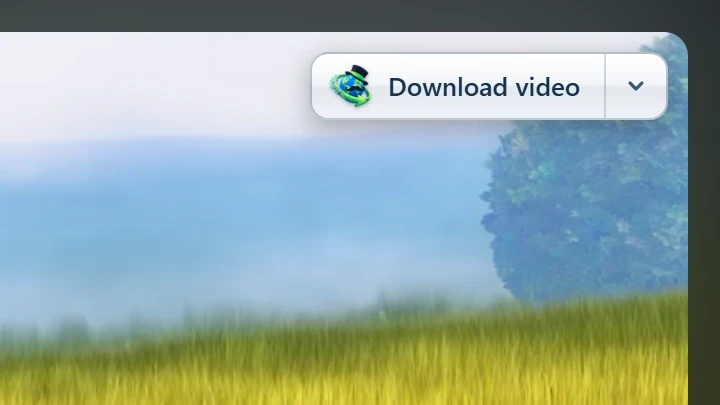
Point at a video on a web page and a small Download video button appears at its edge. Click it and GDM's Download video from a page window opens and looks up the qualities it can download. It takes the video you clicked: its own file when it plays one, or the stream the player loaded (HLS or DASH), else the page. When the button can't tell which one you mean, the toolbar button's Media on this page lists them all. Embedded players work too, and your sign-in for the site, the page that embeds the player and your browser's User-Agent go with it, so videos for members, or that play only on the site that embeds them, can be downloaded. Sound players get the button too.
Mantém-se fora do caminho: aparece apenas enquanto aponta para um vídeo (ou o leitor tem o foco do teclado; Tab move-se então para o botão), esbate-se quando o ponteiro repousa, e exclui vídeos pequenos e loops curtos silenciados (imagens animadas, fundos). Em ecrã inteiro, segue o vídeo quando o leitor o permite. Num vídeo protegido por direitos de autor (DRM), indica que o vídeo não pode ser guardado.
- Mover: arraste-o para qualquer lugar ao longo da extremidade do vídeo; ele encaixa na extremidade mais próxima e permanece lá nesse site.
- Its menu (the arrow next to it): Hide on this video, Never on the site (GDM remembers the site), and Button settings..., which opens GDM's Options.
- Turn it off, or see the sites it stays off: Options → General → Customize GDM Download panels in browsers → Edit....
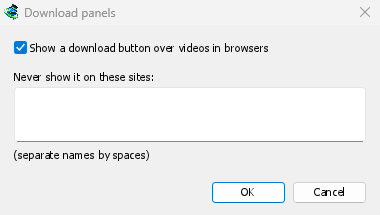
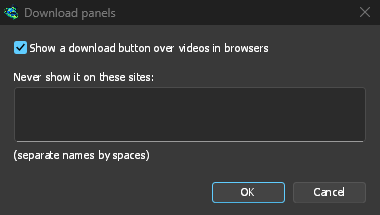
O botão segue o resto da integração: não aparece quando Utilizar integração avançada do navegador está desativado ou o navegador está desmarcado.
Teclas para forçar ou impedir a captura
Hold Alt while clicking a link to let the browser download it instead of GDM. In Firefox, Alt+click saves a link only when its browser.altClickSave setting is on (in about:config); otherwise right-click the link and choose Save Link As..., which the browser keeps. Options → General → Keys... says so, and holds Also take files the browser would open.
Para manter os downloads de um site no navegador permanentemente, use Nunca obter downloads de do botão da barra de ferramentas, ou adicione o site a Não iniciar a transferência automaticamente dos seguintes sites. Para manter um tipo de ficheiro no navegador, remova-o da lista de tipos de ficheiro.
When GDM isn't running
You don't need to start GDM first. When the browser hands over a download and GDM isn't running, the helper starts it and passes the download on.
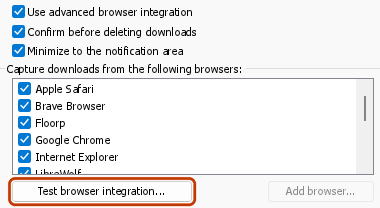
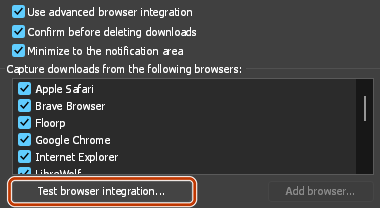
If GDM can't be reached at all (it was uninstalled, or the helper isn't registered), the download stays with the browser, so nothing is lost, and the toolbar button shows a red !. See The browser and GDM aren't connected, or run Options → General → Test browser integration....
Próximos passos
- Tutorial: capturar downloads do seu navegador →
- Change which file types GDM takes →
- Se o navegador não entregar os downloads →
Gratuito, de código aberto, sem anúncios, sem período de avaliação.
Download GolinksPRO Download Manager