

With the GDM extension, clicking a download link in your browser hands the download to GDM. GDM gets the address together with the page it came from (the referrer), your cookies for the site and the browser's User-Agent, so downloads that need you to be signed in still work.
يعمل الملحق في Google Chrome وMicrosoft Edge وBrave وOpera وVivaldi، وفي Firefox 140 أو أحدث، وفي Safari 17 أو أحدث على Mac (انظر Safari).
Browsers built on them work too: Chromium and Helium take the extension as Chrome does, Brave Origin as Brave does, Zen and LibreWolf as Firefox does. On Windows, Zen has a bug of its own (see The browser and GDM aren't connected).
إعداده
يتكون الربط بالمستعرض من جزأين: برنامج مساعد صغير يتواصل معه المستعرض، والملحق نفسه.
- Install GDM with the setup and keep Set up browser integration (Chrome, Edge, Brave, Firefox) ticked. This registers the helper. (The portable copy can't do this; see Portable mode.) On Linux and macOS GDM registers it itself, each time it starts, for the browsers installed then.
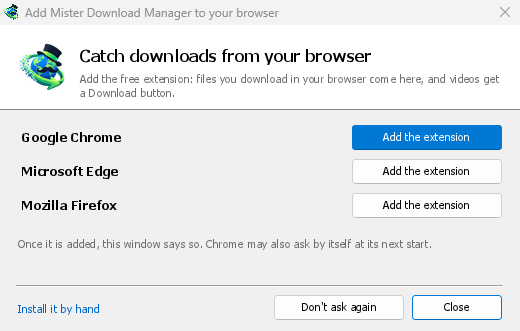
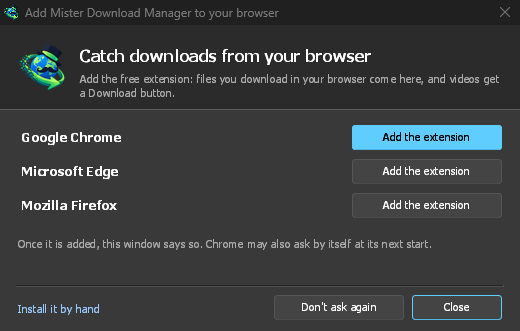
- Add the extension to each browser you use, as below: Firefox from its add-ons store, the others from the Chrome Web Store. Until a browser's extension has reached GDM, GDM's Add GolinksPRO Download Manager to your browser window opens at each start: it lists the browsers it found, and Add the extension opens the store's page in that browser. Install it by hand opens the steps for loading it without the store; Don't ask again stops the window.
Firefox
Firefox 140 or later is needed. Install the add-on from its page on addons.mozilla.org, GolinksPRO Download Manager: click Add to Firefox. Firefox keeps it updated. Zen and LibreWolf install it from the same page. (GDM's Add GolinksPRO Download Manager to your browser window opens that page for you.)
Chrome وEdge وBrave وOpera وVivaldi
Install the extension from its page in the Chrome Web Store, GolinksPRO Download Manager: click Add to Chrome. In Edge the button is Get: Edge first asks to Allow extensions from other stores (click Allow), then Add extension. The browser keeps it updated. GDM's Add GolinksPRO Download Manager to your browser window opens that page in each browser for you, and Chrome may offer it by itself at its next start once GDM is installed.
To load it by hand instead (a browser that can't use the store, or a build of your own): its files are in the extension folder where GDM is installed: %LOCALAPPDATA%\Programs\GolinksPRO Download Manager\extension if you installed it for yourself, or Program Files\GolinksPRO Download Manager\extension if you installed it for everyone. Every release also has them as their own download, ...-extension-chromium.zip (unzip it first).
- افتح صفحة الإضافات:
chrome://extensions،edge://extensionsأوbrave://extensions. - شغل وضع المطور.
- انقر على تحميل غير مضغوط واختر المجلد
extension\chromium.
GolinksPRO Download Manager appears in the list. Leave it turned on. Pin its button to the toolbar to see at a glance whether the browser reaches GDM.
Safari (macOS)
يحمل تطبيق Mac ملحق Safari: لا يوجد شيء لتنزيله. يلزم Safari 17 أو أحدث وmacOS 14 أو أحدث.
- Drag GDM to Applications and start it once. GDM's Add GolinksPRO Download Manager to your browser window lists Safari: How to Add shows the steps below.
- In Safari open Settings → Extensions and tick GolinksPRO Download Manager. Click Always Allow on Every Website: the extension needs to read the site to pass your sign-in on.
- بينما لم يتم توثيق التطبيق من قبل Apple (الإصدارات التجريبية ليست كذلك)، يسرد Safari الملحق فقط مع الملحقات غير الموقعة المسموح بها: الإعدادات ← متقدم ← إظهار ميزات لمطوري الويب، ثم الإعدادات ← مطور ← السماح بالملحقات غير الموقعة. ينسى Safari هذا الإعداد في كل مرة يغلق فيها.
لا يسمح Safari للملحق برؤية أو إيقاف تنزيلات المستعرض، لذا يختلف ما يعمل عن المستعرضات الأخرى:
- Works as in the other browsers: the right-click items, the button over videos, Media on this page, the toolbar button, Alt-click, GDM starting by itself, and every rule in Options.
- A click on a link to a file type GDM takes goes to GDM. A download the page starts by itself (a script, or a link with no file name in its address that the server answers with a file) stays with Safari: use right-click → Download with GolinksPRO Download Manager for those.
- غير متوفر: مشاركة وكيل المستعرض أو VPN، والتنزيل من نموذج.
من ملف zip عادي
The -x64.zip copy has no installer, but you can register the helper yourself. Open a command prompt in GDM's folder and run:
misterdownloadmanager-nmhost.exe --register
هذا لحساب Windows الخاص بك فقط. يلغي --unregister ذلك. ثم حمل الملحق كما هو موضح أعلاه، من المجلد extension داخل الملف المضغوط.
ما يلزم
When you click a download, the extension checks GDM's Options:
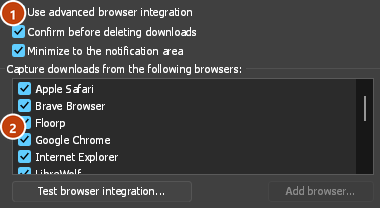
- Options → General → Use advanced browser integration must be on. Turn it off to send nothing to GDM.
- يجب تحديد مستعرضك في الخيارات → عام → التقاط التنزيلات من المتصفحات التالية.
- يجب أن تسرد الخيارات ← أنواع الملفات ← بدء تنزيل أنواع الملفات التالية تلقائيا نوع الملف. تبدأ القائمة بالأنواع المعتادة: ZIP، RAR، 7Z، EXE، MSI، ISO، DMG، DEB، RPM، APPIMAGE، MP3، MP4، MKV، WEBM، PDF، نماذج الذكاء الاصطناعي مثل GGUF وSAFETENSORS، ملفات ثلاثية الأبعاد مثل GLB وSTL، وغيرها الكثير. يمكن إضافة أي شيء آخر إلى القائمة.
- يجب ألا يتضمن الخيارات → أنواع الملفات → عدم بدء تنزيل الملفات تلقائيا من المواقع التالية الموقع. افصل الأسماء بمسافات، ويطابق
*أي جزء، كما في*.update.microsoft.com. وتعرض تحرير قائمة ... أسفلها العناوين الكاملة التي يجب تجاهلها، عنوانا واحدا في كل سطر (https://example.com/private/*). - يترك الخيارات → أنواع الملفات → عدم أخذ الملفات الأصغر من الملفات الصغيرة (مثل إيصال أو أيقونة) للمستعرض. يقبل 0 أي حجم.
- يجب السماح للملحق بقراءة الموقع. إذا قصرت استخدامه على بعض المواقع (أو اخترت عند النقر)، فلن يتمكن من تمرير بيانات تسجيل دخولك، لذا يترك تنزيلات تلك المواقع للمستعرض.
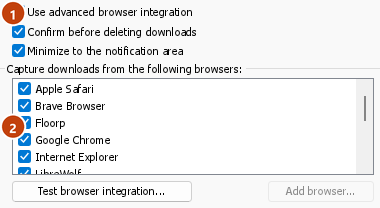
When the browser keeps a download, the extension's button says which of these left it there, with the file's name, and GDM's log has a line for each one (logs\mdm.log in GDM's data folder).
يتحقق من العنوان الذي نقرت عليه ومن العنوان الذي أدت إليه عمليات إعادة التوجيه، لذلك يبقى الموقع الذي استبعدته مستبعدا حتى إذا أرسلك إلى خادم آخر. وتبقى جميع التنزيلات الأخرى في المستعرض. تصل تغييرات الخيارات إلى المستعرض خلال دقيقة؛ ولا تحتاج إلى إعادة تشغيله.
When GDM takes a download, it gets the browser's file name, size and type with it, so Download File Info shows them at once without asking the server again. A download from a form (a button that posts and gets a file back) is posted again by GDM with the form's data; a form that sends a file stays with the browser.
When GDM takes a download, the browser's own copy is cancelled and removed from the browser's download list. In Firefox and the browsers built on it (Waterfox, Zen, LibreWolf), GDM takes it as soon as the server answers, before the browser asks What should … do with this file?: for a file GDM takes, that question never shows (Waterfox asks it for every new type of file). Files GDM doesn't take get the question as before. Download File Info opens in GDM (unless you turned it off in Options → Downloads). Cancelling there doesn't hand the download back to the browser.
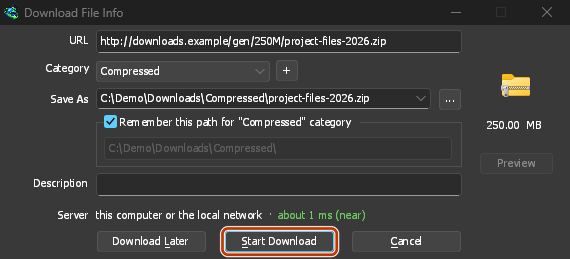
Click a download link in the browser: Download File Info opens in GDM. 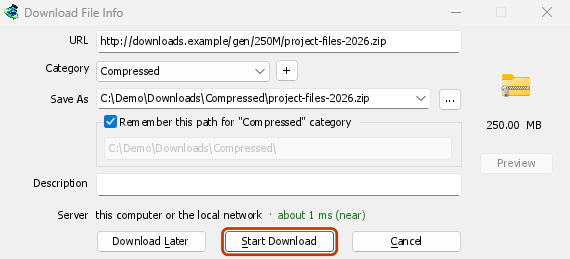
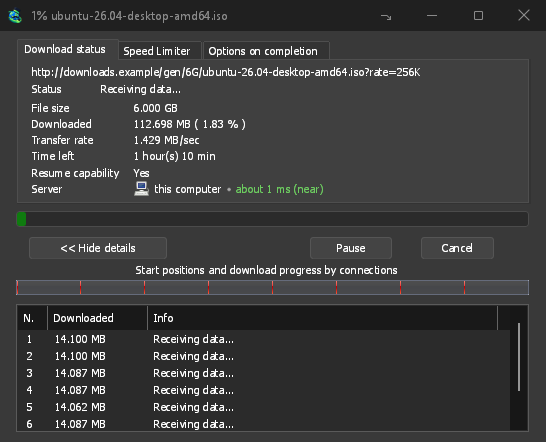
«بدء التنزيل»: تعرض نافذة التقدم الملف أثناء تنزيله. 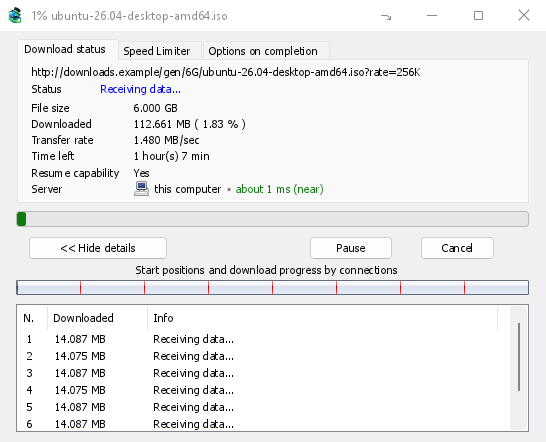
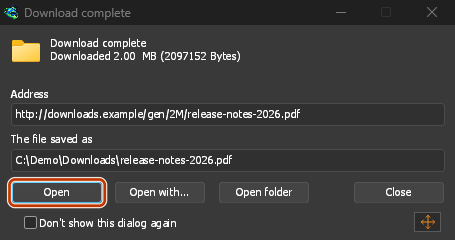
«اكتمل التنزيل»: افتح الملف أو المجلد. 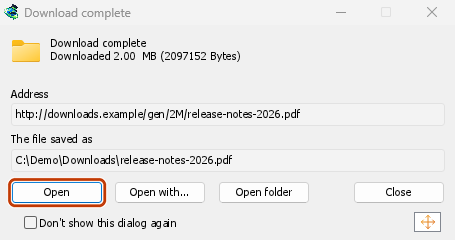
Downloads from a private window use that window's cookies, never the normal ones, and aren't kept in GDM's list after it closes.
Files GDM downloads from the browser are marked as coming from the internet, as the browser marks its own: Windows checks a program with SmartScreen before it runs and Office opens a document in Protected View.
الملفات التي قد يفتحها المستعرض
A PDF, a song or a video that the browser would show or play itself goes to GDM too, when its type is in Options → File types (not on the excluded sites). To turn this off, untick Also take files the browser would open in Options → General → Keys.... This needs a Chromium browser (Chrome, Edge, Brave, Opera, Vivaldi) version 128 or later, or Firefox.
زر شريط الأدوات
The extension's button shows whether the browser reaches GDM. A red ! means it doesn't; click the button to see why, and How to fix it opens the matching section of The browser and GDM aren't connected. The button also:
- تلقي التنزيلات من هذا المستعرض: أزل علامة الاختيار لإيقاف تلقي التنزيلات مؤقتا. ويبقى كل تنزيل في المستعرض حتى تعيد تحديد الخيار.
- Never take downloads from the current site: adds it to GDM's excluded sites.
- Open GolinksPRO Download Manager and Options....
- Media on this page: what the page has loaded that GDM can download (see below).
ملحق VPN أو وكيل
A VPN or proxy extension is a proxy for the browser only. Switch on Send downloads through this browser's proxy or VPN extension in the extension's toolbar popup (it's off as installed), and GDM downloads what it takes from the browser through the same proxy (with Options → Proxy / Socks → Use proxy/socks from a browser's request, on by default; see Options). Switched off, the extension reads nothing of the browser's proxy.
- Firefox asks you once, at the switch, to allow the extension to read the browser's proxy; switching it off takes that permission back. GDM gets the proxy the browser's own request for the file took, including the ones a VPN extension picks for each request.
- Chrome, Edge, Brave, Opera and Vivaldi can't ask for that permission at the switch, so the
extension has it from the install (Chrome counts it under the access to every site the extension
already asks for, so it adds no line to the install prompt and the update asks for nothing new).
The switch asks nothing. GDM gets the browser's effective proxy, whoever set it (a VPN or proxy
extension, a policy, the command line): a fixed server for the download's scheme (
http,https,socks4,socks5), unless the address is on its bypass list, or its proxy auto-config script (by its address or inline). With no proxy, or the system's, nothing is sent and GDM goes by its own Options. A QUIC proxy can't be shared.
في كليهما، لا يتم قراءة بيانات تسجيل الدخول للوكيل أبدا: لا يمكن مشاركة وكيل يطلب بيانات تسجيل الدخول الخاصة بملحق VPN، ويشير التنزيل إلى ذلك بدلا من المتابعة بدونه.
الوسائط في هذه الصفحة
تعرض بعض الصفحات فيديو من دون رابط إليه، وتخفيه بعض مشغلات الفيديو عن زر التنزيل أيضا. يعرض زر شريط الأدوات ما حملته الصفحة، لتتمكن من حفظه رغم ذلك:
- البثوث: HLS (
.m3u8) وDASH (.mpd)، وهما الطريقة التي تعرض بها معظم المواقع مقاطع الفيديو الطويلة. يظهر كل بث مرة واحدة، مهما تعددت مستويات الجودة التي انتقل بينها مشغله، مع مستويات الجودة (1080p · 720p) والمدة إذا استطاع الملحق قراءتها. ويعثر أيضا على البث الذي لا ينتهي عنوانه بـ.m3u8أو.mpdويقدم كنص عادي: عندما تفتح القائمة (أو تضغط على زر التنزيل فوق مشغله) بينما يشغل المشغل بثا، يقرأ الملحق أول بضعة كيلوبايتات مما جلبه المشغل للتعرف عليه. لا يقرأ الملحق شيئا حتى تطلب ذلك. - ملفات الفيديو والصوت التي شغلتها الصفحة (MP4 وWebM وMP3 وما شابهها)، مع أحجامها، وحجم الصورة في ملفات الفيديو.
Start the video first: the list fills as the page loads things, and it's emptied when the tab goes
to another page. With Prefix media file names with the page title on, a file from the list is
named after the page, then its own name (The page - clip.mp4). Click Download beside one: a stream opens GDM's Download video from a page
window, which reads its qualities (yt-dlp does the work); a file goes to GDM's list like any other
download. Your cookies for its server, the page as the referrer and your browser's User-Agent go
with it, as they do for a link you click.
Pieces of a stream (its segments) are never listed. A copy-protected stream (DRM: Widevine, PlayReady, FairPlay, as most paid streaming services use) is listed as Protected, with no Download button: no tool may break that protection, and GDM doesn't try.
لا يتطلب هذا منك أي شيء إضافي: فالملحق يرى بالفعل ما ينزله المستعرض لكي ينقل إليه التنزيلات. تبقى المعلومات التي يسجلها في ذاكرة المستعرض وتنسى عند إغلاقه.
Right-click: Download with GolinksPRO Download Manager
Right-click a link, a video, a sound or a picture and choose Download with GolinksPRO Download Manager. GDM downloads it whatever its type: you asked for it, so the file types list and the excluded sites don't apply here (they only decide which downloads GDM takes over by itself). A video that plays as a stream goes to the Download video window with the stream its player loaded (HLS or DASH), as the button over videos sends it, with your cookies for the stream's server and the page as the referrer.
Select part of a page and right-click it for Download selected links with GolinksPRO Download Manager, or right-click the page for Download all links with GolinksPRO Download Manager: the links open in Link grabber, sorted into packages, where you tick the ones you want.
If GDM can't be reached when you choose one of these, the help page opens at the section that explains why.
زر التنزيل فوق مقاطع الفيديو
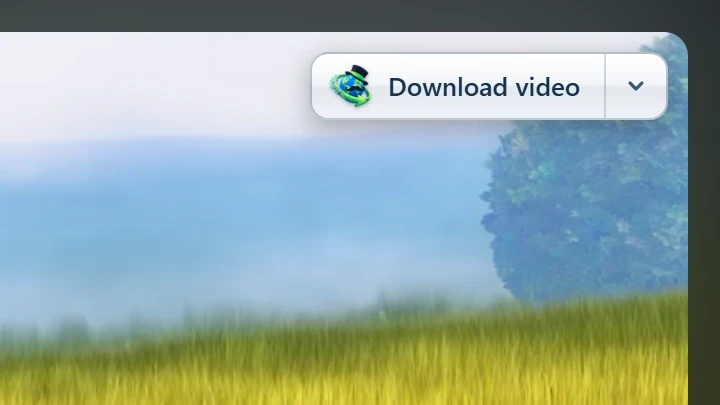
Point at a video on a web page and a small Download video button appears at its edge. Click it and GDM's Download video from a page window opens and looks up the qualities it can download. It takes the video you clicked: its own file when it plays one, or the stream the player loaded (HLS or DASH), else the page. When the button can't tell which one you mean, the toolbar button's Media on this page lists them all. Embedded players work too, and your sign-in for the site, the page that embeds the player and your browser's User-Agent go with it, so videos for members, or that play only on the site that embeds them, can be downloaded. Sound players get the button too.
لا يعيقك: لا يظهر إلا عندما تشير إلى فيديو (أو عندما يكون تركيز لوحة المفاتيح على المشغل؛ عندها ينقل Tab التركيز إلى الزر)، ويتلاشى عندما يستقر المؤشر، ولا يظهر على مقاطع الفيديو الصغيرة والحلقات القصيرة الصامتة (الصور المتحركة والخلفيات). في وضع ملء الشاشة، يتبع الفيديو إذا سمح المشغل بذلك. وعند عرض فيديو محمي بنظام DRM، يخبرك بأنه لا يمكن حفظه.
- انقله: اسحبه إلى أي موضع على حافة الفيديو؛ فيلتصق بأقرب حافة ويبقى هناك على ذلك الموقع.
- Its menu (the arrow next to it): Hide on this video, Never on the site (GDM remembers the site), and Button settings..., which opens GDM's Options.
- Turn it off, or see the sites it stays off: Options → General → Customize GDM Download panels in browsers → Edit....
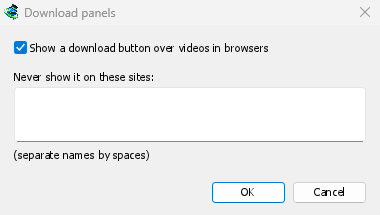
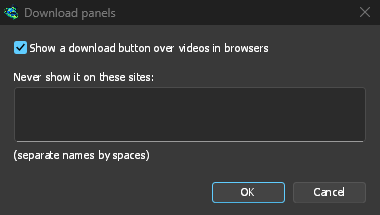
يتبع الزر بقية إعدادات الربط: لا يظهر عندما يكون استخدام الربط المتقدم بالمستعرض متوقفا أو عندما لا يكون المستعرض محددا.
مفاتيح لفرض الالتقاط أو منعه
Hold Alt while clicking a link to let the browser download it instead of GDM. In Firefox, Alt+click saves a link only when its browser.altClickSave setting is on (in about:config); otherwise right-click the link and choose Save Link As..., which the browser keeps. Options → General → Keys... says so, and holds Also take files the browser would open.
لإبقاء تنزيلات موقع ما في المستعرض دائما، استخدم خيار عدم أخذ التنزيلات أبدا من في زر شريط الأدوات، أو أضف الموقع إلى قائمة عدم بدء التنزيل تلقائيا من المواقع التالية. ولإبقاء نوع ملف في المستعرض، أزله من قائمة أنواع الملفات.
When GDM isn't running
You don't need to start GDM first. When the browser hands over a download and GDM isn't running, the helper starts it and passes the download on.
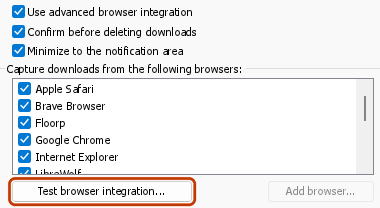
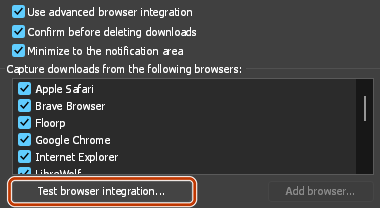
If GDM can't be reached at all (it was uninstalled, or the helper isn't registered), the download stays with the browser, so nothing is lost, and the toolbar button shows a red !. See The browser and GDM aren't connected, or run Options → General → Test browser integration....
الخطوات التالية
- شرح: التقاط التنزيلات من مستعرضك →
- Change which file types GDM takes →
- إذا لم يسلم المستعرض التنزيلات إلى GDM →
مجاني، مفتوح المصدر، بدون إعلانات، بدون فترة تجريبية.
Download GolinksPRO Download Manager