

احفظ مقاطع الفيديو من YouTube و Vimeo و TikTok والعديد من المواقع الأخرى، بالجودة التي تختارها.
الخطوات
- افتح الفيديو في المستعرض وانسخ عنوان الصفحة من شريط العناوين.
- In GDM, click Add URL (or press Ctrl+N) and click OK. GDM sees that the address is a video's page and opens Download video from a page. (You can also open it with Tasks → Download video from a page..., paste the address and click Look up.)
- The first time, GDM needs its video helper. Click Install yt-dlp (about 23 MB). GDM downloads it from its official release and checks it before use.
- Wait while GDM looks the page up. The list of qualities appears, best first, with Audio only at the end: the sound as the site has it, then, with ffmpeg (next step), as an MP3 at its best variable bitrate or at 320, 256, 192 or 128 kbps.
- For the best qualities and MP3, GDM needs ffmpeg, which joins the picture and the sound, and makes the MP3. On Windows GDM offers to install it (about 80 MB): click Install ffmpeg if you want them. On Linux and macOS GDM uses the system's ffmpeg. Without it, you get the qualities that come with their sound.
- اختر جودة.
- تحقق من حفظ في واسم الملف. يأتي الاسم من عنوان الفيديو؛ غيره إذا أردت.
- هل تريد ترجمات؟ اختر لغة في الترجمات. يتم حفظها بجانب الفيديو، أو بداخله إذا قمت بتحديد وضعها في الفيديو (انظر الترجمات).
- انقر على تنزيل الآن، أو لاحقا لإضافته إلى القائمة دون بدء التنزيل.
يظهر الفيديو في القائمة ويتم تنزيله كأي ملف آخر.
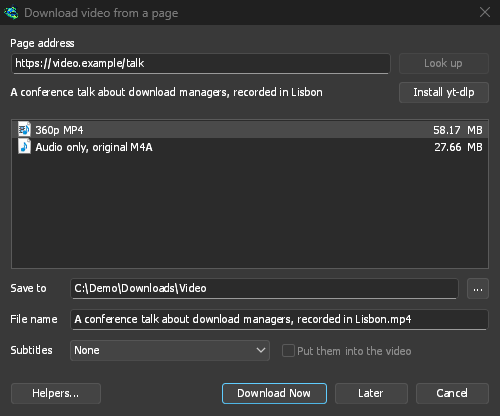
GDM lists the qualities: pick one. 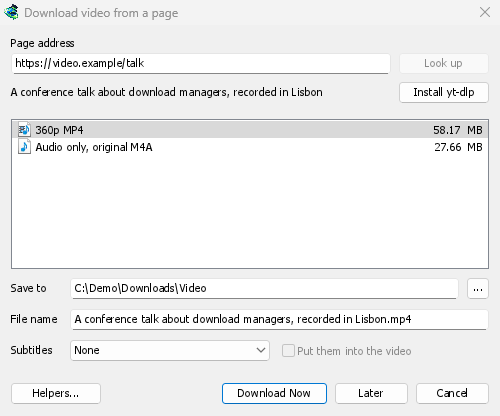
يتم تنزيله كأي ملف آخر. 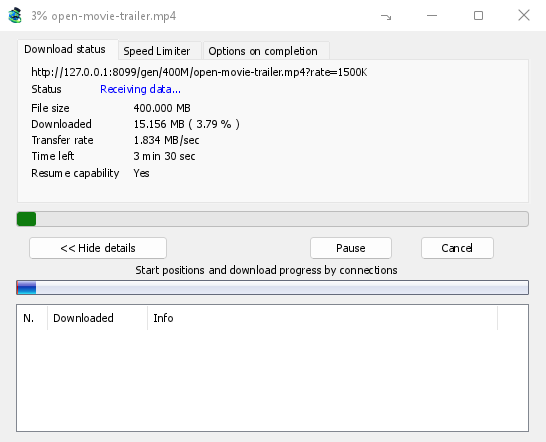
من الجيد معرفته
- رابط لفيديو واحد داخل قائمة تشغيل أو مزيج يقوم بتنزيل هذا الفيديو فقط، وليس القائمة بأكملها.
- لا يمكن تنزيل مقاطع الفيديو المحمية بتقنية DRM (معظم خدمات البث المدفوعة).
- قد يكون التنزيل مخالفا لشروط بعض المواقع؛ وعليك التحقق من ذلك بنفسك.
إذا لم يتم تنزيل الفيديو، راجع تنزيلات الفيديو.
الخطوات التالية
مجاني، مفتوح المصدر، بدون إعلانات، بدون فترة تجريبية.
Download GolinksPRO Download Manager