

บันทึกวิดีโอจาก YouTube, Vimeo, TikTok และเว็บไซต์อื่น ๆ อีกมากมาย ด้วยคุณภาพที่คุณเลือก
ขั้นตอน
- เปิดวิดีโอในเบราว์เซอร์ของคุณ แล้วคัดลอกที่อยู่ของหน้าจากแถบที่อยู่
- In GDM, click Add URL (or press Ctrl+N) and click OK. GDM sees that the address is a video's page and opens Download video from a page. (You can also open it with Tasks → Download video from a page..., paste the address and click Look up.)
- The first time, GDM needs its video helper. Click Install yt-dlp (about 23 MB). GDM downloads it from its official release and checks it before use.
- Wait while GDM looks the page up. The list of qualities appears, best first, with Audio only at the end: the sound as the site has it, then, with ffmpeg (next step), as an MP3 at its best variable bitrate or at 320, 256, 192 or 128 kbps.
- For the best qualities and MP3, GDM needs ffmpeg, which joins the picture and the sound, and makes the MP3. On Windows GDM offers to install it (about 80 MB): click Install ffmpeg if you want them. On Linux and macOS GDM uses the system's ffmpeg. Without it, you get the qualities that come with their sound.
- เลือกคุณภาพ
- ตรวจสอบ บันทึกไปที่ และ ชื่อไฟล์ ชื่อจะมาจากชื่อวิดีโอ คุณสามารถเปลี่ยนได้ตามต้องการ
- ต้องการคำบรรยายใช่ไหม? เลือกภาษาใน คำบรรยาย ไฟล์จะถูกบันทึกไว้ข้างวิดีโอ หรือฝังอยู่ในวิดีโอหากคุณเลือก ใส่ลงในวิดีโอ (ดู คำบรรยาย)
- คลิก ดาวน์โหลดเดี๋ยวนี้ หรือ ภายหลัง เพื่อเพิ่มลงในรายการโดยไม่ต้องเริ่มดาวน์โหลด
วิดีโอจะปรากฏในรายการและดาวน์โหลดเหมือนไฟล์อื่น ๆ
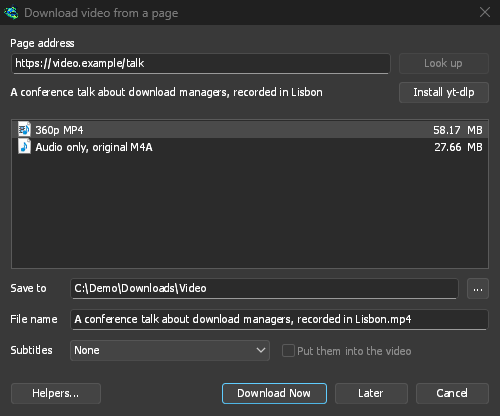
GDM lists the qualities: pick one. 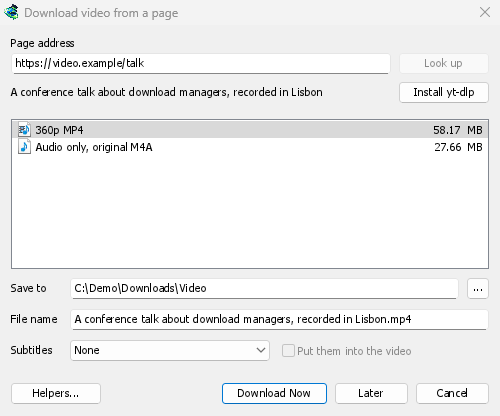
GDM จะดาวน์โหลดเหมือนไฟล์อื่น ๆ 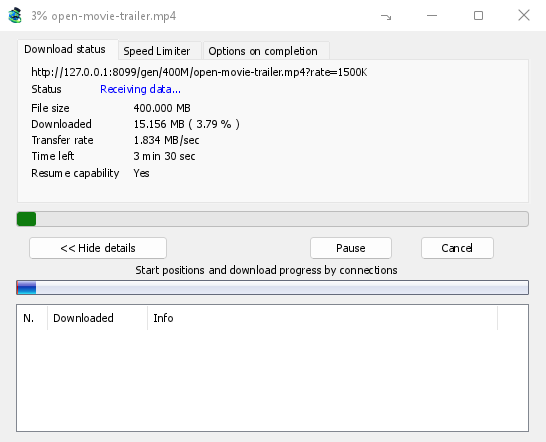
สิ่งควรรู้
- ลิงก์ไปยังวิดีโอรายการหนึ่งในเพลย์ลิสต์หรือมิกซ์จะดาวน์โหลดเฉพาะวิดีโอนั้น ไม่ใช่ทั้งรายการ
- ไม่สามารถดาวน์โหลดวิดีโอที่มี DRM ป้องกันได้ (บริการสตรีมมิงแบบเสียเงินส่วนใหญ่)
- การดาวน์โหลดอาจขัดต่อข้อกำหนดของบางเว็บไซต์ ซึ่งขึ้นอยู่กับคุณที่จะตรวจสอบ
หากวิดีโอไม่สามารถดาวน์โหลดได้ โปรดดู ดาวน์โหลดวิดีโอ
ขั้นตอนถัดไป
ฟรี, โอเพนซอร์ส, ไม่มีโฆษณา, ไม่มีช่วงทดลองใช้
Download GolinksPRO Download Manager