

从 YouTube、Vimeo、TikTok 和许多其他网站保存视频,可选择您想要的画质。
步骤
- 在浏览器中打开视频,然后从地址栏复制页面地址。
- In GDM, click Add URL (or press Ctrl+N) and click OK. GDM sees that the address is a video's page and opens Download video from a page. (You can also open it with Tasks → Download video from a page..., paste the address and click Look up.)
- The first time, GDM needs its video helper. Click Install yt-dlp (about 23 MB). GDM downloads it from its official release and checks it before use.
- Wait while GDM looks the page up. The list of qualities appears, best first, with Audio only at the end: the sound as the site has it, then, with ffmpeg (next step), as an MP3 at its best variable bitrate or at 320, 256, 192 or 128 kbps.
- For the best qualities and MP3, GDM needs ffmpeg, which joins the picture and the sound, and makes the MP3. On Windows GDM offers to install it (about 80 MB): click Install ffmpeg if you want them. On Linux and macOS GDM uses the system's ffmpeg. Without it, you get the qualities that come with their sound.
- 选择一个画质。
- 检查保存到和文件名。文件名来自视频标题;如果您喜欢,可以更改它。
- 想要字幕?在字幕中选择一种语言。它们会保存在视频旁边,如果您勾选将它们放入视频,则会保存在视频内部(参见字幕)。
- 点击立即下载,或点击稍后将其添加到列表而不开始下载。
视频将出现在列表中,并像其他文件一样下载。
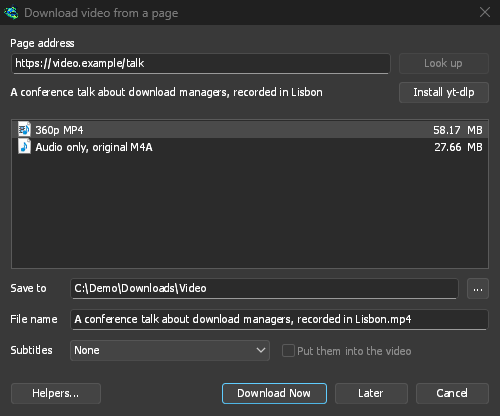
GDM lists the qualities: pick one. 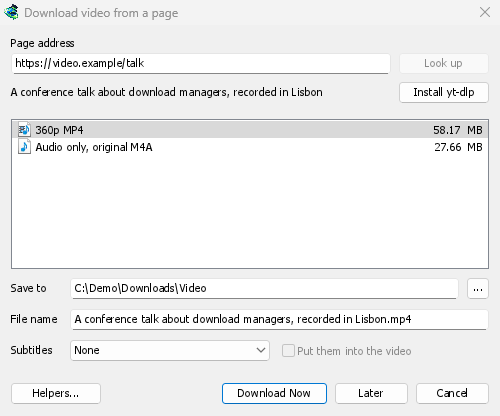
它像其他文件一样下载。 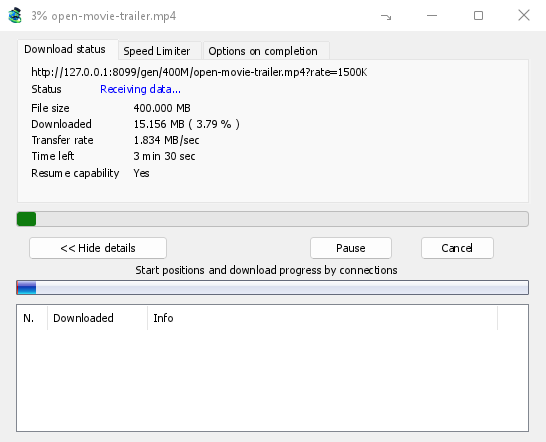
须知
- 播放列表或混合内容中的单个视频链接只下载该视频,而不是整个列表。
- 受 DRM 保护的视频(大多数付费流媒体服务)无法下载。
- 下载可能违反某些网站的条款;这需要您自行检查。
如果视频无法下载,请参阅视频下载。
下一步
免费、开源、无广告、无试用版。
Download GolinksPRO Download Manager