

- الرئيسية
- تنزيل
Download GolinksPRO Download Manager
Version 0.5.2 · free and open source · no ads, no spyware, nothing bundled. What's new
-
Windows 10 و 11 · 64 بت
- setup.exe
- Installs GDM, connects your browsers, asks your language
- portable.zip
- فك ضغطه في أي مكان، حتى على ذاكرة USB؛ تبقى كل الملفات في مجلدها
- x64.zip
- البرامج التي لا تحتاج إلى مثبت
-
macOS 11 والإصدارات الأحدث
- arm64.dmg
- معالجات Apple Silicon: أجهزة Mac المزودة بشريحة M1 أو أحدث
- x86_64.dmg
- معالجات Intel: أجهزة Mac المزودة بمعالج Intel
- التشغيل الأول
- لم توثقه Apple بعد: انقر بزر الماوس الأيمن على التطبيق واختر «فتح» (في macOS 15 والإصدارات الأحدث: إعدادات النظام → الخصوصية والأمان → فتح على أي حال)
-
Linux x86-64
تنزيل AppImage
هذا تطبيق لسطح المكتب: افتح هذه الصفحة على جهاز الكمبيوتر لتنزيله.
ملحق المتصفح
It hands your browser's downloads to GDM with their cookies, adds Download with GolinksPRO Download Manager to the right-click menu and puts a Download video button over videos.
Firefox (و Zen، LibreWolf): بنقرة واحدة من متجر الإضافات الخاص به، ويقوم Firefox بتحديثه باستمرار.
 أضف إلى Firefox
Chrome وEdge وBrave وOpera وVivaldi: بنقرة واحدة من سوق Chrome الإلكتروني، ويقوم المتصفح بتحديثه تلقائيا. يطلب Edge أولا السماح بالإضافات من المتاجر الأخرى.
 أضف إلى Chrome
لا يمكنك استخدام متجر؟ يأتي مع التطبيق، في مجلده extension، وكتنزيل خاص به لمتصفحات Chromium (.zip: فك الضغط، ثم تحميل إضافة غير مجمعة في صفحة إضافات المتصفح مع تفعيل وضع المطور). الدليل المفصل يوضح كل متصفح.
التثبيت في ثلاث خطوات
- قم بتنزيل setup.exe أعلاه وقم بتشغيله. قد يسألك Windows عما إذا كنت تريد السماح بذلك: المثبت غير موقع بالكود بعد، لذا اختر مزيد من المعلومات ← تشغيل على أي حال.
- اختر لغتك، واترك خيار إعداد دمج المتصفح معلما.
- Start GolinksPRO Download Manager from the Start menu, then download your first file.
على نظامي Linux أو Mac
Linux: install the .deb with sudo apt install ./<file>.deb (Debian, Ubuntu, Mint) or the .rpm with sudo dnf install ./<file>.rpm (Fedora), and the packages bring what GDM needs. Or make the AppImage executable (chmod +x) and run it. GDM connects itself to your browsers at each start; then add the extension from your browser's store, above. More in the help.
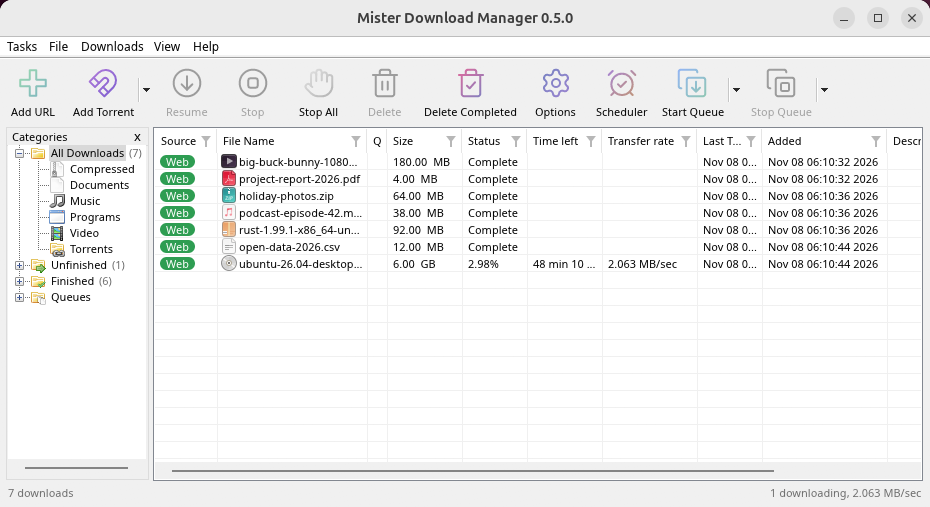
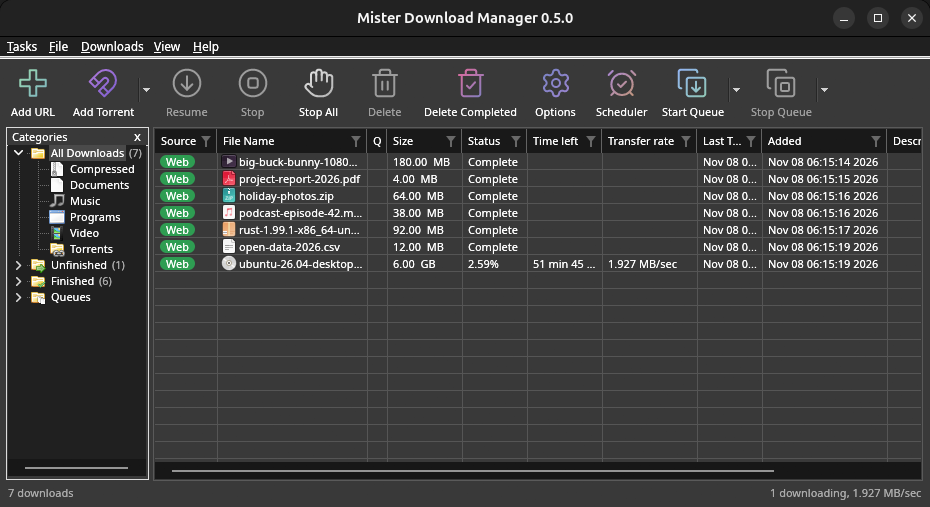
macOS: open the .dmg and drag GolinksPRO Download Manager to Applications, then right-click it and choose Open the first time.
Linux won't be experimental any more. GNOME, KDE Plasma, Xfce and Cinnamon were checked window by window, with the tray and Dark Mode support, in Wayland sessions too, and the .deb and .rpm in clean Ubuntu 24.04, Debian 12 and Fedora 45 systems. What's left: the Flatpak Firefox isn't checked yet, and screen readers (Orca) don't read GDM's windows on Linux yet. macOS stays experimental. Windows, Mac and Linux
ما تحتاجه
- Windows 10 أو 11، 64 بت؛ حوالي 100 ميجابايت من مساحة القرص.
- macOS 11 أو أحدث على Apple Silicon أو Intel (تجريبي).
- نظام Linux على x86-64 مع جلسة سطح مكتب، X11 أو Wayland (ملفات اليوم تجريبية).
- For video pages, GDM downloads yt-dlp (and ffmpeg if you want merged qualities) on first use.
تحقق من تنزيلك
Every release lists the SHA-256 checksum of each file in SHA256SUMS.txt. On Windows, compare it with certutil -hashfile file SHA256; on macOS and Linux with shasum -a 256 file.
Free and Open Source
GolinksPRO Download Manager is free software under the GNU GPL, version 3.
شيء لا يعمل؟ نود أن نعرف.
Troubleshooting guide