

- होम
- डाउनलोड करें
Download GolinksPRO Download Manager
Version 0.5.2 · free and open source · no ads, no spyware, nothing bundled. What's new
-
Windows 10 और 11 · 64-बिट
- setup.exe
- Installs GDM, connects your browsers, asks your language
- portable.zip
- कहीं भी अनज़िप करें, USB स्टिक में भी; सब कुछ उसी फ़ोल्डर में रहता है
- x64.zip
- इंस्टॉलर के बिना वाले प्रोग्राम
-
macOS 11 और बाद के संस्करण
- arm64.dmg
- Apple Silicon: M1 चिप या उसके बाद वाले मैक
- x86_64.dmg
- Intel: Intel प्रोसेसर वाले मैक
- पहली शुरुआत
- Apple ने अभी तक इसे नोटराइज़ नहीं किया है: ऐप पर राइट-क्लिक करें और खोलें चुनें (macOS 15 और बाद के संस्करण: सिस्टम सेटिंग्स → गोपनीयता और सुरक्षा → फिर भी खोलें)
-
Linux x86-64
- .AppImage
- कोई भी डिस्ट्रीब्यूशन: इसे एक्सेक्यूटेबल बनाएं और चलाएं
- .tar.gz
- प्रोग्राम, जिन्हें कहीं भी अनपैक किया जा सकता है
यह एक डेस्कटॉप ऐप है: इसे डाउनलोड करने के लिए अपने कंप्यूटर पर यह पेज खोलें।
ब्राउज़र एक्सटेंशन
It hands your browser's downloads to GDM with their cookies, adds Download with GolinksPRO Download Manager to the right-click menu and puts a Download video button over videos.
Firefox (और Zen, LibreWolf): इसके ऐड-ऑन स्टोर से एक क्लिक में, और Firefox इसे अपडेट रखता है।
 Firefox में जोड़ें
Chrome, Edge, Brave, Opera और Vivaldi: Chrome वेब स्टोर से एक क्लिक में, और ब्राउज़र इसे अपडेट रखता है। Edge पहले अन्य स्टोर से एक्सटेंशन की अनुमति देने के लिए पूछता है।
 Chrome में जोड़ें
स्टोर का उपयोग नहीं कर सकते? यह ऐप के साथ, उसके extension फ़ोल्डर में आता है, और Chromium ब्राउज़र के लिए अपने डाउनलोड के रूप में (.zip: अनज़िप करें, फिर डेवलपर मोड चालू करके ब्राउज़र के एक्सटेंशन पेज पर अनपैक्ड लोड करें)। स्टेप-बाय-स्टेप गाइड हर ब्राउज़र को दिखाता है।
तीन चरणों में इंस्टॉल करें
- ऊपर दिए गए setup.exe को डाउनलोड करें और चलाएँ। Windows पूछ सकता है कि क्या इसे अनुमति देनी है: इंस्टॉलर अभी कोड-साइन नहीं किया गया है, इसलिए अधिक जानकारी → फिर भी चलाएँ चुनें।
- अपनी भाषा चुनें और ब्राउज़र एकीकरण सेट करें पर टिक लगा रहने दें।
- Start GolinksPRO Download Manager from the Start menu, then download your first file.
Linux या Mac पर
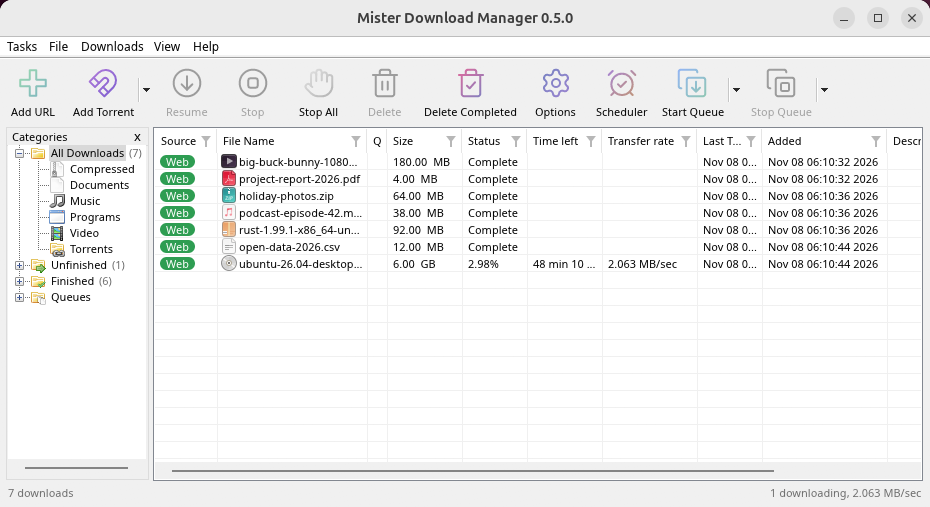
Linux: install the .deb with sudo apt install ./<file>.deb (Debian, Ubuntu, Mint) or the .rpm with sudo dnf install ./<file>.rpm (Fedora), and the packages bring what GDM needs. Or make the AppImage executable (chmod +x) and run it. GDM connects itself to your browsers at each start; then add the extension from your browser's store, above. More in the help.
macOS: open the .dmg and drag GolinksPRO Download Manager to Applications, then right-click it and choose Open the first time.
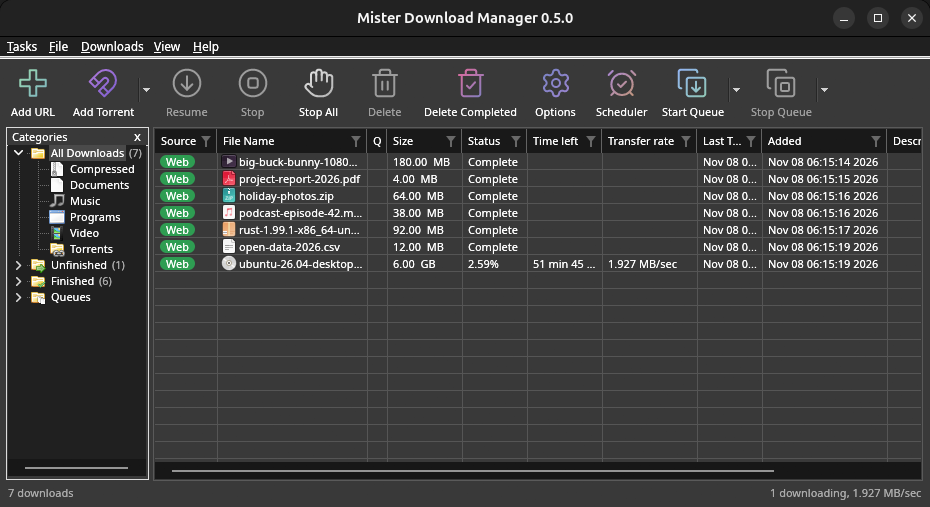
Linux won't be experimental any more. GNOME, KDE Plasma, Xfce and Cinnamon were checked window by window, with the tray and Dark Mode support, in Wayland sessions too, and the .deb and .rpm in clean Ubuntu 24.04, Debian 12 and Fedora 45 systems. What's left: the Flatpak Firefox isn't checked yet, and screen readers (Orca) don't read GDM's windows on Linux yet. macOS stays experimental. Windows, Mac and Linux
आपको क्या चाहिए
- Windows 10 या 11, 64-बिट; लगभग 100 MB डिस्क स्थान।
- Apple Silicon या Intel पर macOS 11 या बाद का (प्रायोगिक)।
- x86-64 पर Linux एक डेस्कटॉप सत्र, X11 या Wayland के साथ (आज की फ़ाइलें प्रायोगिक हैं)।
- For video pages, GDM downloads yt-dlp (and ffmpeg if you want merged qualities) on first use.
अपना डाउनलोड जाँचें
Every release lists the SHA-256 checksum of each file in SHA256SUMS.txt. On Windows, compare it with certutil -hashfile file SHA256; on macOS and Linux with shasum -a 256 file.
Free and Open Source
GolinksPRO Download Manager is free software under the GNU GPL, version 3.
कुछ काम नहीं कर रहा है? हम जानना चाहेंगे।
Troubleshooting guide