

- خانه
- بارگیری
Download GolinksPRO Download Manager
Version 0.5.2 · free and open source · no ads, no spyware, nothing bundled. What's new
-
Windows 10 و 11 · 64 بیت
- setup.exe
- Installs GDM, connects your browsers, asks your language
- portable.zip
- در هر جایی از حالت فشرده خارج کنید، حتی در فلش USB؛ همه چیز در پوشه خود باقی میماند
- x64.zip
- برنامهها بدون نصبکننده
-
macOS 11 و جدیدتر
- arm64.dmg
- اپل سیلیکون: مکهایی با تراشه M1 یا جدیدتر
- x86_64.dmg
- اینتل: مکهایی با پردازنده اینتل
- اولین اجرا
- هنوز توسط اپل تأیید نشده است: روی برنامه راستکلیک کرده و Open را انتخاب کنید (macOS 15 و بالاتر: System Settings → Privacy & Security → Open Anyway)
-
Linux x86-64
AppImage را بارگیری کنید
این یک برنامه دسکتاپ است: این صفحه را در رایانه خود باز کنید تا آن را بارگیری کنید.
افزونه مرورگر
It hands your browser's downloads to GDM with their cookies, adds Download with GolinksPRO Download Manager to the right-click menu and puts a Download video button over videos.
Firefox (و Zen، LibreWolf): با یک کلیک از فروشگاه افزونههای آن، و Firefox آن را بهروز نگه میدارد.
 افزودن به Firefox
Chrome، Edge، Brave، Opera و Vivaldi: با یک کلیک از فروشگاه وب Chrome نصب میشود و مرورگر آن را بهروز نگه میدارد. در Edge ابتدا باید اجازه نصب افزونه از فروشگاههای دیگر را بدهید.
 افزودن به Chrome
نمیتوانید از فروشگاه استفاده کنید؟ این افزونه همراه برنامه، در پوشه extension آن و بهصورت بارگیری جداگانه برای مرورگرهای Chromium هم ارائه میشود (.zip: فایل را از حالت فشرده خارج کنید، سپس در صفحه افزونههای مرورگر، با روشن بودن حالت توسعهدهنده، Load unpacked را انتخاب کنید). راهنمای گامبهگام مراحل را برای هر مرورگر نشان میدهد.
نصب در سه مرحله
- setup.exe را از بالا بارگیری و اجرا کنید. ممکن است Windows بپرسد که آیا اجازه اجرا میدهید؛ نصبکننده هنوز امضای دیجیتال ندارد، پس اطلاعات بیشتر → اجرای همینطور را انتخاب کنید.
- زبان را انتخاب کنید و مطمئن شوید گزینه راهاندازی یکپارچهسازی مرورگر انتخاب شده است.
- Start GolinksPRO Download Manager from the Start menu, then download your first file.
در Linux یا مک
Linux: install the .deb with sudo apt install ./<file>.deb (Debian, Ubuntu, Mint) or the .rpm with sudo dnf install ./<file>.rpm (Fedora), and the packages bring what GDM needs. Or make the AppImage executable (chmod +x) and run it. GDM connects itself to your browsers at each start; then add the extension from your browser's store, above. More in the help.
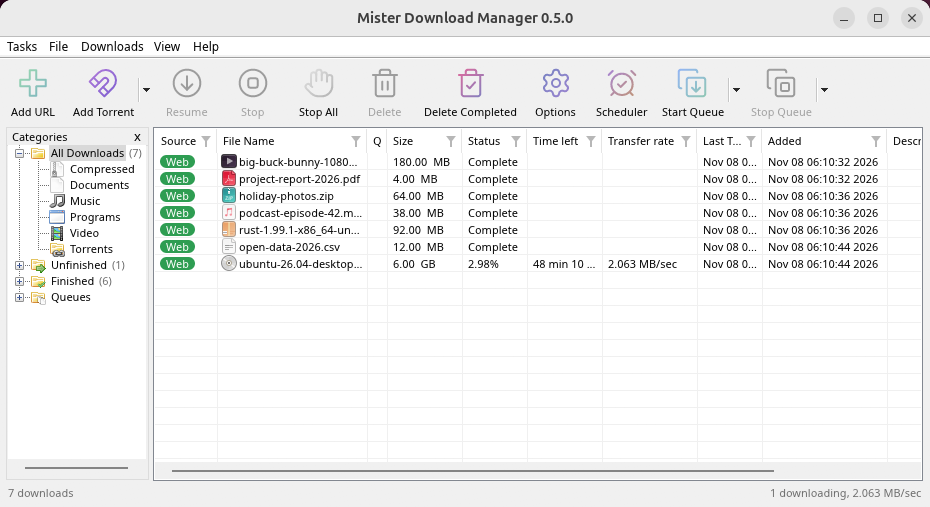
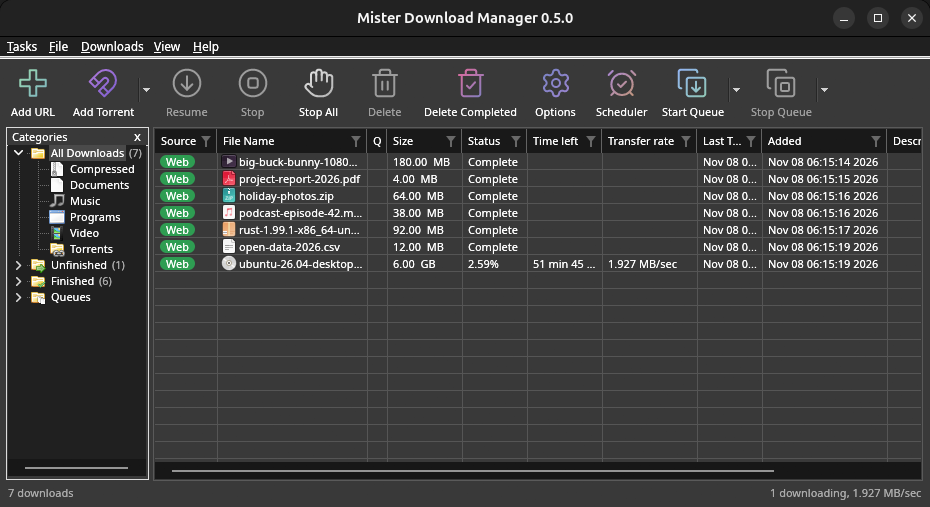
macOS: open the .dmg and drag GolinksPRO Download Manager to Applications, then right-click it and choose Open the first time.
Linux won't be experimental any more. GNOME, KDE Plasma, Xfce and Cinnamon were checked window by window, with the tray and Dark Mode support, in Wayland sessions too, and the .deb and .rpm in clean Ubuntu 24.04, Debian 12 and Fedora 45 systems. What's left: the Flatpak Firefox isn't checked yet, and screen readers (Orca) don't read GDM's windows on Linux yet. macOS stays experimental. Windows, Mac and Linux
آنچه نیاز دارید
- Windows 10 یا 11، 64 بیتی؛ حدود 100 مگابایت فضای دیسک.
- macOS 11 یا بالاتر روی Apple Silicon یا Intel (آزمایشی).
- Linux روی x86-64 با یک جلسه دسکتاپ، X11 یا Wayland (فایلهای امروز آزمایشی هستند).
- For video pages, GDM downloads yt-dlp (and ffmpeg if you want merged qualities) on first use.
بررسی بارگیری
Every release lists the SHA-256 checksum of each file in SHA256SUMS.txt. On Windows, compare it with certutil -hashfile file SHA256; on macOS and Linux with shasum -a 256 file.
Free and Open Source
GolinksPRO Download Manager is free software under the GNU GPL, version 3.
چیزی درست کار نمیکند؟ لطفا به ما اطلاع دهید.
Troubleshooting guide