

- Accueil
- Télécharger
Download GolinksPRO Download Manager
Version 0.5.2 · free and open source · no ads, no spyware, nothing bundled. What's new
-
Windows 10 et 11 · 64 bits
- setup.exe
- Installs GDM, connects your browsers, asks your language
- portable.zip
- Dézippez n'importe où, même sur une clé USB ; tout reste dans son dossier
- x64.zip
- Les programmes sans programme d’installation
-
macOS 11 et versions ultérieures
- arm64.dmg
- Apple Silicon : Mac avec une puce M1 ou plus récente
- x86_64.dmg
- Intel : Mac avec un processeur Intel
- Premier lancement
- Pas encore notarié par Apple : faites un clic droit sur l'application et choisissez Ouvrir (macOS 15 et versions ultérieures : Réglages Système → Confidentialité et sécurité → Ouvrir quand même)
-
Linux x86-64
- .AppImage
- Toutes les distributions : rendez le fichier exécutable et lancez-le
- .tar.gz
- Les programmes, à décompresser n'importe où
C'est une application de bureau : ouvrez cette page sur votre ordinateur pour la télécharger.
L’extension de navigateur
It hands your browser's downloads to GDM with their cookies, adds Download with GolinksPRO Download Manager to the right-click menu and puts a Download video button over videos.
Firefox (ainsi que Zen et LibreWolf) : installez-la en un clic depuis sa boutique d’extensions, et Firefox la met à jour automatiquement.
 Ajouter à Firefox
Chrome, Edge, Brave, Opera et Vivaldi : installez-la en un clic depuis le Chrome Web Store, et le navigateur la met à jour automatiquement. Edge vous demande d’abord d’autoriser les extensions provenant d’autres boutiques.
 Ajouter à Chrome
Vous ne pouvez pas utiliser de boutique ? L’extension est fournie avec l’application, dans son dossier extension, et peut aussi être téléchargée séparément pour les navigateurs Chromium (.zip : décompressez l’archive, puis sélectionnez Charger l’extension non empaquetée dans la page des extensions du navigateur, après avoir activé le mode Développeur). Le guide pas à pas présente la marche à suivre pour chaque navigateur.
Installer en trois étapes
- Téléchargez setup.exe ci-dessus et exécutez-le. Windows peut vous demander si vous souhaitez l’autoriser : le programme d’installation n’est pas encore signé numériquement. Choisissez Plus d’informations → Exécuter quand même.
- Choisissez votre langue et laissez la case Configurer l’intégration du navigateur cochée.
- Start GolinksPRO Download Manager from the Start menu, then download your first file.
Sous Linux ou macOS
Linux: install the .deb with sudo apt install ./<file>.deb (Debian, Ubuntu, Mint) or the .rpm with sudo dnf install ./<file>.rpm (Fedora), and the packages bring what GDM needs. Or make the AppImage executable (chmod +x) and run it. GDM connects itself to your browsers at each start; then add the extension from your browser's store, above. More in the help.
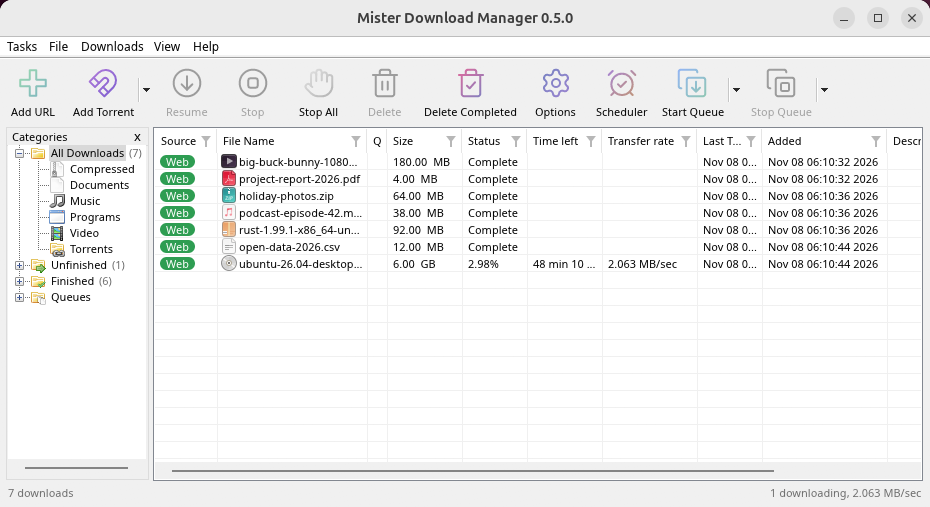
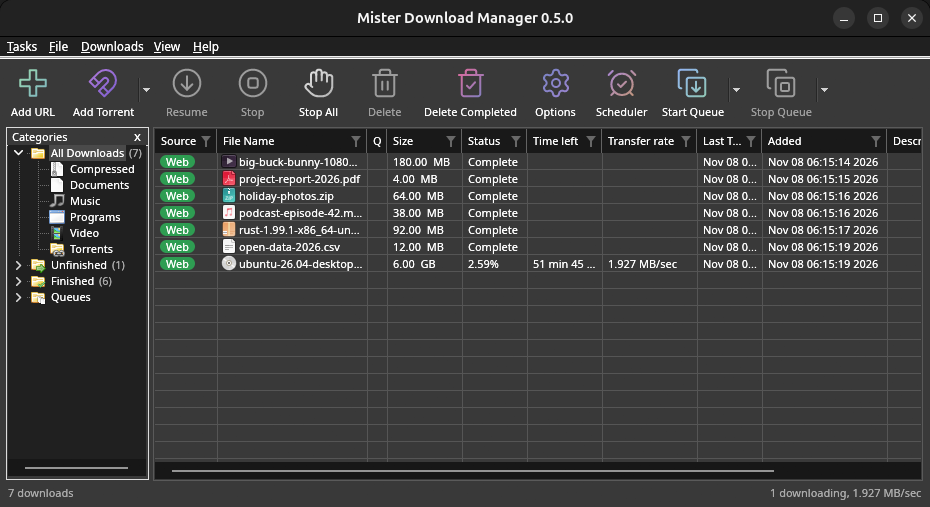
macOS: open the .dmg and drag GolinksPRO Download Manager to Applications, then right-click it and choose Open the first time.
Linux won't be experimental any more. GNOME, KDE Plasma, Xfce and Cinnamon were checked window by window, with the tray and Dark Mode support, in Wayland sessions too, and the .deb and .rpm in clean Ubuntu 24.04, Debian 12 and Fedora 45 systems. What's left: the Flatpak Firefox isn't checked yet, and screen readers (Orca) don't read GDM's windows on Linux yet. macOS stays experimental. Windows, Mac and Linux
Configuration requise
- Windows 10 ou 11 en 64 bits ; environ 100 Mo d’espace disque.
- macOS 11 ou version ultérieure sur Apple Silicon ou Intel (expérimental).
- Linux sur x86-64 avec une session de bureau, X11 ou Wayland (les fichiers actuels sont expérimentaux).
- For video pages, GDM downloads yt-dlp (and ffmpeg if you want merged qualities) on first use.
Vérifier votre téléchargement
Every release lists the SHA-256 checksum of each file in SHA256SUMS.txt. On Windows, compare it with certutil -hashfile file SHA256; on macOS and Linux with shasum -a 256 file.
Free and Open Source
GolinksPRO Download Manager is free software under the GNU GPL, version 3.
Un problème ? Faites-le-nous savoir.
Troubleshooting guide