

- হোম
- ডাউনলোড করুন
Download GolinksPRO Download Manager
Version 0.5.2 · free and open source · no ads, no spyware, nothing bundled. What's new
-
Windows 10 ও 11 · 64-বিট
- setup.exe
- Installs GDM, connects your browsers, asks your language
- portable.zip
- যে কোনো জায়গায় আনজিপ করুন, একটি USB স্টিকও; সবকিছু তার ফোল্ডারে থাকে
- x64.zip
- ইনস্টলার ছাড়া প্রোগ্রামগুলি
-
macOS 11 ও পরবর্তী সংস্করণ
- arm64.dmg
- অ্যাপল সিলিকন: M1 চিপ বা তার পরের ম্যাক
- x86_64.dmg
- ইন্টেল: ইন্টেল প্রসেসরযুক্ত ম্যাক
- প্রথমবার চালু করা
- Apple দ্বারা এখনও নোটারাইজ করা হয়নি: অ্যাপটিতে ডান-ক্লিক করুন এবং খুলুন (Open) নির্বাচন করুন (macOS 15 এবং তার পরের সংস্করণ: System Settings → Privacy & Security → Open Anyway)
-
Linux x86-64
- .AppImage
- যেকোনো ডিস্ট্রিবিউশন: এটিকে এক্সিকিউটেবল করুন এবং চালান
- .tar.gz
- প্রোগ্রামগুলি, যে কোনো জায়গায় আনপ্যাক করার জন্য
এটি একটি ডেস্কটপ অ্যাপ: এটি ডাউনলোড করতে আপনার কম্পিউটারে এই পৃষ্ঠাটি খুলুন।
ব্রাউজার এক্সটেনশন
It hands your browser's downloads to GDM with their cookies, adds Download with GolinksPRO Download Manager to the right-click menu and puts a Download video button over videos.
Firefox (এবং Zen, LibreWolf): এর অ্যাড-অন স্টোর থেকে এক ক্লিকেই ইনস্টল করা যায়, এবং Firefox এটিকে আপ-টু-ডেট রাখে।
 Firefox-এ যোগ করুন
Chrome, Edge, Brave, Opera এবং Vivaldi: Chrome Web Store থেকে এক ক্লিকেই যোগ করুন, এবং ব্রাউজার এটিকে আপ-টু-ডেট রাখবে। Edge প্রথমে অন্যান্য স্টোর থেকে এক্সটেনশন যোগ করার অনুমতি চাইবে।
 Chrome-এ যোগ করুন
কোনো স্টোর ব্যবহার করতে পারছেন না? এটি অ্যাপের সাথে এর extension ফোল্ডারে আসে, এবং Chromium ব্রাউজারগুলির জন্য আলাদা ডাউনলোড হিসেবেও পাওয়া যায় (.zip: আনজিপ করুন, তারপর ব্রাউজারের এক্সটেনশন পেজে ডেভেলপার মোড চালু করে Load unpacked করুন)। ধাপে ধাপে নির্দেশিকা প্রতিটি ব্রাউজারের জন্য দেখানো হয়েছে।
তিনটি ধাপে ইনস্টল করুন
- উপরে setup.exe ডাউনলোড করুন এবং চালান। Windows এটি অনুমতি দিতে চাইতে পারে: ইনস্টলারটি এখনও কোড-সাইন করা হয়নি, তাই More info → Run anyway নির্বাচন করুন।
- আপনার ভাষা নির্বাচন করুন এবং Set up browser integration টিক দেওয়া রাখুন।
- Start GolinksPRO Download Manager from the Start menu, then download your first file.
Linux বা ম্যাক-এ
Linux: install the .deb with sudo apt install ./<file>.deb (Debian, Ubuntu, Mint) or the .rpm with sudo dnf install ./<file>.rpm (Fedora), and the packages bring what GDM needs. Or make the AppImage executable (chmod +x) and run it. GDM connects itself to your browsers at each start; then add the extension from your browser's store, above. More in the help.
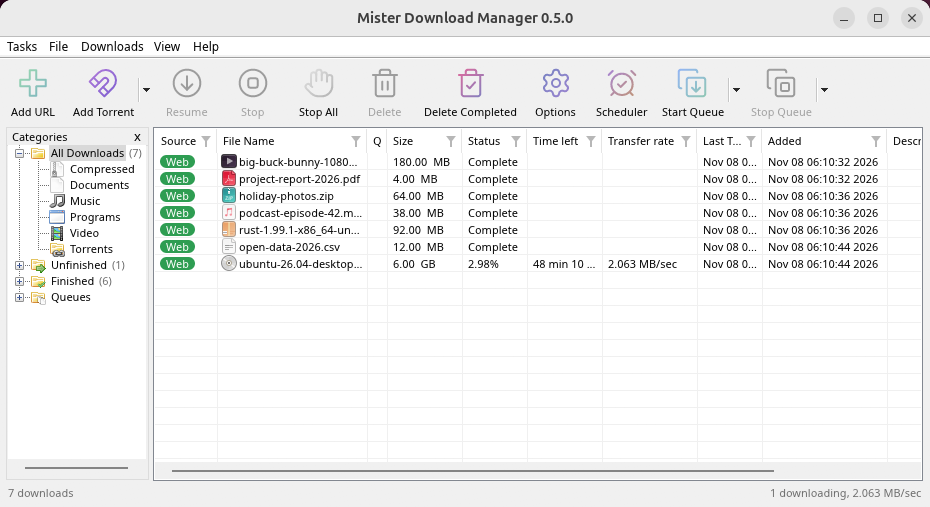
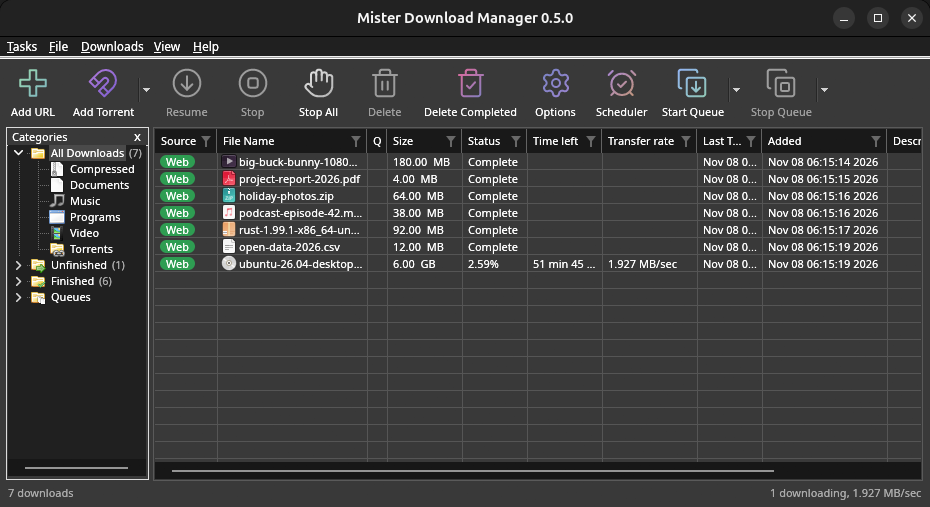
macOS: open the .dmg and drag GolinksPRO Download Manager to Applications, then right-click it and choose Open the first time.
Linux won't be experimental any more. GNOME, KDE Plasma, Xfce and Cinnamon were checked window by window, with the tray and Dark Mode support, in Wayland sessions too, and the .deb and .rpm in clean Ubuntu 24.04, Debian 12 and Fedora 45 systems. What's left: the Flatpak Firefox isn't checked yet, and screen readers (Orca) don't read GDM's windows on Linux yet. macOS stays experimental. Windows, Mac and Linux
আপনার যা প্রয়োজন
- Windows 10 বা 11, 64-বিট; প্রায় 100 MB ডিস্ক স্পেস।
- Apple Silicon বা Intel-এ macOS 11 বা তার পরের সংস্করণ (পরীক্ষামূলক)।
- x86-64 সহ Linux একটি ডেস্কটপ সেশন, X11 বা ওয়েল্যান্ড সহ (আজকের ফাইলগুলি পরীক্ষামূলক)।
- For video pages, GDM downloads yt-dlp (and ffmpeg if you want merged qualities) on first use.
আপনার ডাউনলোড পরীক্ষা করুন
Every release lists the SHA-256 checksum of each file in SHA256SUMS.txt. On Windows, compare it with certutil -hashfile file SHA256; on macOS and Linux with shasum -a 256 file.
Free and Open Source
GolinksPRO Download Manager is free software under the GNU GPL, version 3.
কিছু কাজ করছে না? আমরা জানতে চাই।
Troubleshooting guide