

- Startseite
- Herunterladen
Download GolinksPRO Download Manager
Version 0.5.2 · free and open source · no ads, no spyware, nothing bundled. What's new
-
Windows 10 und 11 · 64-Bit
- setup.exe
- Installs GDM, connects your browsers, asks your language
- portable.zip
- Überall entpacken, auch auf einem USB-Stick; alles bleibt im Ordner
- x64.zip
- Die Programme ohne Installer
-
macOS 11 und neuer
- arm64.dmg
- Apple Silicon: Macs mit M1-Chip oder neuer
- x86_64.dmg
- Intel: Macs mit Intel-Prozessor
- Erster Start
- Noch nicht von Apple notariell beglaubigt: Rechtsklick auf die App und „Öffnen“ wählen (macOS 15 und neuer: Systemeinstellungen → Datenschutz & Sicherheit → Trotzdem öffnen)
-
Linux x86-64
- .AppImage
- Jede Distribution: ausführbar machen und ausführen
- .tar.gz
- Die Programme, zum Entpacken an beliebiger Stelle
Es ist eine Desktop-App: Öffnen Sie diese Seite auf Ihrem Computer, um sie herunterzuladen.
Die Browser-Erweiterung
It hands your browser's downloads to GDM with their cookies, adds Download with GolinksPRO Download Manager to the right-click menu and puts a Download video button over videos.
Firefox (und Zen, LibreWolf): Mit einem Klick aus dem Add-on-Store installieren; Firefox hält die Erweiterung automatisch auf dem neuesten Stand.
 Zu Firefox hinzufügen
Chrome, Edge, Brave, Opera und Vivaldi: Mit einem Klick aus dem Chrome Web Store installieren; der Browser hält die Erweiterung automatisch auf dem neuesten Stand. Edge fragt zunächst, ob Erweiterungen aus anderen Stores zugelassen werden dürfen.
 Zu Chrome hinzufügen
Sie können keinen Store nutzen? Die Erweiterung ist im extension-Ordner der App enthalten und auch als separater Download verfügbar für Chromium-Browser (.zip: Entpacken Sie die Dateien und wählen Sie dann auf der Erweiterungsseite des Browsers bei aktiviertem Entwicklermodus Entpackte Erweiterung laden). Die Schritt-für-Schritt-Anleitung erklärt die Installation für jeden Browser.
In drei Schritten installieren
- Laden Sie setup.exe oben herunter und führen Sie die Datei aus. Windows fragt möglicherweise, ob die Ausführung erlaubt werden soll: Da der Installer noch nicht digital signiert ist, wählen Sie Weitere Informationen → Trotzdem ausführen.
- Wählen Sie Ihre Sprache und lassen Sie Browser-Integration einrichten aktiviert.
- Start GolinksPRO Download Manager from the Start menu, then download your first file.
Unter Linux oder macOS
Linux: install the .deb with sudo apt install ./<file>.deb (Debian, Ubuntu, Mint) or the .rpm with sudo dnf install ./<file>.rpm (Fedora), and the packages bring what GDM needs. Or make the AppImage executable (chmod +x) and run it. GDM connects itself to your browsers at each start; then add the extension from your browser's store, above. More in the help.
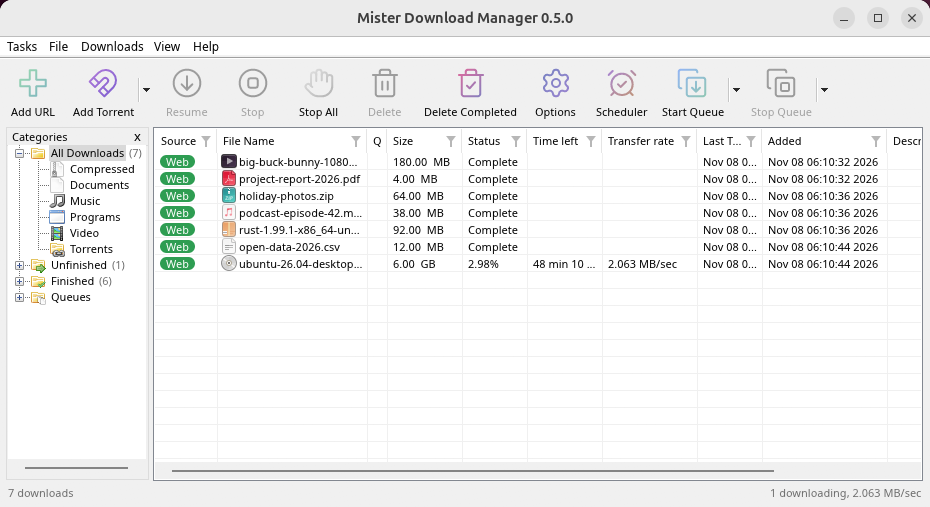
macOS: open the .dmg and drag GolinksPRO Download Manager to Applications, then right-click it and choose Open the first time.
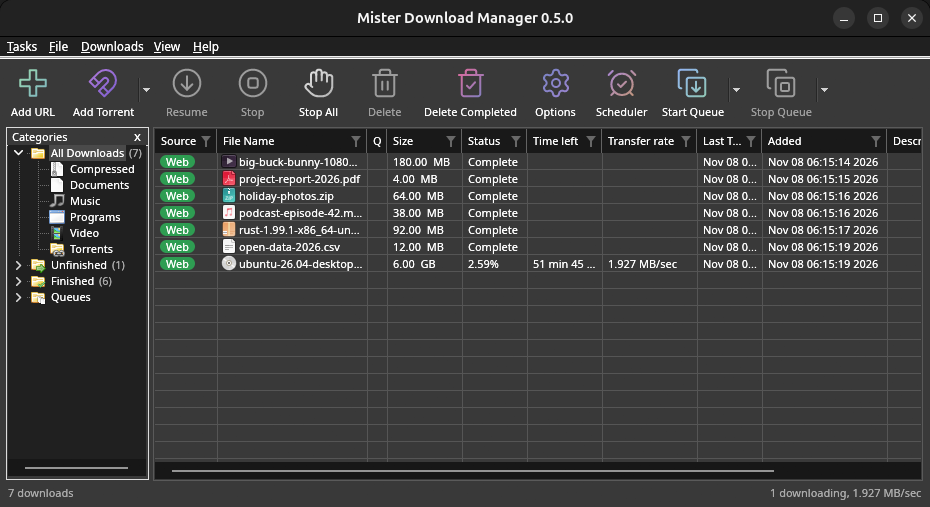
Linux won't be experimental any more. GNOME, KDE Plasma, Xfce and Cinnamon were checked window by window, with the tray and Dark Mode support, in Wayland sessions too, and the .deb and .rpm in clean Ubuntu 24.04, Debian 12 and Fedora 45 systems. What's left: the Flatpak Firefox isn't checked yet, and screen readers (Orca) don't read GDM's windows on Linux yet. macOS stays experimental. Windows, Mac and Linux
Voraussetzungen
- Windows 10 oder 11, 64-Bit; ca. 100 MB Festplattenspeicher.
- macOS 11 oder neuer auf Apple Silicon oder Intel (experimentell).
- Linux auf x86-64 mit einer Desktop-Sitzung, X11 oder Wayland (aktuelle Dateien experimentell).
- For video pages, GDM downloads yt-dlp (and ffmpeg if you want merged qualities) on first use.
Download überprüfen
Every release lists the SHA-256 checksum of each file in SHA256SUMS.txt. On Windows, compare it with certutil -hashfile file SHA256; on macOS and Linux with shasum -a 256 file.
Free and Open Source
GolinksPRO Download Manager is free software under the GNU GPL, version 3.
Funktioniert etwas nicht? Wir möchten es wissen.
Troubleshooting guide