
With the GDM extension, clicking a download link in your browser hands the download to GDM. GDM gets the address together with the page it came from (the referrer), your cookies for the site and the browser's User-Agent, so downloads that need you to be signed in still work.
Розширення працює в Google Chrome, Microsoft Edge, Brave, Opera та Vivaldi, у Firefox 140 або новішої версії, а також у Safari 17 або новішої версії на Mac (див. Safari).
Browsers built on them work too: Chromium and Helium take the extension as Chrome does, Brave Origin as Brave does, Zen and LibreWolf as Firefox does. On Windows, Zen has a bug of its own (see The browser and GDM aren't connected).
Налаштування
Інтеграція з браузером складається з двох частин: невеликої допоміжної програми, з якою спілкується браузер, і самого розширення.
- Install GDM with the setup and keep Set up browser integration (Chrome, Edge, Brave, Firefox) ticked. This registers the helper. (The portable copy can't do this; see Portable mode.) On Linux and macOS GDM registers it itself, each time it starts, for the browsers installed then.
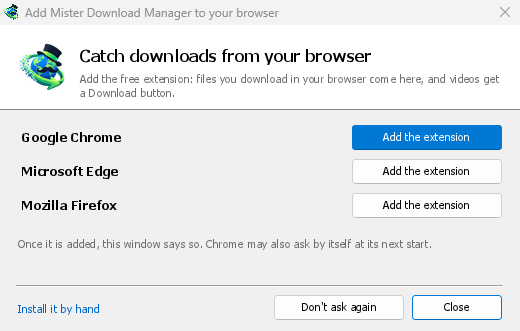
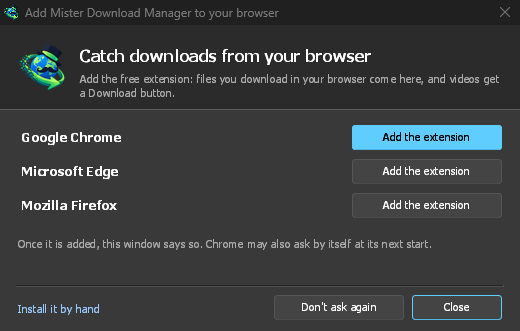
- Add the extension to each browser you use, as below: Firefox from its add-ons store, the others from the Chrome Web Store. Until a browser's extension has reached GDM, GDM's Add GolinksPRO Download Manager to your browser window opens at each start: it lists the browsers it found, and Add the extension opens the store's page in that browser. Install it by hand opens the steps for loading it without the store; Don't ask again stops the window.
Firefox
Firefox 140 or later is needed. Install the add-on from its page on addons.mozilla.org, GolinksPRO Download Manager: click Add to Firefox. Firefox keeps it updated. Zen and LibreWolf install it from the same page. (GDM's Add GolinksPRO Download Manager to your browser window opens that page for you.)
Chrome, Edge, Brave, Opera та Vivaldi
Install the extension from its page in the Chrome Web Store, GolinksPRO Download Manager: click Add to Chrome. In Edge the button is Get: Edge first asks to Allow extensions from other stores (click Allow), then Add extension. The browser keeps it updated. GDM's Add GolinksPRO Download Manager to your browser window opens that page in each browser for you, and Chrome may offer it by itself at its next start once GDM is installed.
To load it by hand instead (a browser that can't use the store, or a build of your own): its files are in the extension folder where GDM is installed: %LOCALAPPDATA%\Programs\GolinksPRO Download Manager\extension if you installed it for yourself, or Program Files\GolinksPRO Download Manager\extension if you installed it for everyone. Every release also has them as their own download, ...-extension-chromium.zip (unzip it first).
- Відкрийте сторінку розширень:
chrome://extensions,edge://extensionsабоbrave://extensions. - Увімкніть Режим розробника.
- Натисніть Завантажити розпаковане та виберіть папку
extension\chromium.
GolinksPRO Download Manager appears in the list. Leave it turned on. Pin its button to the toolbar to see at a glance whether the browser reaches GDM.
Safari (macOS)
Програма для Mac містить розширення Safari: нічого завантажувати не потрібно. Потрібні Safari 17 або новішої версії та macOS 14 або новішої версії.
- Drag GDM to Applications and start it once. GDM's Add GolinksPRO Download Manager to your browser window lists Safari: How to Add shows the steps below.
- In Safari open Settings → Extensions and tick GolinksPRO Download Manager. Click Always Allow on Every Website: the extension needs to read the site to pass your sign-in on.
- Оскільки програма не нотаріально засвідчена Apple (експериментальні збірки не є такими), Safari відображає розширення лише з дозволеними непідписаними розширеннями: Параметри → Додатково → Показати функції для веброзробників, потім Параметри → Розробник → Дозволити непідписані розширення. Safari забуває цей параметр щоразу, коли виходить.
Safari не дозволяє розширенню ні бачити, ні зупиняти завантаження браузера, тому те, що працює, відрізняється від інших браузерів:
- Works as in the other browsers: the right-click items, the button over videos, Media on this page, the toolbar button, Alt-click, GDM starting by itself, and every rule in Options.
- A click on a link to a file type GDM takes goes to GDM. A download the page starts by itself (a script, or a link with no file name in its address that the server answers with a file) stays with Safari: use right-click → Download with GolinksPRO Download Manager for those.
- Недоступно: спільне використання проксі-сервера або VPN браузера, а також завантаження з форми.
З простого архіву zip
The -x64.zip copy has no installer, but you can register the helper yourself. Open a command prompt in GDM's folder and run:
misterdownloadmanager-nmhost.exe --register
Це стосується лише вашого облікового запису Windows. --unregister скасовує це. Потім завантажте розширення, як описано вище, з папки extension архіву.
Що потрібно
When you click a download, the extension checks GDM's Options:
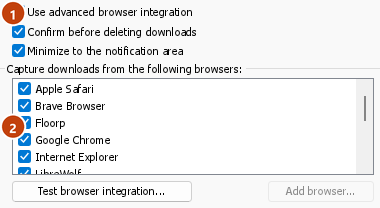
- Options → General → Use advanced browser integration must be on. Turn it off to send nothing to GDM.
- Параметри → Загальні → Перехоплювати завантаження з наступних браузерів має бути позначено ваш браузер.
- Параметри → Типи файлів → Автоматично починати завантаження таких типів файлів має містити тип файлу. Список починається зі звичайних: ZIP, RAR, 7Z, EXE, MSI, ISO, DMG, DEB, RPM, APPIMAGE, MP3, MP4, MKV, WEBM, PDF, моделі ШІ, такі як GGUF та SAFETENSORS, 3D-файли, такі як GLB та STL, та багато інших. Будь-що інше можна додати до списку.
- Параметри → Типи файлів → Не починати завантаження автоматично з наступних сайтів не повинно містити цей сайт. Назви розділені пробілами, а
*відповідає будь-якій частині, як у*.update.microsoft.com. Редагувати список ... нижче перераховує повні адреси, які слід залишити без змін, по одній на рядок (https://example.com/private/*). - Параметри → Типи файлів → Не завантажувати файли менші за залишає невеликі файли (квитанції, іконки) браузеру. 0 приймає будь-який розмір.
- Розширенню має бути дозволено читати сайт. Якщо ви обмежите його певними сайтами (або По кліку), воно не зможе передати ваші дані для входу, тому залишить завантаження з цих сайтів браузеру.
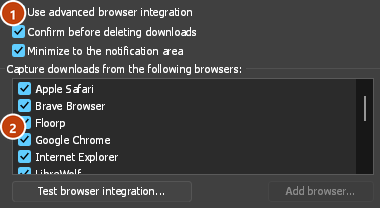
When the browser keeps a download, the extension's button says which of these left it there, with the file's name, and GDM's log has a line for each one (logs\mdm.log in GDM's data folder).
Перевіряються як адреса, на яку ви натиснули, так і та, на яку привели її перенаправлення, тому виключений вами сайт залишається виключеним, навіть якщо він перенаправляє вас на інший сервер. Все інше залишається з браузером. Зміни в Параметрах досягають браузера протягом хвилини; перезапускати його не потрібно.
When GDM takes a download, it gets the browser's file name, size and type with it, so Download File Info shows them at once without asking the server again. A download from a form (a button that posts and gets a file back) is posted again by GDM with the form's data; a form that sends a file stays with the browser.
When GDM takes a download, the browser's own copy is cancelled and removed from the browser's download list. In Firefox and the browsers built on it (Waterfox, Zen, LibreWolf), GDM takes it as soon as the server answers, before the browser asks What should … do with this file?: for a file GDM takes, that question never shows (Waterfox asks it for every new type of file). Files GDM doesn't take get the question as before. Download File Info opens in GDM (unless you turned it off in Options → Downloads). Cancelling there doesn't hand the download back to the browser.
Click a download link in the browser: Download File Info opens in GDM. 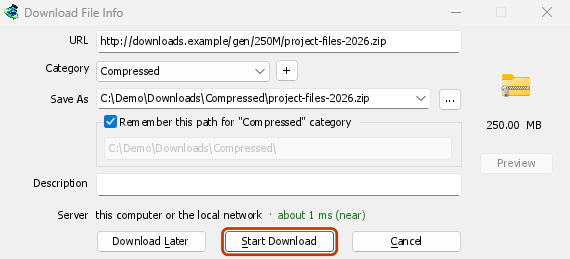
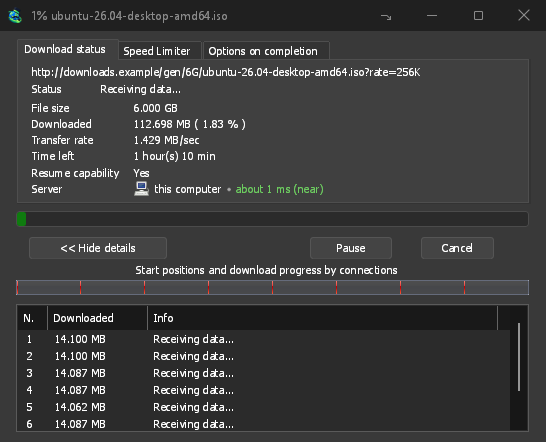
«Почати завантаження»: у вікні прогресу видно, як завантажується файл. 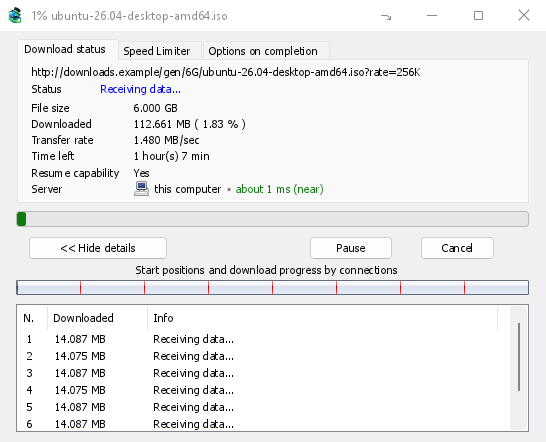
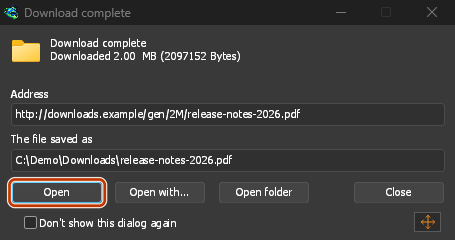
«Завантаження завершено»: відкрийте файл або папку. 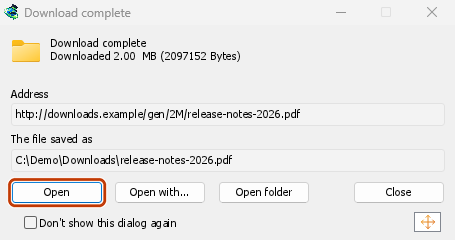
Downloads from a private window use that window's cookies, never the normal ones, and aren't kept in GDM's list after it closes.
Files GDM downloads from the browser are marked as coming from the internet, as the browser marks its own: Windows checks a program with SmartScreen before it runs and Office opens a document in Protected View.
Файли, які браузер відкрив би
A PDF, a song or a video that the browser would show or play itself goes to GDM too, when its type is in Options → File types (not on the excluded sites). To turn this off, untick Also take files the browser would open in Options → General → Keys.... This needs a Chromium browser (Chrome, Edge, Brave, Opera, Vivaldi) version 128 or later, or Firefox.
Кнопка на панелі інструментів
The extension's button shows whether the browser reaches GDM. A red ! means it doesn't; click the button to see why, and How to fix it opens the matching section of The browser and GDM aren't connected. The button also:
- Перехоплювати завантаження з цього браузера: зніміть прапорець, щоб призупинити перехоплення. Усі завантаження залишатимуться в браузері, доки ви знову не встановите прапорець.
- Never take downloads from the current site: adds it to GDM's excluded sites.
- Open GolinksPRO Download Manager and Options....
- Media on this page: what the page has loaded that GDM can download (see below).
Розширення VPN або проксі-сервера
A VPN or proxy extension is a proxy for the browser only. Switch on Send downloads through this browser's proxy or VPN extension in the extension's toolbar popup (it's off as installed), and GDM downloads what it takes from the browser through the same proxy (with Options → Proxy / Socks → Use proxy/socks from a browser's request, on by default; see Options). Switched off, the extension reads nothing of the browser's proxy.
- Firefox asks you once, at the switch, to allow the extension to read the browser's proxy; switching it off takes that permission back. GDM gets the proxy the browser's own request for the file took, including the ones a VPN extension picks for each request.
- Chrome, Edge, Brave, Opera and Vivaldi can't ask for that permission at the switch, so the
extension has it from the install (Chrome counts it under the access to every site the extension
already asks for, so it adds no line to the install prompt and the update asks for nothing new).
The switch asks nothing. GDM gets the browser's effective proxy, whoever set it (a VPN or proxy
extension, a policy, the command line): a fixed server for the download's scheme (
http,https,socks4,socks5), unless the address is on its bypass list, or its proxy auto-config script (by its address or inline). With no proxy, or the system's, nothing is sent and GDM goes by its own Options. A QUIC proxy can't be shared.
В обох випадках логін проксі-сервера ніколи не зчитується: проксі-сервер, який запитує власний логін розширення VPN, не може бути спільним, і завантаження повідомляє про це, а не відбувається без нього.
Медіа на цій сторінці
Деякі сторінки відтворюють відео без посилання на нього, а деякі програвачі приховують його й від кнопки завантаження. Кнопка на панелі інструментів показує, що завантажила сторінка, тож ви все одно можете це зберегти:
- Потоки: HLS (
.m3u8) і DASH (.mpd), у яких більшість сайтів відтворює довгі відео. Кожен потік відображається один раз, незалежно від того, скільки разів програвач перемикав якість. Для потоку також указуються доступні варіанти якості (1080p · 720p) і тривалість, якщо розширення може їх визначити. Розширення також знаходить потоки у форматі звичайного тексту, адреси яких не закінчуються на.m3u8або.mpd: коли ви відкриваєте список (або натискаєте кнопку завантаження над програвачем потоку), розширення зчитує перші кілька кілобайт даних, отриманих програвачем, щоб розпізнати потік. Дані зчитуються лише на ваш запит. - Відео- й аудіофайли, які відтворювала сторінка (MP4, WebM, MP3 тощо), із зазначенням розміру файлу та, для відео, роздільної здатності.
Start the video first: the list fills as the page loads things, and it's emptied when the tab goes
to another page. With Prefix media file names with the page title on, a file from the list is
named after the page, then its own name (The page - clip.mp4). Click Download beside one: a stream opens GDM's Download video from a page
window, which reads its qualities (yt-dlp does the work); a file goes to GDM's list like any other
download. Your cookies for its server, the page as the referrer and your browser's User-Agent go
with it, as they do for a link you click.
Pieces of a stream (its segments) are never listed. A copy-protected stream (DRM: Widevine, PlayReady, FairPlay, as most paid streaming services use) is listed as Protected, with no Download button: no tool may break that protection, and GDM doesn't try.
Від вас нічого більше не потрібно: розширення вже бачить, що завантажує браузер, щоб перехоплювати завантаження. Зібрані дані залишаються в пам’яті браузера й забуваються після його закриття.
Right-click: Download with GolinksPRO Download Manager
Right-click a link, a video, a sound or a picture and choose Download with GolinksPRO Download Manager. GDM downloads it whatever its type: you asked for it, so the file types list and the excluded sites don't apply here (they only decide which downloads GDM takes over by itself). A video that plays as a stream goes to the Download video window with the stream its player loaded (HLS or DASH), as the button over videos sends it, with your cookies for the stream's server and the page as the referrer.
Select part of a page and right-click it for Download selected links with GolinksPRO Download Manager, or right-click the page for Download all links with GolinksPRO Download Manager: the links open in Link grabber, sorted into packages, where you tick the ones you want.
If GDM can't be reached when you choose one of these, the help page opens at the section that explains why.
Кнопка завантаження над відео
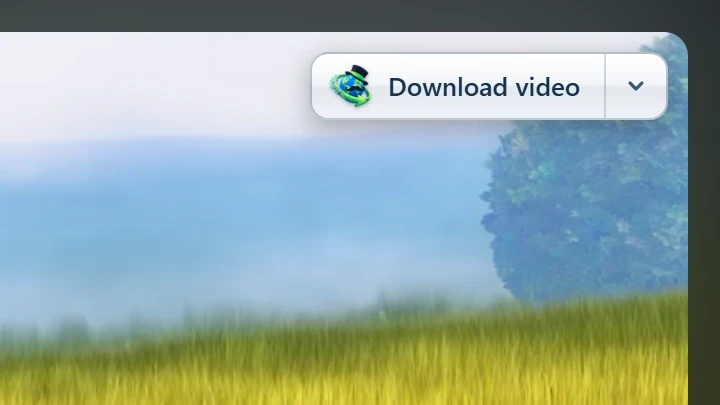
Point at a video on a web page and a small Download video button appears at its edge. Click it and GDM's Download video from a page window opens and looks up the qualities it can download. It takes the video you clicked: its own file when it plays one, or the stream the player loaded (HLS or DASH), else the page. When the button can't tell which one you mean, the toolbar button's Media on this page lists them all. Embedded players work too, and your sign-in for the site, the page that embeds the player and your browser's User-Agent go with it, so videos for members, or that play only on the site that embeds them, can be downloaded. Sound players get the button too.
Вона не заважає: з'являється лише тоді, коли ви наводите курсор на відео (або плеєр має фокус клавіатури; Tab потім переміщується до кнопки), зникає, коли курсор зупиняється, і пропускає невеликі відео та короткі зациклені беззвучні фрагменти (анімовані зображення, фони). У повноекранному режимі вона слідує за відео, якщо плеєр це дозволяє. На відео із захистом від копіювання (DRM) вона повідомляє, що відео не може бути збережено.
- Перемістити: перетягніть її в будь-яке місце вздовж краю відео; вона прилипне до найближчого краю і залишиться там на цьому сайті.
- Its menu (the arrow next to it): Hide on this video, Never on the site (GDM remembers the site), and Button settings..., which opens GDM's Options.
- Turn it off, or see the sites it stays off: Options → General → Customize GDM Download panels in browsers → Edit....
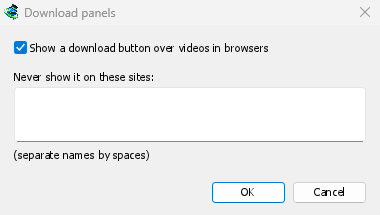
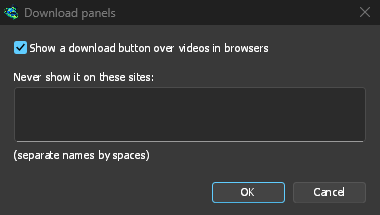
Кнопка слідує за рештою інтеграції: вона не відображається, якщо Використовувати розширену інтеграцію з браузером вимкнено або браузер не позначено.
Клавіші для примусового завантаження або запобігання перехопленню
Hold Alt while clicking a link to let the browser download it instead of GDM. In Firefox, Alt+click saves a link only when its browser.altClickSave setting is on (in about:config); otherwise right-click the link and choose Save Link As..., which the browser keeps. Options → General → Keys... says so, and holds Also take files the browser would open.
Щоб назавжди залишити завантаження з сайту в браузері, скористайтеся кнопкою на панелі інструментів Ніколи не перехоплювати завантаження з або додайте сайт до Не починати завантаження автоматично з наступних сайтів. Щоб залишити тип файлу в браузері, видаліть його зі списку типів файлів.
When GDM isn't running
You don't need to start GDM first. When the browser hands over a download and GDM isn't running, the helper starts it and passes the download on.
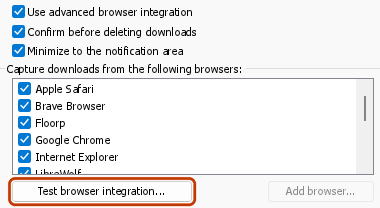
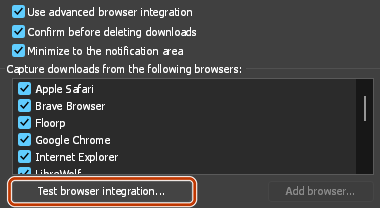
If GDM can't be reached at all (it was uninstalled, or the helper isn't registered), the download stays with the browser, so nothing is lost, and the toolbar button shows a red !. See The browser and GDM aren't connected, or run Options → General → Test browser integration....
Наступні кроки
- Посібник: перехоплення завантажень з вашого браузера →
- Change which file types GDM takes →
- Якщо браузер не передає завантаження →
Безкоштовно, з відкритим кодом, без реклами, без пробного періоду.
Download GolinksPRO Download Manager