

A download that stopped halfway doesn't have to start over. GDM keeps what it has and continues from there.
연결이 끊긴 후
When the connection drops, GDM retries on its own. In the progress window, the connection table shows Retrying and the reason. Usually the download goes on by itself once the connection is back.
GDM이 다시 시도를 중단하고 오류를 표시하는 경우:
- 목록에서 다운로드를 선택합니다.
- 도구 모음에서 다시 시작을 클릭합니다 (또는 마우스 오른쪽 버튼 클릭 → 다운로드 다시 시작).
충돌 또는 재시작 후
GDM saves each download's progress as it goes, so a Windows crash, a power cut or closing GDM loses at most the last moments.
- Start GDM. The download is in the list under Unfinished.
- 다운로드를 선택하고 다시 시작을 클릭합니다.
링크가 만료된 경우
많은 사이트에서 잠시 동안만 작동하거나 로그인한 상태에서만 작동하는 링크를 제공합니다. 이 경우 이전 주소가 더 이상 응답하지 않아 다운로드를 다시 시작할 수 없습니다.
- 다운로드를 마우스 오른쪽 버튼으로 클릭하고 다운로드 주소 새로 고침을 선택합니다.
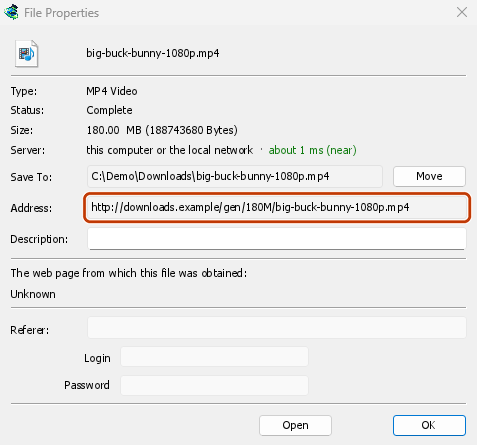
- GDM opens the web page the link came from (when it knows it), and the download's File Properties.
- On the web page, start the download again, or copy the new download link (right-click → Copy link). If the browser hands the new download to GDM, cancel it there: you only need the address.
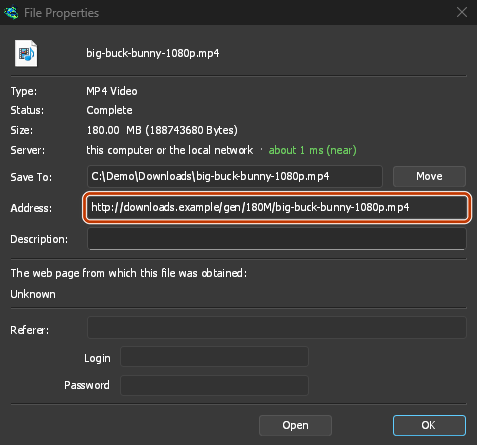
- 새 링크를 파일 속성의 주소에 붙여넣고 확인을 클릭합니다.
- 다시 시작을 클릭합니다. 새 주소를 사용해 다운로드가 중단된 지점부터 계속됩니다.
The new address has to point at the same file. If it doesn't, GDM stops with the file changed on the server.
서버에서 파일이 변경된 경우
If the site replaced the file with a new version, the parts GDM has don't fit any more. Right-click the download and choose Redownload to start again from the beginning. A finished file is only replaced when the new download completes.
다시 시작할 수 없는 경우
Look at Resume capability in the progress window. No means the server can't send a file in parts. GDM then uses one connection, and a download that stops has to start over. For such servers, avoid stopping the download, and avoid a very low speed limit, which can make the server drop the connection.
다음 단계
무료, 오픈 소스, 광고 없음, 평가판 없음.
Download GolinksPRO Download Manager