

A download that stopped halfway doesn't have to start over. GDM keeps what it has and continues from there.
Setelah koneksi terputus
When the connection drops, GDM retries on its own. In the progress window, the connection table shows Retrying and the reason. Usually the download goes on by itself once the connection is back.
Jika GDM berhenti mencoba dan menampilkan Galat:
- Pilih unduhan dalam daftar.
- Klik Lanjutkan di bilah alat (atau klik kanan → Lanjutkan Unduhan).
Setelah aplikasi mengalami crash atau komputer dimulai ulang
GDM saves each download's progress as it goes, so a Windows crash, a power cut or closing GDM loses at most the last moments.
- Start GDM. The download is in the list under Unfinished.
- Pilih unduhan tersebut dan klik Lanjutkan.
Saat tautan kedaluwarsa
Banyak situs memberikan tautan yang hanya berfungsi untuk sementara atau hanya saat Anda masuk ke akun. Unduhan tidak dapat dilanjutkan karena alamat lama tidak lagi merespons.
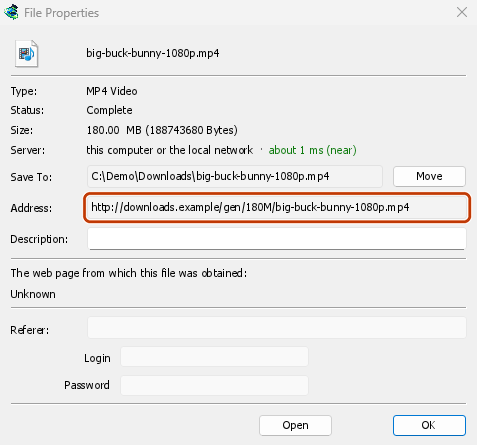
- Klik kanan unduhan dan pilih Segarkan alamat unduhan.
- GDM opens the web page the link came from (when it knows it), and the download's File Properties.
- On the web page, start the download again, or copy the new download link (right-click → Copy link). If the browser hands the new download to GDM, cancel it there: you only need the address.
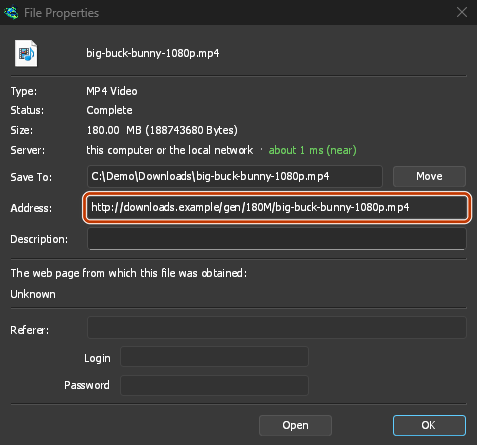
- Tempel tautan baru ke Alamat di Properti File dan klik OK.
- Klik Lanjutkan. Unduhan berlanjut dari tempat berhenti, menggunakan alamat baru.
The new address has to point at the same file. If it doesn't, GDM stops with the file changed on the server.
Saat file di server berubah
If the site replaced the file with a new version, the parts GDM has don't fit any more. Right-click the download and choose Redownload to start again from the beginning. A finished file is only replaced when the new download completes.
Jika unduhan tidak dapat dilanjutkan
Look at Resume capability in the progress window. No means the server can't send a file in parts. GDM then uses one connection, and a download that stops has to start over. For such servers, avoid stopping the download, and avoid a very low speed limit, which can make the server drop the connection.
Langkah selanjutnya
- Detail tentang koneksi dan melanjutkan unduhan →
- Pemecahan masalah →
- Kembali ke indeks dokumentasi →
Gratis, sumber terbuka, tanpa iklan, tanpa masa uji coba.
Download GolinksPRO Download Manager