

A download that stopped halfway doesn't have to start over. GDM keeps what it has and continues from there.
پس از قطع اتصال
When the connection drops, GDM retries on its own. In the progress window, the connection table shows Retrying and the reason. Usually the download goes on by itself once the connection is back.
اگر تسلیم شود و خطا را نشان دهد:
- بارگیری را در فهرست انتخاب کنید.
- روی ادامه در نوار ابزار کلیک کنید (یا راستکلیک کنید → ادامه بارگیری).
پس از خرابی یا راهاندازی مجدد
GDM saves each download's progress as it goes, so a Windows crash, a power cut or closing GDM loses at most the last moments.
- Start GDM. The download is in the list under Unfinished.
- آن را انتخاب کرده و روی ادامه کلیک کنید.
هنگامی که پیوند منقضی شده است
بسیاری از سایتها پیوندهایی را ارائه میدهند که فقط برای مدتی یا فقط زمانی که وارد شدهاید کار میکنند. در این صورت، ادامه بارگیری با شکست مواجه میشود، زیرا آدرس قدیمی دیگر پاسخگو نیست.
- روی بارگیری راستکلیک کرده و تازهسازی نشانی بارگیری را انتخاب کنید.
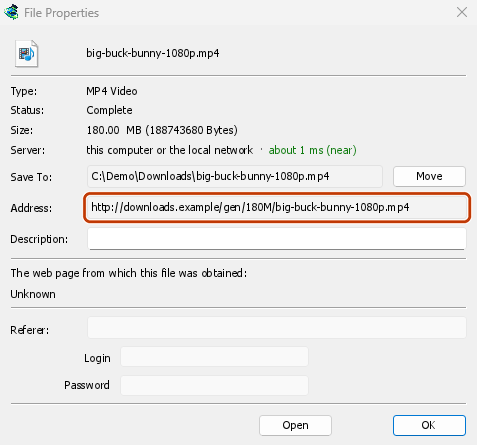
- GDM opens the web page the link came from (when it knows it), and the download's File Properties.
- On the web page, start the download again, or copy the new download link (right-click → Copy link). If the browser hands the new download to GDM, cancel it there: you only need the address.
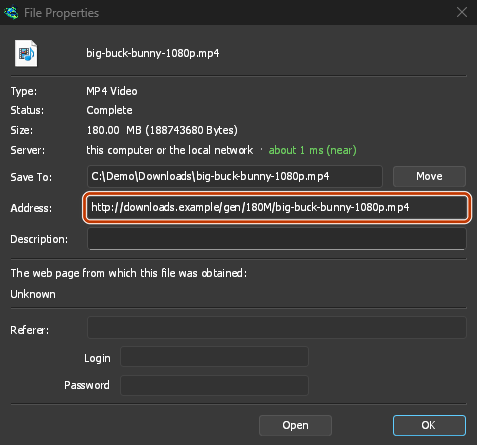
- پیوند جدید را در آدرس در ویژگیها جایگذاری کرده و روی تأیید کلیک کنید.
- روی ادامه کلیک کنید. بارگیری از جایی که متوقف شده بود، با استفاده از آدرس جدید، ادامه مییابد.
The new address has to point at the same file. If it doesn't, GDM stops with the file changed on the server.
هنگامی که فایل در سرور تغییر کرده است
If the site replaced the file with a new version, the parts GDM has don't fit any more. Right-click the download and choose Redownload to start again from the beginning. A finished file is only replaced when the new download completes.
هنگامی که ادامه بارگیری امکانپذیر نیست
Look at Resume capability in the progress window. No means the server can't send a file in parts. GDM then uses one connection, and a download that stops has to start over. For such servers, avoid stopping the download, and avoid a very low speed limit, which can make the server drop the connection.
مراحل بعدی
رایگان، متنباز، بدون تبلیغات، بدون دوره آزمایشی.
Download GolinksPRO Download Manager