

A download that stopped halfway doesn't have to start over. GDM keeps what it has and continues from there.
Dopo un'interruzione della connessione
When the connection drops, GDM retries on its own. In the progress window, the connection table shows Retrying and the reason. Usually the download goes on by itself once the connection is back.
Se il download smette di riprovare e mostra Errore:
- Seleziona il download nell'elenco.
- Fai clic su Riprendi nella barra degli strumenti (o clic destro → Riprendi download).
Dopo un arresto anomalo o un riavvio
GDM saves each download's progress as it goes, so a Windows crash, a power cut or closing GDM loses at most the last moments.
- Start GDM. The download is in the list under Unfinished.
- Selezionalo e fai clic su Riprendi.
Quando il collegamento è scaduto
Molti siti forniscono collegamenti che funzionano solo per un certo periodo o solo mentre hai effettuato l'accesso. In questo caso non è possibile riprendere il download, perché il vecchio indirizzo non risponde più.
- Fai clic destro sul download e scegli Aggiorna indirizzo di download.
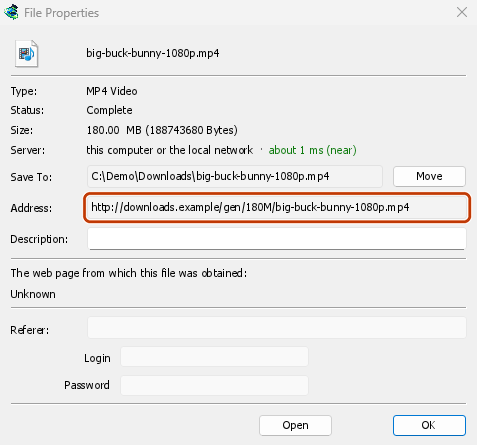
- GDM opens the web page the link came from (when it knows it), and the download's File Properties.
- On the web page, start the download again, or copy the new download link (right-click → Copy link). If the browser hands the new download to GDM, cancel it there: you only need the address.
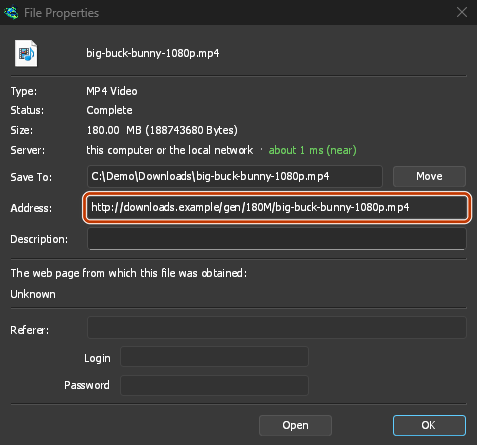
- Incolla il nuovo collegamento in Indirizzo nelle Proprietà del file e fai clic su OK.
- Fai clic su Riprendi. Il download riprende dal punto in cui si era interrotto, usando il nuovo indirizzo.
The new address has to point at the same file. If it doesn't, GDM stops with the file changed on the server.
Quando il file è cambiato sul server
If the site replaced the file with a new version, the parts GDM has don't fit any more. Right-click the download and choose Redownload to start again from the beginning. A finished file is only replaced when the new download completes.
Quando non è possibile riprendere il download
Look at Resume capability in the progress window. No means the server can't send a file in parts. GDM then uses one connection, and a download that stops has to start over. For such servers, avoid stopping the download, and avoid a very low speed limit, which can make the server drop the connection.
Passi successivi
- Connessioni e ripresa in dettaglio →
- Risoluzione dei problemi →
- Torna all'indice della documentazione →
Gratuito, open source, senza pubblicità, senza periodo di prova.
Download GolinksPRO Download Manager