

Запускається з комп'ютером, не заважаючи
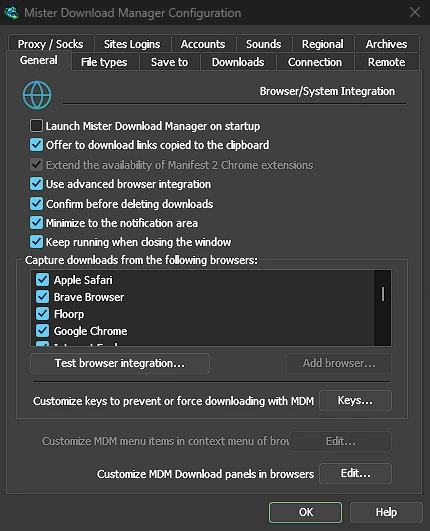
Tick Launch GolinksPRO Download Manager on startup in Options → General and GDM starts when you sign in, hidden, its icon in the notification area. Its downloads, queues, the Scheduler and downloads from the browser all run from there. Click the icon, or start GDM again, and the window opens as usual.
The option is off until you tick it. On Linux and macOS GDM starts with your session the same way. A portable copy can't start with Windows, since that needs the registry, so the option is greyed there.
Один клік приховує вікно завантаження
Вікно прогресу завантаження має кнопку Приховати в області сповіщень: короткий тире зі стрілкою вниз до кута. У Windows вона знаходиться в рядку заголовка, ліворуч від Згорнути, і в меню рядка заголовка (Alt+Space). На Linux та macOS вона знаходиться в кінці рядка вкладок. Завантаження продовжується.
Щоб побачити його знову, клацніть правою кнопкою миші на іконці в треї та виберіть його в розділі Завантаження виконуються, де перераховані всі активні завантаження. Подвійний клік на завантаженні в списку також повертає його вікно.
Згортання також відправляє вікна в трей
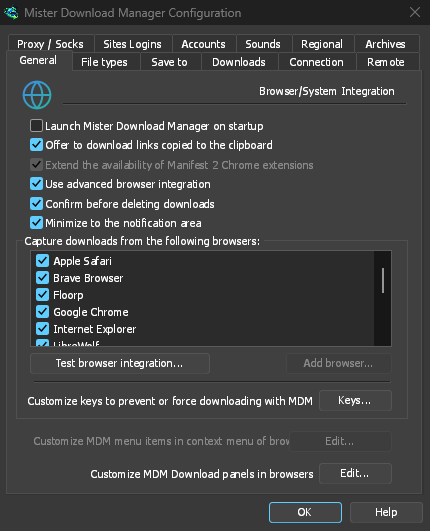
With Minimize to the notification area on in Options → General (it is on by default), Minimize hides the main window, and a progress window, in the notification area instead of leaving them on the taskbar. Closing the main window does the same: GDM keeps running until you choose Tasks → Exit or Exit in the tray menu.
Меню трея також містить Додати нове завантаження, Додати пакетне завантаження, Обмежувач швидкості, Планувальник, головну чергу завантажень та Параметри.
Легкий у режимі очікування
Hidden in the notification area, GDM hands the memory it isn't using back to the system. Task Manager's Memory for GDM drops from about 50 MB to under 10 MB there, and GDM gives memory back again every 10 minutes while it stays hidden. On Linux it does the same with its free memory.
Де немає трея
All of this needs a notification area that shows GDM's icon. Windows and macOS have one, and so do most Linux desktops (KDE, GNOME with its AppIndicator extension, waybar's tray). On a desktop without one, GDM starts minimized instead, closing the window quits GDM, and Minimize to the notification area is greyed. In a Wayland session the main window stays minimized in the dock, because Wayland can't hide a window.
Безкоштовно, з відкритим кодом, без реклами, без пробного періоду.
Download GolinksPRO Download Manager