

شروع با رایانه، بدون مزاحمت
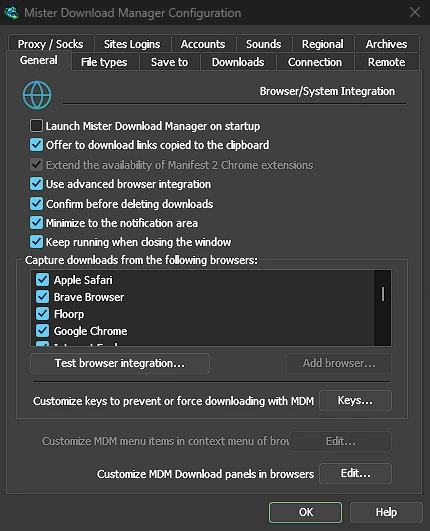
Tick Launch GolinksPRO Download Manager on startup in Options → General and GDM starts when you sign in, hidden, its icon in the notification area. Its downloads, queues, the Scheduler and downloads from the browser all run from there. Click the icon, or start GDM again, and the window opens as usual.
The option is off until you tick it. On Linux and macOS GDM starts with your session the same way. A portable copy can't start with Windows, since that needs the registry, so the option is greyed there.
یک کلیک پنجره بارگیری را پنهان میکند
پنجره پیشرفت بارگیری دارای دکمه پنهان کردن در ناحیه اعلان است: یک خط تیره کوتاه با یک فلش به سمت پایین گوشه. در Windows، این دکمه در نوار عنوان، سمت چپ کوچکنمایی، و در منوی نوار عنوان (Alt+Space) قرار دارد. در Linux و macOS، در انتهای ردیف تبها است. بارگیری ادامه پیدا میکند.
برای دیدن دوباره آن، روی آیکون سینی کلیک راست کرده و آن را در بخش دانلودهای در حال انجام انتخاب کنید، که هر بارگیری در حال اجرا را فهرست میکند. دوبار کلیک کردن روی بارگیری در لیست نیز پنجره آن را بازمیگرداند.
کوچکنمایی نیز پنجرهها را به سینی میفرستد
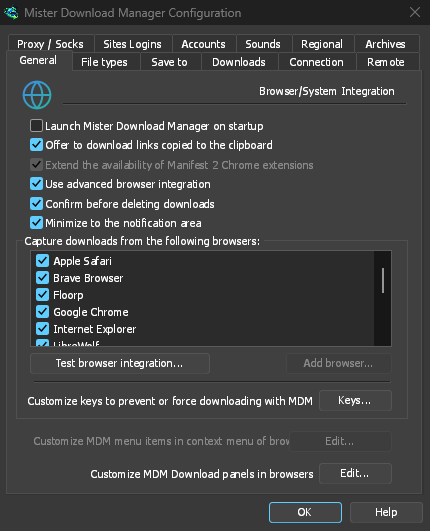
With Minimize to the notification area on in Options → General (it is on by default), Minimize hides the main window, and a progress window, in the notification area instead of leaving them on the taskbar. Closing the main window does the same: GDM keeps running until you choose Tasks → Exit or Exit in the tray menu.
منوی سینی همچنین دارای افزودن بارگیری جدید، افزودن بارگیری دستهای، محدودکننده سرعت، زمانبند، صف اصلی بارگیری و گزینهها است.
سبک در حالت انتظار
Hidden in the notification area, GDM hands the memory it isn't using back to the system. Task Manager's Memory for GDM drops from about 50 MB to under 10 MB there, and GDM gives memory back again every 10 minutes while it stays hidden. On Linux it does the same with its free memory.
در جایی که سینی وجود ندارد
All of this needs a notification area that shows GDM's icon. Windows and macOS have one, and so do most Linux desktops (KDE, GNOME with its AppIndicator extension, waybar's tray). On a desktop without one, GDM starts minimized instead, closing the window quits GDM, and Minimize to the notification area is greyed. In a Wayland session the main window stays minimized in the dock, because Wayland can't hide a window.
رایگان، متنباز، بدون تبلیغات، بدون دوره آزمایشی.
Download GolinksPRO Download Manager