

- Home
- Funzionalità
- Accelerazione e ripresa
Tutte le connessioni insieme. Riprende da dove si era fermato.
GDM splits a file into parts and downloads them side by side, then keeps every connection busy until the last byte. If the line drops or the computer restarts, the download carries on from where it was.
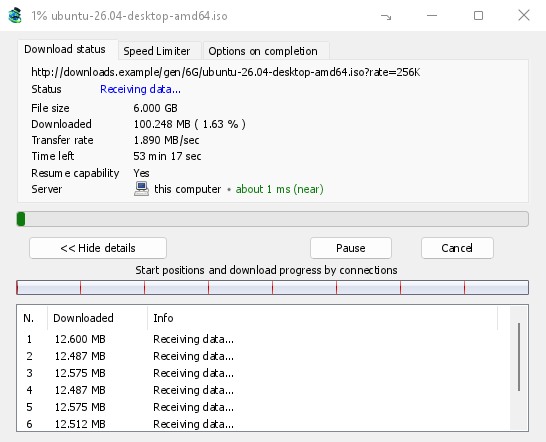
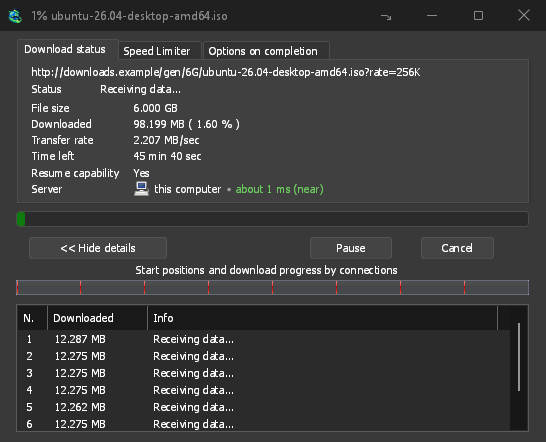
Nessuna connessione inattiva
GDM opens 8 connections by default, and you can set anything from 1 to 32 in Options → Connection. When a connection finishes its part, it takes over half of the largest part still left, so the work is shared out again and again until the file is done. A connection that falls far behind the others is dropped and opened again.
La finestra di avanzamento lo mostra in tempo reale: una barra dell'intero file con l'inizio e l'avanzamento di ogni connessione, e una tabella con ciò che ogni connessione sta facendo in quel momento.
Misurato, non solo promesso
On the same PC and the same test server, GDM fetched a 1 GiB file in 1.0 s against IDM 6.42's 5.5 s, and a 256 KiB file in 0.03 s against 3.1 s: the medians of alternating runs. The benchmark page has every run, the method and the raw data.
More connections help only where a server sends each one at a limited speed. Most servers allow a few connections per address, and GDM notices when one says no: it stops asking that server for more and lists what it learned under Exceptions in Options → Connection. You can set a number for a server yourself there too.
Più di 32, se le vuoi
Consenti più di 32 connessioni in Opzioni → Connessione alza il limite a 128 per download, anche per le eccezioni del server. L'opzione -c della riga di comando accetta da 1 a 128.
Una ripresa che resiste agli arresti anomali
GDM saves how far each part has got as it goes. A download picks up where it stopped after you pause it, after the connection drops, or after Windows or GDM itself crashes. A connection that fails is retried on its own, and the table shows Retrying with the reason.
Before it continues, GDM checks that the file on the server is still the same one, so a changed file never gets stitched onto an old half. When a server can't send a file in parts, the progress window says Resume capability: No before you rely on it.
Direttamente su disco
Each connection writes directly into the file's place on disk, in a part file next to the final one. There is no temporary folder and no joining step at the end: when the last part arrives, GDM checks the size and renames the file.
Riprendere un download interrotto mostra cosa fare quando un collegamento è scaduto.
Gratuito, open source, senza pubblicità, senza periodo di prova.
Download GolinksPRO Download Manager