

アイドル状態の接続なし
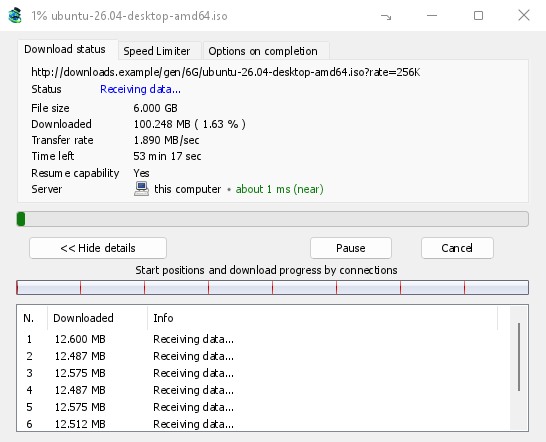
GDM opens 8 connections by default, and you can set anything from 1 to 32 in Options → Connection. When a connection finishes its part, it takes over half of the largest part still left, so the work is shared out again and again until the file is done. A connection that falls far behind the others is dropped and opened again.
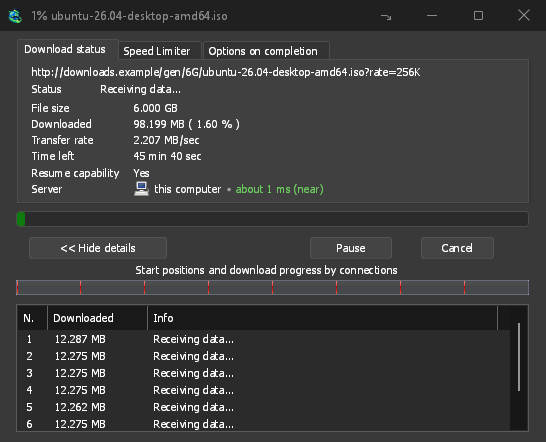
進行状況ウィンドウには、各接続の開始と進行状況を示すファイル全体のバーと、各接続が現在行っている作業を示すテーブルが表示されます。
主張ではなく測定
On the same PC and the same test server, GDM fetched a 1 GiB file in 1.0 s against IDM 6.42's 5.5 s, and a 256 KiB file in 0.03 s against 3.1 s: the medians of alternating runs. The benchmark page has every run, the method and the raw data.
More connections help only where a server sends each one at a limited speed. Most servers allow a few connections per address, and GDM notices when one says no: it stops asking that server for more and lists what it learned under Exceptions in Options → Connection. You can set a number for a server yourself there too.
必要であれば 32 以上
オプション → 接続で32 を超える接続を許可すると、ダウンロードごとの制限が 128 に引き上げられ、サーバーの例外にも適用されます。コマンドラインの-cは 1 から 128 を受け入れます。
クラッシュから復旧する再開
GDM saves how far each part has got as it goes. A download picks up where it stopped after you pause it, after the connection drops, or after Windows or GDM itself crashes. A connection that fails is retried on its own, and the table shows Retrying with the reason.
Before it continues, GDM checks that the file on the server is still the same one, so a changed file never gets stitched onto an old half. When a server can't send a file in parts, the progress window says Resume capability: No before you rely on it.
直接ディスクへ
Each connection writes directly into the file's place on disk, in a part file next to the final one. There is no temporary folder and no joining step at the end: when the last part arrives, GDM checks the size and renames the file.
破損したダウンロードを再開では、リンクの有効期限が切れた場合の対処法が示されています。
無料、オープンソース、広告なし、試用期間なし。
Download GolinksPRO Download Manager