

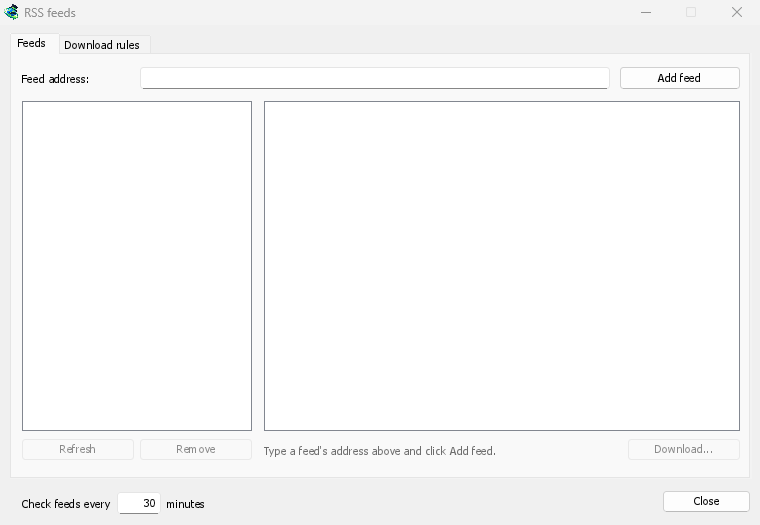
ฟีดของคุณในหน้าต่างเดียว
Open Tasks → RSS feeds..., type a feed's address into Feed address and click Add feed. GDM fetches it at once, then every 30 minutes, or as often as you set, down to every 5. Pick a feed to see its articles: one with a torrent shows a torrent icon, and its size when the feed gives it. Double-click an article to open Add torrent with it, as for any torrent.
ฟีดที่ไม่สามารถอ่านได้จะแสดงเป็นสีแดง พร้อมเหตุผลในบรรทัดด้านล่าง
กฎที่เลือกให้คุณ
บนแท็บ กฎการดาวน์โหลด กฎจะเพิ่มทอร์เรนต์ของบทความใหม่ที่มีชื่อตรงกัน โดยไม่ต้องถาม:
- ต้องมี: คำที่ชื่อต้องมีทั้งหมด ไม่จำกัดลำดับ
1080p|2160pหมายถึงอย่างใดอย่างหนึ่ง และ*กับ?เป็นตัวแทน - ต้องไม่มี: คำที่ทำให้กฎข้ามบทความ
- การแสดงออกทั่วไป สำหรับผู้ที่ต้องการ ในสองช่องเดียวกัน
- บันทึกไปที่: โฟลเดอร์สำหรับทอร์เรนต์ของกฎ และ เพิ่มโดยไม่เริ่ม หากคุณต้องการเริ่มเอง
แต่ละตอนเพียงครั้งเดียว
ตอน อ่าน S01E05 หรือ 1x05 ในชื่อ 1x2 คือซีซัน 1 ตอนที่ 2; 1x5-8 คือตอนที่ 5 ถึง 8; 2x1- คือทั้งหมดตั้งแต่ซีซัน 2 เป็นต้นไป กฎจะเพิ่มแต่ละตอนเพียงครั้งเดียว: เมื่อมีการเผยแพร่ตอนที่สองของตอนที่เพิ่มไปแล้วปรากฏขึ้น จะถูกข้ามไป
ไม่มีรายการค้างที่น่าประหลาดใจ
กฎจะพิจารณาเฉพาะบทความที่ใหม่ตั้งแต่การดึงข้อมูลฟีดครั้งล่าสุด และการดึงข้อมูลฟีดครั้งแรกจะแสดงเฉพาะสิ่งที่มีอยู่ การเพิ่มฟีดหรือกฎไม่เคยดาวน์โหลดประวัติทั้งหมด ตรงกับ ... บทความตอนนี้ แสดงบทความที่กฎจะเลือก เพื่อให้คุณสามารถตรวจสอบและดาวน์โหลดด้วยตนเองได้
A torrent the list already has isn't added again, and GDM never writes into files it didn't make without asking. The window is made for feeds of torrents: an article opens in Add torrent, and a rule adds torrents.
ฟรี, โอเพนซอร์ส, ไม่มีโฆษณา, ไม่มีช่วงทดลองใช้
Download GolinksPRO Download Manager