

모든 비디오 페이지를 위한 하나의 창
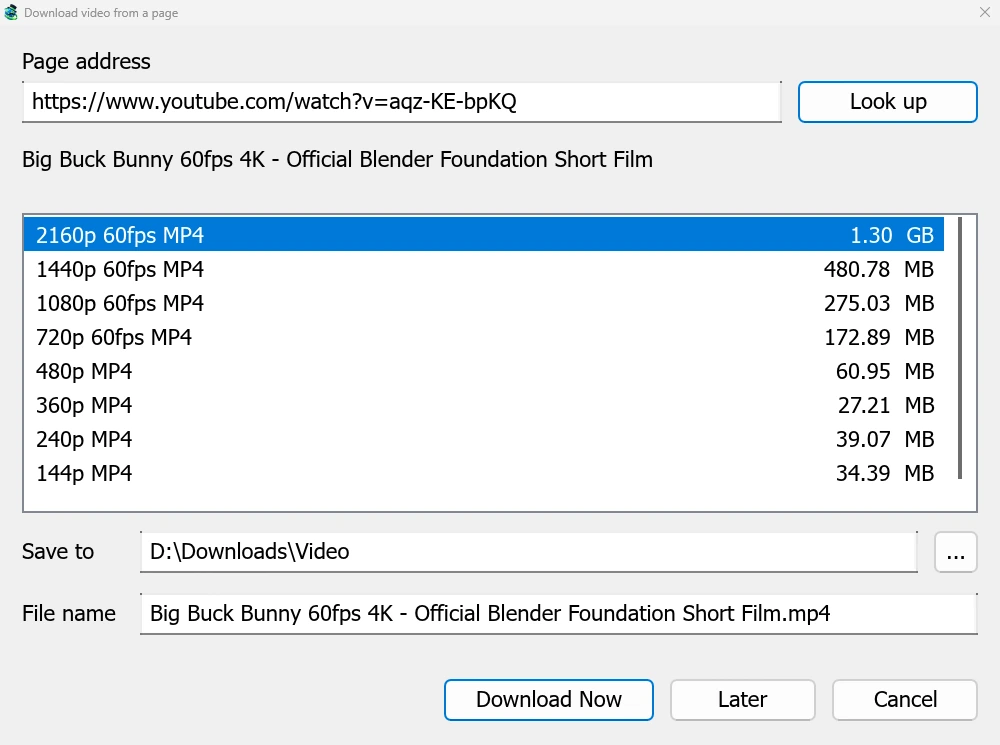
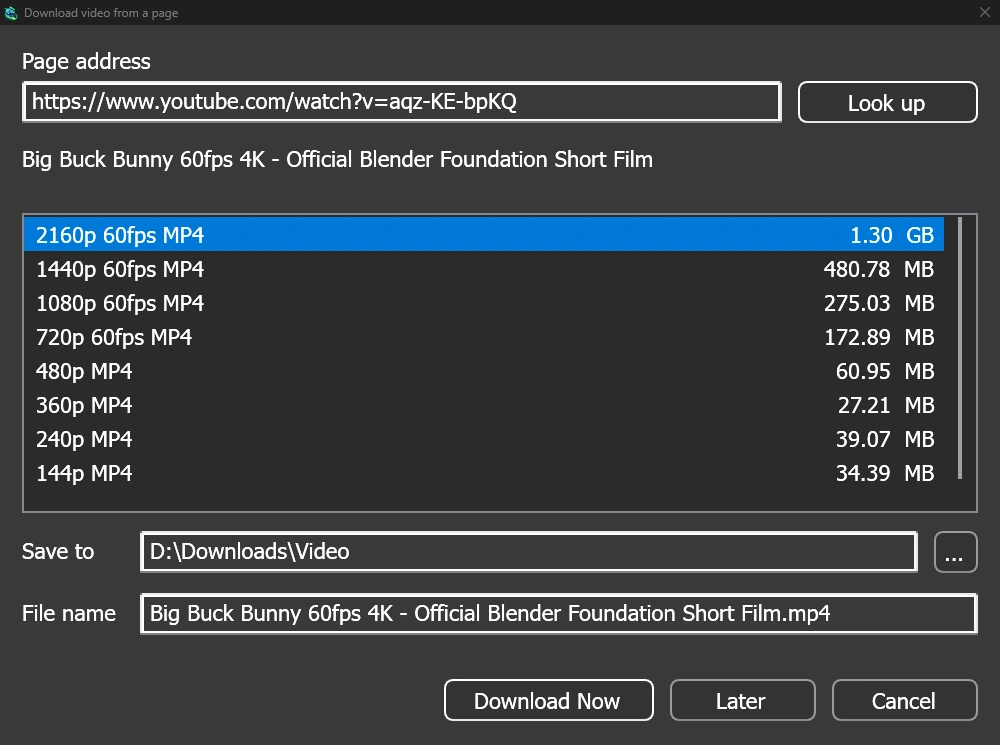
Give a video's page address to Add URL (Ctrl+N) and GDM sees that it is a video page: Download video from a page opens and looks it up. YouTube, Vimeo, Dailymotion, Twitch, TikTok, Instagram, Reddit and well over a thousand other sites work. With the browser extension, the button over a video opens the same window.
목록에는 각 화질과 크기가 가장 좋은 것부터 순서대로 표시되며, 맨 끝에는 소리만 있는 옵션이 있습니다. 저장 위치와 파일 이름을 확인한 다음 지금 다운로드를 클릭하거나, 나중에 다운로드하려면 나중에를 클릭하여 목록에 추가합니다. 비디오는 다른 다운로드와 마찬가지로 자체 행과 진행 창을 갖게 됩니다.
사용 전 확인하는 두 가지 도우미
GDM doesn't do this alone, and doesn't pretend to. yt-dlp reads the page and downloads the video. ffmpeg joins the picture and the sound when a site keeps them apart, which most sites do for their higher qualities. GDM offers both on its first start and downloads them from their official releases, checked against what their publishers sign before it uses them. On Linux and macOS GDM uses the system's ffmpeg.
ffmpeg이 없어도 소리가 포함된 화질은 다운로드할 수 있습니다.
지원하지 않는 기능
Videos protected with DRM, as most paid streaming services use, can't be downloaded, and GDM doesn't try. Downloading may be against some sites' terms: checking that is up to you.
Sites change often, and a newer yt-dlp usually fixes a video that stopped working. GDM doesn't update yt-dlp on its own yet; the help shows how to get the newest one.
재생 목록, 자막 및 MP3
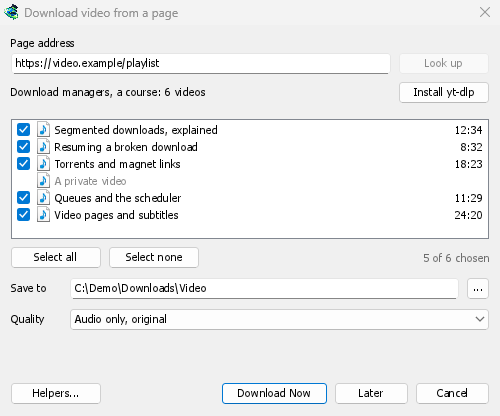
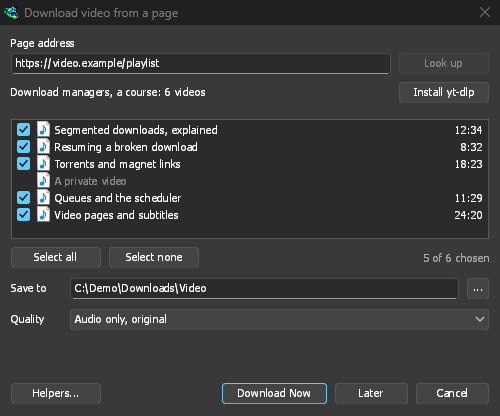
- 재생 목록 및 채널: 재생 목록 또는 채널 주소를 붙여넣으면 창에 해당 비디오 목록이 모두 선택된 상태로 표시됩니다. 하나의 화질이 모든 비디오에 적용되며, 목록 이름으로 된 폴더에 저장됩니다. 채널은 한 번에 50개의 비디오가 나열되며, 더 로드를 통해 추가로 로드할 수 있습니다.
- 자막: 업로더의 언어가 먼저 표시되고, 그 다음 사이트의 자동 생성 자막이 표시됩니다. 자막은 비디오 옆에 저장되거나, ffmpeg을 사용하여 MP4 또는 MKV 파일 내부에 포함될 수 있습니다.
- 소리만: 최적의 가변 비트레이트 또는 320, 256, 192 또는 128kbps의 오디오 전용 MP3, 오디오 전용 OPUS, 그리고 오디오 전용 FLAC를 제공하며, FLAC이 사이트의 소리가 가지고 있지 않은 품질을 추가할 수 없다는 솔직한 안내가 있습니다.
- 로그인이 필요한 비디오: 옵션 → 사이트 로그인 → 동영상 사이트용 쿠키를 통해 yt-dlp가 붙여넣은 링크에 대해 브라우저의 쿠키를 읽을 수 있습니다. Chrome, Edge 및 Brave는 Windows에서 쿠키를 잠그며, 창에 이 사실이 표시됩니다. Firefox는 작동하며, 비디오 위의 버튼도 작동합니다.
- 사용자 자신의 yt-dlp 및 ffmpeg: 도우미...에서 이미 가지고 있는 복사본을 사용할 수 있습니다.
무료, 오픈 소스, 광고 없음, 평가판 없음.
Download GolinksPRO Download Manager