

- Home
- Funzionalità
- Passare da IDM
Passare a GDM è facile. Porta con te i tuoi download.
Moving from Internet Download Manager? Export your list there and import it in GDM. Every download comes over with its address, referrer and cookies, into a window laid out the way you know.
Il tuo elenco arriva in un unico file
In IDM, choose Tasks → Export → To IDM export file. In GDM, choose Tasks → Import → From
IDM export file and pick that .ef2 file. Each download comes over with its address, the page
it came from (its referrer) and its cookies. The downloads join the Main download queue,
ready to start.
Anche un semplice elenco di collegamenti funziona
Attività → Importa → Da file di testo legge un file di testo ed estrae ogni indirizzo web in esso contenuto. Puoi anche trascinare un elenco .txt o .ef2 direttamente sull'elenco dei download. Deseleziona ciò che non vuoi e aggiungi il resto alla coda.
Anche il percorso inverso è altrettanto facile: Attività → Esporta → In file di testo salva un indirizzo per riga, e In file di esportazione IDM scrive un file .ef2.
Niente di nuovo da imparare
GDM is a separate program, written from scratch, but its windows are laid out the way IDM users expect: the toolbar, the categories, the download list, the progress window with every connection, queues and the Scheduler. It is free, with no trial and no sign-up.
IDM is the more mature product, refined over many years. GDM finished faster in our benchmark: a 1 GiB file in 1.0 s against IDM 6.42's 5.5 s, on the same PC and the same test server. The FAQ sums up the other differences.
Scegli prima di aggiungere
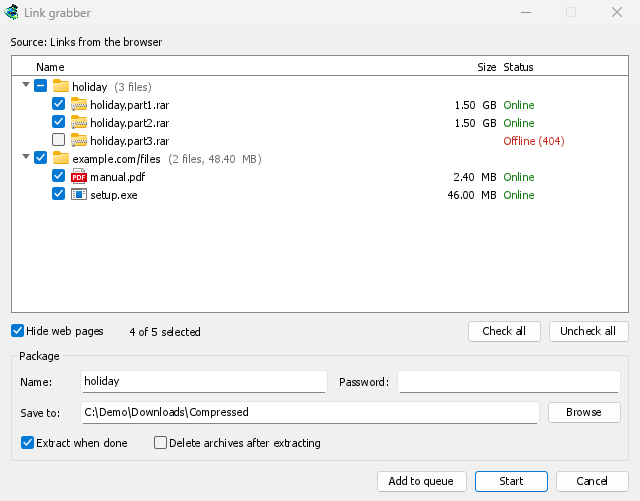
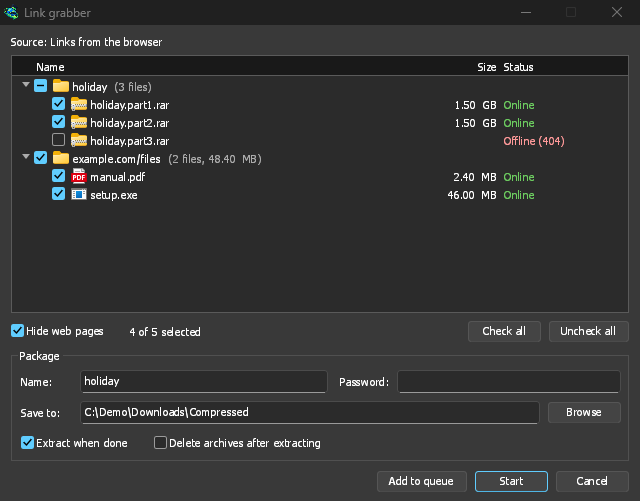
Un'importazione apre il Link grabber, che ordina i collegamenti in pacchetti: i volumi di un archivio insieme, i collegamenti di una pagina insieme, il resto in File vari. Per ogni collegamento GDM verifica il nome reale, la dimensione e se il server lo ha ancora, e quelli che non ci sono più arrivano deselezionati. Un collegamento già presente nel tuo elenco va sotto Già nell'elenco, deselezionato.
Aggiungi alla coda aggiunge i collegamenti selezionati alla Coda di download principale, come ha sempre fatto l'importazione, e Avvia avvia anche la coda. Un file .ef2 include ancora il referrer e i cookie di ogni download. Vedi Link grabber e archivi.
Gratuito, open source, senza pubblicità, senza periodo di prova.
Download GolinksPRO Download Manager