

- Início
- Funcionalidades
- Adaptador de rede
Através da sua VPN, ou de todo não.
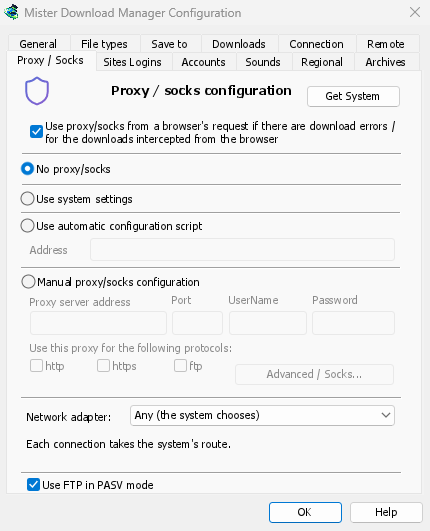
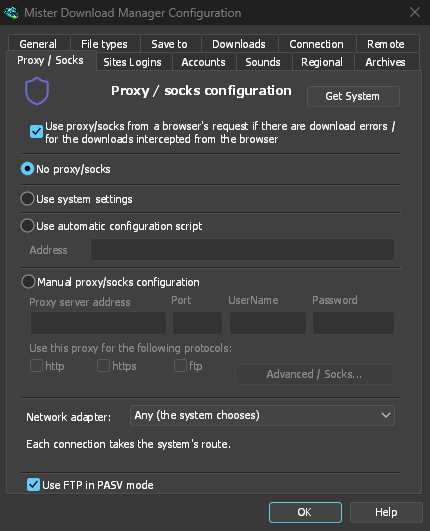
Pick a network adapter, usually your VPN's, and every connection GDM opens goes through it. If the VPN drops, nothing slips out through your normal connection: downloads stop, and start again when it's back.
Um "kill switch" integrado
Any (the system chooses) is the default. Choose an adapter instead, and GDM sends its connections through that one only. When it disconnects, or the VPN is switched off, nothing goes out another way. Running downloads stop with "… is not connected" and start again by themselves when the adapter is back. The line under the list shows the adapter's address, or that it isn't connected.
Everything GDM opens
It covers downloads and FTP, torrents (peers, trackers, the DHT and the listening port), video
pages and image galleries, the DNS you chose, GDM's own downloads and its update check. The
command line's get, video-get and gallery-get take --adapter, with the adapter's name,
such as Ethernet or wg0, or one of its addresses.
yt-dlp, gallery-dl and ffmpeg can't be held to an adapter themselves. While one is chosen, GDM gives them a proxy of its own on this computer, with a password only they get, and opens their connections through the adapter as it opens its own. Video formats that can't go through a proxy (RTMP, RTSP, MMS, FTP) are refused rather than sent around it.
Como funciona a associação
On Windows, GDM binds the adapter's own address, and Windows then sends those packets only through that adapter. Linux binds the device itself (Linux 5.7 or newer), and macOS binds the interface. An address of a kind the adapter doesn't have, such as IPv6 on a VPN that has only IPv4, is refused, not sent around it.
Mantenha as suas pesquisas também dentro
The system's DNS looks names up its own way, and Windows may ask over every adapter. To keep the names inside the VPN as well, choose a DNS in Options → Connection → DNS: GDM then asks it through the adapter. See DNS and proxies.
O que ainda não associa
ftps://Os endereços (TLS implícito) não iniciam enquanto um adaptador estiver escolhido; ftp:// com TLS funciona bem. As ligações a este próprio computador não são associadas, por isso um proxy a correr neste computador decide para onde as suas transferências vão a partir daí. No macOS, uma VPN que se reconecta pode voltar como uma nova interface (utun5 em vez de utun4): escolha-a novamente.
Gratuito, de código aberto, sem anúncios, sem período de avaliação.
Download GolinksPRO Download Manager